






 See Compatible Printers
 Read more about our ink!
Hewlett Packard
Compatible HP 89X (CF289X) Toner Cartridge 2 Black
- Page Yield:
- Black: 10000
- Availability:
- In Stock
- Shipping:
- Free Shipping

Amazon Price:

- Page Yield:
- Black: 10000
- Availability:
- In Stock
- Shipping:
- Free Shipping
- Compatible Printers
- Specifications
- SKU:
- CS-HP-89X-M507-2Black
- Printer Brand:
- Hewlett Packard
- OEM Number:
- CF289X
- Ink Color:
- Black
- Page Yield:
- Black: 10000
- Printer Type:
- Laser Cartridge
- Condition:
- New Compatible
- Description
- Reviews



Get more done with the high-yield HP 89X and CF289X Black cartridges, designed to deliver exceptional print quality and long-lasting performance. Whether you're printing business-critical documents or daily office materials, this cartridge ensures sharp, clear text with every page. Ideal for use with the Enterprise M507n, M507dn, M507x, and M507, the HP 89X toner cartridge integrates seamlessly with your printer to provide consistent output and reduce the frequency of cartridge changes. Its high-capacity design supports heavy-duty workloads with ease. Compatible with multifunction printers like the MFP M528dn, M528f, M528c, M528z, and M528, the HP 89X toner cartridge produces bold, professional black prints that resist smudging and fading, making it perfect for high-volume, high-quality output. Rely on the HP 89X series for dependable results across your entire printer fleet. Whether you choose the HP 89X toner cartridge or the HP 89X toner cartridge, you're ensuring top-tier performance and efficiency for all your Enterprise printing needs.
Cross-reference: HP CF289X, the 89X high-yield toner cartridge (10,000 pages), is the same cartridge Canon sells as Canon Cartridge 056L (5,100 pages), Cartridge 056 (10,000 pages) and Cartridge 056H (21,000 pages) for the Canon imageCLASS LBP325dn and MF543dw printers (ISO/IEC standard yields).
Frequently Asked Questions
What does this pack contain for our practice?
Two CF289X black toner cartridges — the 89X — each a high-yield unit rated at 10,000 pages. Practices typically run one in the front-office printer and keep or fit the second in the billing machine, so both ends of the practice are covered by one purchase.
Appointment cards and statements print from two different printers. Does one code suit both?
Where both machines sit on HP's Enterprise 500-series monochrome platform, yes. That family includes the LaserJet Enterprise M507n along with the M507 and M528 models, and every one of them takes the CF289X — check each cartridge label to confirm.
How do we tell which printer's cartridge is running out?
They empty independently, so judge each machine on its own pages and its own supplies gauge. Greying statements from the billing printer point at its cartridge, not its twin's. A gentle rock and refit confirms it — brief recovery, then fading again, means empty.
Is there any harm in fitting the second cartridge months later?
None. Leave it sealed and flat in a cool cupboard and it keeps without deteriorating; toner powder does not dry out on the shelf. When its turn comes, pull the sealing strip, seat it until it clicks, and let the printer calibrate before the first statement run.
Our old cartridges show two different names. Which is right?
Possibly both. CF289X is the complete part number stamped on the unit, while 89X is the shortened family name used in catalogues. If either appears on the cartridge you are replacing, this pack holds the correct cartridges.
What cover supports the practice's purchase?
The pack is covered by a 1-year warranty on each cartridge, plus 1-year free returns in line with our shipping and returns page. Deliveries leave California, Pennsylvania, Georgia and Illinois, and the support team works Monday through Friday, 9 AM to 5 PM CST.
What does this pack give the practice in total pages?
Twenty thousand pages of pool, split across two CF289X cartridges rated at 10,000 pages each. The two printers draw on that pool at their own pace — the front office may burn through its cartridge in a busy quarter while billing's unit is still half full — but the practice as a whole can plan around the combined figure when it budgets supplies for the year.
What should we check when the pack arrives?
Count two cartons and read the label on each before anything goes on a shelf: both should say CF289X, the full part number for the 89X family. A thirty-second check at the delivery door catches a picking error while it is still the supplier's problem, and it confirms that the cartridge destined for the billing machine is the same code as the one bound for the front office.
What does each cartridge in the pack effectively cost us?
At $191.05 for two, each CF289X works out at $95.53 — below the single-cartridge price — and at the 10,000-page rating that is a little under a cent per page for statements and appointment cards. Practices that track cost per printer can log the fitting date against each machine and see exactly what a year of printing at the front desk costs versus the billing office.
Both printers are showing low toner in the same week. Which gets the fresh cartridge first?
The one that empties first in practice, judged by its own pages rather than its warning light. Check each machine's supplies gauge and look at recent output: the printer whose pages have started to gray gets the fresh CF289X, while a gentle rock and refit usually carries the other machine until its turn comes. Because the cartridges empty independently, there is rarely a week when both truly run dry together.
About This HP 89X (CF289X) Black Toner Cartridge — 2 Pack
Sized for practices printing at both ends of the office: two CF289X black cartridges from Clever Supplies, the 89X, at $191.05 for the pack and 10,000 pages per cartridge. Front office and billing stop sharing a single point of failure. Browse the HP range at Clever Supplies for more of the platform range.
Related Items


Hewlett Packard
Compatible HP 89X (CF289X) Toner Cartridge 2 Black

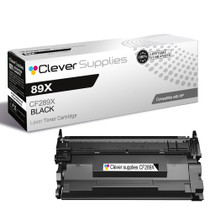

Hewlett Packard
Compatible HP 89X (CF289X) Toner Cartridge Black
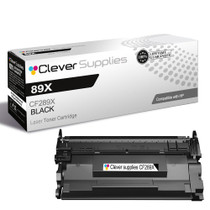

Hewlett Packard
Compatible HP 89X (CF289X) Toner Cartridge Black
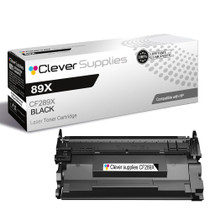

Hewlett Packard
Compatible HP 89X (CF289X) Toner Cartridge Black