




LaserJet 9000LMFP
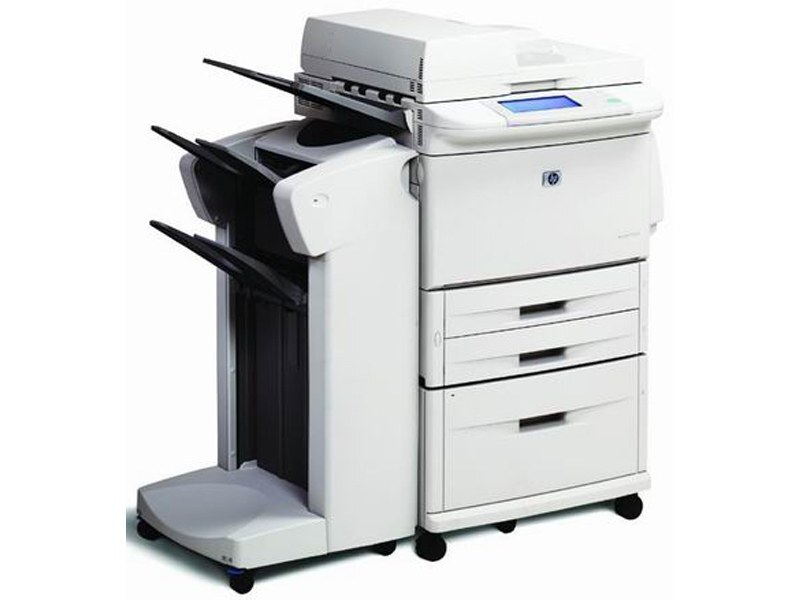
The LaserJet 9000LMFP turned HP's 2000 A3 departmental printer into a multifunction system — printing, copying and scanning at tabloid size — and corporate copy centers consolidated whole rooms around it. A machine that consolidated that much work deserved a simple supply story, and it has one: every function runs on the 43X (C8543X) high-yield black cartridge, with the maximum-yield C8543XJ above it for centers that cannot afford a dry machine mid-run.
Copy centers think in runs, not pages: a hundred tabloid sets before lunch, another stack after. In that world the LMFP's consolidation means one cartridge feeds three kinds of demand — network print jobs, walk-up copies and scan sessions that get printed out for proofing. The cartridge cannot tell the difference between them, and neither should the person stocking it.
Toner Cartridges for LaserJet 9000LMFP
- C8543XJ maximum-yield black (single) — black — yield: see product page
- C8543XJ maximum-yield black (pack of three) — black — yield: see product page
- C8543X high-yield black (single) — black — yield: see product page
- C8543X high-yield black (pack of three) — black — yield: see product page
- C8543X Premium high-yield black (pack of three) — black — yield: see product page
- C8543X MICR high-yield black — check-printing build (single) — black — yield: see product page
- Black cartridge carrying the 9000LMFP name — black — yield: see product page
Which cartridge should you buy?
For a working copy center, start at the top: the C8543XJ maximum-yield cartridge is built for exactly this duty cycle, and its 3 pack turns supply into a standing shelf rather than a recurring errand. Centers with lighter, steadier traffic are well served by the C8543X high-yield cartridge, singly or in its three pack, with the Premium three pack as the upgraded version of the same standard fill. The MICR build covers check work, and the cartridge named for the printer itself is the family's black supply under the older model-name style of listing. All compatible cartridges here are backed by a 1-year warranty and 1-year returns.
Chip, toner and everyday use
Judge this cartridge by total impressions, copies included — a center that tracks only print jobs will always be surprised by how fast it empties. Keep the spare in the room and sealed; a cartridge this size stores best flat and undisturbed until the day it is needed. When long runs start to fade at the edges, the cartridge is asking, politely, to be rocked side to side — or, if the fade returns quickly, to be replaced. The fresh unit registers with the machine as soon as it is seated, so a swap between two customers' runs takes moments.
Frequently Asked Questions
Which cartridge does the LaserJet 9000LMFP take?
The C8543X high-yield black cartridge — the 43X. Match the code on the label of the cartridge you pull out; the C8543XJ maximum-yield version fits the same bay when you want the longer run.
Can the LMFP scan documents?
Yes — scanning is built in, with scans going to a computer, an email address or a USB drive. Single pages and delicate originals belong on the scanner glass rather than through any feeder path.
Can it make copies without a computer?
Yes — it works as a standalone copier. Place the original on the scanner, press copy at the control panel, and no computer connection is involved in basic copying at all.
Why does the maximum-yield cartridge matter so much for a copy center?
Because copy runs are long and public. A cartridge that fades halfway through a customer's tabloid run costs a reprint and an apology; the C8543XJ simply pushes that moment much further away.
More printers that use the same cartridges
The whole 9000 generation below shares this one cartridge, which is why centers could standardize on it: LaserJet M9059MFP, LaserJet M9050MFP, LaserJet M9050, LaserJet M9040MFP, LaserJet M9040, LaserJet 9050N, LaserJet 9050MFP, LaserJet 9050DN, LaserJet 9050, LaserJet 9040N, LaserJet 9040MFP, LaserJet 9040DN, LaserJet 9040, LaserJet 9000N, LaserJet 9000MFR, LaserJet 9000MFP, LaserJet 9000L, LaserJet 9000HNS, LaserJet 9000HNF, LaserJet 9000DN, LaserJet 9000, HP C8543X.