




LaserJet 8150N
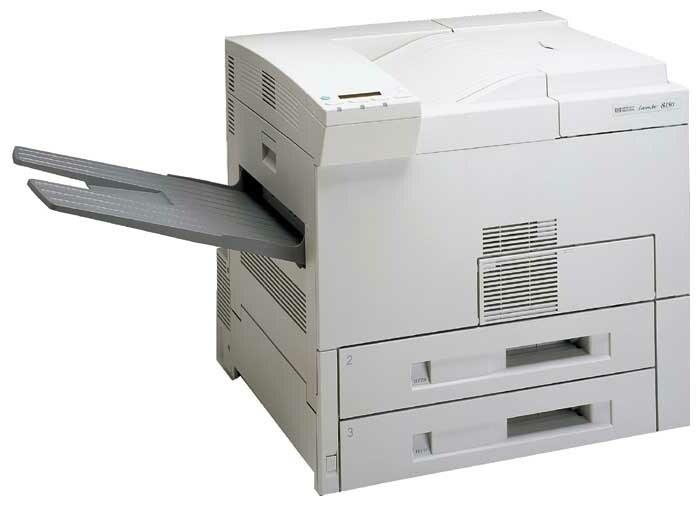
Introduced in the late 1990s, the LaserJet 8150N put the 8150 engine on the network: a mono, single-function printer with built-in Ethernet for workgroup sharing. It belongs to the HP 82X family — its cartridge is the C4182X high-yield unit shared by eight sibling models — and it also accepts the C4182XJ (82XJ), a maximum-yield compatible alternative for offices where the regular fill turns over too quickly. This page covers both.
What keeps the 8150N relevant is unglamorous: everyday office document printing, delivered without fuss to whoever on the floor sends a job. Machines like this often outlast the network gear around them. The one consumable decision left to its owners is how much toner to keep in the building — and because a workgroup printer's queue is other people's deadlines, the cost of guessing wrong is measured in stalled colleagues, not just pages.
Toner Cartridges for LaserJet 8150N
| Cartridge | Color | Page Yield |
|---|---|---|
| C4182X | Black | See product page |
| C4182XJ | Black | See product page |
| C4182X 2 Pack | Black | See product page |
| C4182X 3 Pack | Black | See product page |
| C4182X Premium Quality 3 Pack | Black | See product page |
| C4182XJ 3 Pack | Black | See product page |
Which cartridge should you buy?
For a small workgroup with moderate output, the C4182X single remains the balanced choice. Where the 8150N anchors a busy floor, the C4182XJ pays for itself in avoided swaps, and pairing it with a 2 Pack rotation — one installed, one waiting — removes the delivery gap entirely. The Premium Quality 3 Pack serves offices that prefer a quarterly stock-up. All compatibles here include a 1-year warranty and 1-year returns.
Chip, toner and everyday use
A workgroup machine wakes and sleeps on other people's schedules: sending any job, or pressing a panel button, brings the 8150N back to ready. After a long idle spell the first page or two can look faint as toner settles; running a handful of pages usually brings density back before you conclude the cartridge is done. When the cartridge truly is done, swap it promptly and recycle the empty — letting a shared printer sit flashing a toner warning invites everyone to route around it.
Frequently Asked Questions
Which toner cartridge does the LaserJet 8150N use?
The C4182X — the HP 82X. The same cartridge serves the entire 8100/8150 family, so one spare can cover several different models on the same floor.
Can the LaserJet 8150N be shared on an office network?
Yes. Plug it into the network by Ethernet and install the driver on each workstation; everyone prints to it directly. No computer has to stay on as a host for the printer to be available.
How do I wake the LaserJet 8150N from sleep mode?
Send a print job or press any button on the control panel — it wakes on its own. If it stays unresponsive, confirm it is plugged in and its power switch is on before suspecting anything more serious.
One spare for the whole floor — X or XJ?
If the spare has to cover unknown demand, choose the C4182XJ: its deeper fill makes it the safer single unit to hold. Keep a C4182X as the second spare if two machines share the cupboard.
More printers that use the same cartridges
Also running on this family: HP C4182X · LASERJET 8100MFP · LaserJet 8100 · LaserJet 8100DN · LaserJet 8100N · LaserJet 8150 · LaserJet 8150DN · LaserJet 8150HN · LaserJet 8150MFP.