




LaserJet 8150
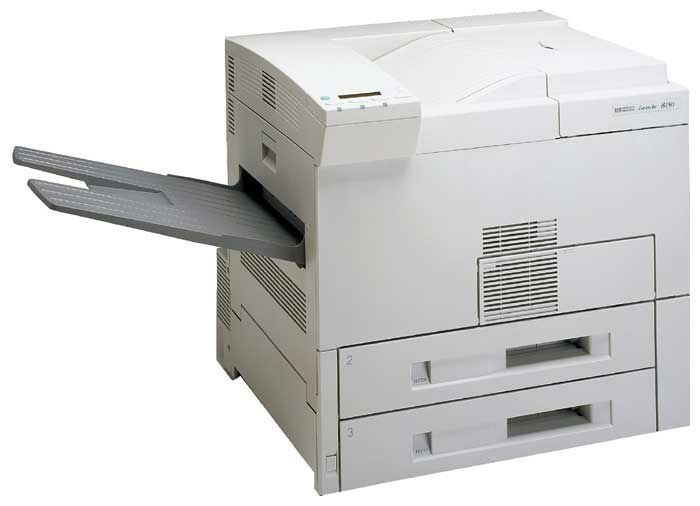
The LaserJet 8150 is the plainer member of HP's late-1990s departmental pair: a mono, single-function printer built for everyday office documents rather than spec-sheet bragging rights. Its cartridge story is equally plain — the HP 82X (C4182X) high-yield cartridge, shared with eight other models — with the C4182XJ (82XJ) maximum-yield compatible build available when the standard fill turns over too quickly. Singles and packs of both are on this page.
Where the 8150 earns its keep is uptime. It was designed to sit in a department and produce steady, legible pages day after day, and the examples still in service are typically run by offices that value a known quantity over a newer machine's learning curve. With no scanner or copier drawing on it, what the cartridge feeds is purely the print queue, which makes consumption the easiest in the family to forecast.
Toner Cartridges for LaserJet 8150
| Cartridge | Color | Page Yield |
|---|---|---|
| C4182XJ | Black | See product page |
| C4182XJ 3 Pack | Black | See product page |
| C4182X | Black | See product page |
| C4182X 2 Pack | Black | See product page |
| C4182X Premium Quality 3 Pack | Black | See product page |
| C4182X 3 Pack | Black | See product page |
Which cartridge should you buy?
The straightforward pick for most 8150s is the C4182X single: a high-yield cartridge matched to ordinary departmental volume. Graduate to the C4182XJ if the printer's output is heavy enough that mid-month swaps have become a routine chore. Multi-buyers are covered by the 3 Pack, its Premium Quality counterpart, and the C4182XJ 3 Pack for the larger build. A 1-year warranty and 1-year returns apply to every compatible cartridge listed.
Chip, toner and everyday use
The Toner Low message on this machine is a warning, not a stop order: printing can continue for a while, but that is the moment to order, not to start shopping around. When the warning appears, rocking the cartridge gently can level the remaining toner for a final stretch of acceptable pages. Fit the new cartridge as soon as it lands rather than stretching the old one into streaky territory — faded pages that need reprinting cost more toner than the swap you were postponing.
Frequently Asked Questions
Which toner cartridge does the LaserJet 8150 use?
The C4182X — HP's 82X. Confirm by reading the code on the cartridge currently in the machine; the 8150 takes the same supply as the other eight models in its family.
Why does the LaserJet 8150 make grinding noises when printing?
A grinding sound often points to a cartridge that is not seated squarely, or to worn pickup rollers. Reseat the cartridge with firm, even pressure first. If the noise persists with the cartridge home, have the rollers cleaned or inspected before blaming the toner supply.
How do I clear a Toner Low message on the LaserJet 8150?
The message clears itself once a fresh cartridge is installed — there is nothing to reset by hand. It means the installed cartridge is nearly empty; you can keep printing briefly, but the replacement should already be on its way.
Is the 8150 fussy about compatible cartridges?
The compatibles on this page are built for this exact fit and are recognized on installation. Order by the C4182X code rather than by the printer's marketing name and the supply side stays simple.
More printers that use the same cartridges
The 8150's cartridge is not exclusive to it. The family also includes HP C4182X, LASERJET 8100MFP, LaserJet 8100, LaserJet 8100DN, LaserJet 8100N, along with LaserJet 8150DN, LaserJet 8150HN, LaserJet 8150MFP, LaserJet 8150N.