




LaserJet 8100DN
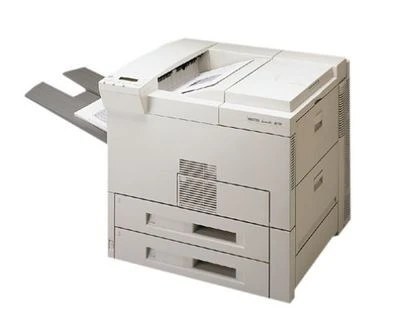
The LaserJet 8100DN is the late-1990s monochrome workhorse in its most office-friendly trim: the DN suffix means automatic duplex printing and built-in networking come standard. It takes the HP 82X (C4182X) high-yield cartridge, the same supply used across the 8100 and 8150 family, and for units that rarely sit idle there is a step above it — the C4182XJ (82XJ) maximum-yield compatible cartridge. This page lists both, as singles and in two- and three-packs.
Two-sided printing changes the toner arithmetic in a way owners appreciate: duplexing halves paper use, and dense reports that once ran to two trays now move through one. On a shared network printer the queue is also steadier than on a desktop unit — jobs arrive from the whole floor all day — which is why this variant tends to consume cartridges on a predictable departmental cycle rather than in occasional bursts.
Toner Cartridges for LaserJet 8100DN
| Cartridge | Color | Page Yield |
|---|---|---|
| C4182XJ | Black | See product page |
| C4182XJ 3 Pack | Black | See product page |
| C4182X | Black | See product page |
| C4182X 2 Pack | Black | See product page |
| C4182X Premium Quality 3 Pack | Black | See product page |
| C4182X 3 Pack | Black | See product page |
Which cartridge should you buy?
Shared printers punish empty cartridges more than personal ones, so plan around the queue. The C4182X single covers a moderately used 8100DN, but the C4182XJ is the better match once the machine is printing for a department, simply because it postpones the swap. Pairing either with a 2 Pack on the shelf means the next cartridge is already in the room when the low warning appears. Every compatible option here comes with a 1-year warranty and 1-year returns, so stocking ahead carries little risk.
Chip, toner and everyday use
On a networked unit, swap cartridges at a quiet moment and send one test job from a single workstation before announcing the printer is back — that confirms recognition without flooding the queue. Duplex work passes each sheet through the machine twice, so a cartridge that looks half-used on one-sided counts may be closer to empty than expected. Keep the spare beside the printer rather than in a central store; on a shared 8100DN the person who hits the empty warning is rarely the person who ordered the toner.
Frequently Asked Questions
Which toner cartridge does the LaserJet 8100DN use?
The C4182X — the HP 82X. The DN trim changes the printer's paper handling and networking, not its cartridge, so the code on your old cartridge is the one to match when reordering.
Can the LaserJet 8100DN print on both sides automatically?
Yes. Automatic duplexing is built in, so double-sided output needs no manual page-flipping. Choose two-sided printing in the print dialog and the machine handles the turn-over itself, roughly halving paper consumption on long documents.
Can the LaserJet 8100DN be shared on an office network?
Yes — it connects by Ethernet, and once it is on the network each workstation installs the driver and sends jobs directly. That shared duty cycle is exactly the pattern the maximum-yield cartridge on this page was made for.
Should a shared 8100DN use the 82X or the 82XJ?
Both fit; the question is how often you want to change cartridges. The 82X is the standard high-yield choice, while the 82XJ stretches the interval. Busy shared machines generally come out ahead on the larger build.
More printers that use the same cartridges
One cartridge family covers both branches of the range. On the 8100 side: HP C4182X, LASERJET 8100MFP, LaserJet 8100, LaserJet 8100N. On the 8150 side: LaserJet 8150, LaserJet 8150DN, LaserJet 8150HN, LaserJet 8150MFP, LaserJet 8150N.