




LaserJet 8150DN
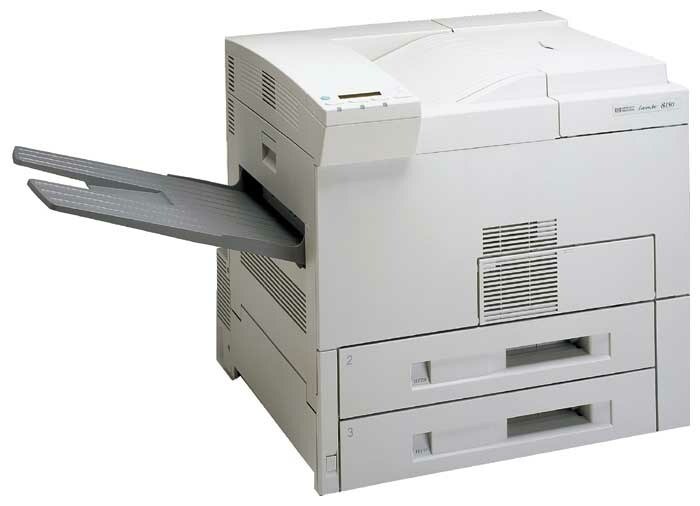
Departments that measure toner by the case tend to end up with machines like the LaserJet 8150DN — a late-1990s mono printer with automatic duplexing and networking, judged in its day on uptime and still passing that test. It runs on the HP 82X (C4182X) cartridge, and one rung higher sits the C4182XJ (82XJ), a maximum-yield compatible build made for exactly this kind of workload. Both fills are listed here, alone and in packs.
The DN combination suits report-heavy offices: two-sided output as the default, one queue for the whole floor, and a paper bill that drops even as page counts climb. Toner, though, still leaves the machine one cartridge at a time — and because the queue rarely empties, the swap tends to happen in front of an audience. That is the practical argument for the deeper cartridge or a stocked spare on this particular model.
Toner Cartridges for LaserJet 8150DN
| Cartridge | Color | Page Yield |
|---|---|---|
| C4182X | Black | See product page |
| C4182X 2 Pack | Black | See product page |
| C4182X 3 Pack | Black | See product page |
| C4182X Premium Quality 3 Pack | Black | See product page |
| C4182XJ | Black | See product page |
| C4182XJ 3 Pack | Black | See product page |
Which cartridge should you buy?
Let the machine's audience decide. A lightly used 8150DN does fine on the C4182X single. One serving a department should run the C4182XJ: the extra fill is, in effect, fewer interruptions bought in advance. Facilities that order centrally usually standardize on the 3 Pack or the C4182XJ 3 Pack so satellite offices draw from the same stock. Whichever you choose, the compatible cartridges here carry a 1-year warranty and 1-year returns.
Chip, toner and everyday use
Duplex printing sends each sheet through the fuser twice, so on a DN model a cartridge's life is better judged by impressions than by sheets in the output tray. When the new cartridge goes in, print a configuration page first — it confirms recognition and gives a clean sample to compare against if users later report fading. Store the on-deck spare in the print room itself; a networked departmental machine that waits for a toner run to another floor loses more time than the cartridge costs.
Frequently Asked Questions
Which toner cartridge does the LaserJet 8150DN use?
The C4182X, the HP 82X high-yield cartridge. Duplex and networking are printer hardware — they do not change the supply, so the code from your spent cartridge is the ordering key.
Can the LaserJet 8150DN print on both sides of the page automatically?
Yes, automatic duplexing is standard on this trim. Select two-sided printing in the dialog and the machine turns sheets over itself — long reports come out collated and double-sided with no manual handling.
Can the LaserJet 8150DN be shared on an office network?
Yes. Its Ethernet connection puts it on the network as its own device; each workstation installs the driver once and prints directly. That shared profile is why the maximum-yield option earns its place here.
Why do departments pick the XJ build for this model?
Because the queue never really stops. The C4182XJ carries a deeper toner load than the C4182X, so the low-toner moment arrives less often — a small mercy that busy floors notice.
More printers that use the same cartridges
The identical cartridges also fit HP C4182X, LASERJET 8100MFP, LaserJet 8100, LaserJet 8100DN, LaserJet 8100N, LaserJet 8150, LaserJet 8150HN, LaserJet 8150MFP, LaserJet 8150N — the whole family runs on one supply shelf.