




LaserJet 8150HN
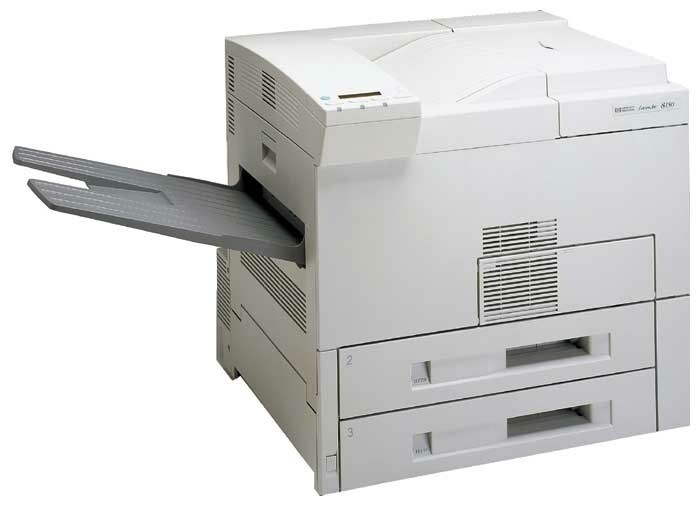
The LaserJet 8150HN comes from the same late-1990s school of mono printers that were judged on uptime, and so many are still in service because everyday office printing is precisely what they were built for. Its cartridge supply could hardly be simpler: the HP 82X family, starting with the C4182X high-yield cartridge, and — for the hardest-working installations — the C4182XJ (82XJ), a maximum-yield compatible fill that cuts replacement frequency further still. The full set of options follows.
This is the trim that ends up in print rooms and facilities corners rather than beside a desk, feeding users who refill trays by the ream. At that tempo, toner logistics become a rota: somebody owns the cupboard, swaps are planned instead of improvised, and the cartridge question stops being which one fits — the family sees to that — and becomes how far ahead the stock should run.
Toner Cartridges for LaserJet 8150HN
| Cartridge | Color | Page Yield |
|---|---|---|
| C4182XJ | Black | See product page |
| C4182XJ 3 Pack | Black | See product page |
| C4182X | Black | See product page |
| C4182X 2 Pack | Black | See product page |
| C4182X Premium Quality 3 Pack | Black | See product page |
| C4182X 3 Pack | Black | See product page |
Which cartridge should you buy?
High-duty sites should default to the C4182XJ: it is the deepest fill in the family and the fewest swaps per year. The standard C4182X still suits an 8150HN that has been moved to lighter overflow duty. For managed stock, the C4182XJ 3 Pack and 3 Pack keep a quarter's worth of toner on site. Every compatible cartridge in the table is covered by a 1-year warranty with 1-year returns.
Chip, toner and everyday use
Make the swap a routine, not an event: open the toner-access door, pull the spent cartridge out by its handle, slide the replacement straight in until it clicks, and print a test page to confirm clean output before reopening the queue. On a high-volume unit, note the date or the counter reading at each change — two or three data points are enough to predict the next swap and order ahead of it instead of reacting to the low warning.
Frequently Asked Questions
Which toner cartridge does the LaserJet 8150HN use?
The C4182X — HP 82X — with the maximum-yield C4182XJ as the step-up option. Both are the same fit; only the toner load differs.
Can the LaserJet 8150HN be shared on an office network?
Yes. Connect it by Ethernet, install the driver at each workstation, and the whole office prints to it directly — the standard arrangement for a machine in this duty class.
How do I replace the toner cartridge in the LaserJet 8150HN?
Open the toner-access door, draw the empty out by its handle, and push the new cartridge in until it clicks. The printer recognizes it automatically; run a test page to verify even coverage before sending production work.
How far ahead should a high-volume site stock toner?
At least one full swap cycle. With the C4182XJ installed, a 3 Pack in the cupboard covers the next three changes — enough buffer that a delayed delivery never idles the machine.
More printers that use the same cartridges
Working back through the family tree, the same supply also serves LaserJet 8150N, LaserJet 8150MFP, LaserJet 8150DN, LaserJet 8150, LaserJet 8100N, LaserJet 8100DN, LaserJet 8100, LASERJET 8100MFP, HP C4182X.