




LaserJet 8100
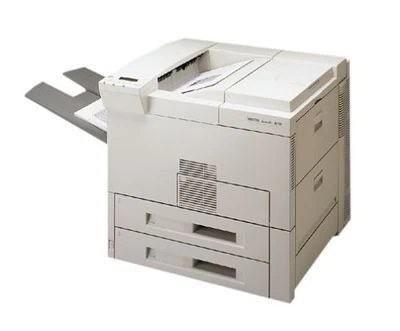
HP introduced the LaserJet 8100 in the late 1990s as a monochrome, single-function departmental printer, and a good number of them are still earning their keep. Feeding one is straightforward: it runs on the HP 82X (C4182X) high-yield cartridge, a fit it shares with eight other models in the 8100 and 8150 lines. Above that sits the C4182XJ (82XJ), a maximum-yield compatible build for machines that rarely get a quiet day. Everything sold on this page is one of those two cartridges, in singles and multi-packs.
The 8100 was never a feature showcase; it is a heavy box that turns out legible office documents day after day, and that plain reliability is why offices keep it instead of replacing it. Because it only prints — no scanning, no copying — its toner use is easy to predict: it tracks the print queue and nothing else. Departments that know their monthly volume can match it neatly against the two yield tiers on this page and simply reorder at the same rhythm.
Toner Cartridges for LaserJet 8100
| Cartridge | Color | Page Yield |
|---|---|---|
| C4182X | Black | See product page |
| C4182XJ | Black | See product page |
| C4182X 2 Pack | Black | See product page |
| C4182X 3 Pack | Black | See product page |
| C4182X Premium Quality 3 Pack | Black | See product page |
| C4182XJ 3 Pack | Black | See product page |
Which cartridge should you buy?
For a single 8100 with ordinary office volume, the C4182X high-yield single is the sensible default — it is already a high-capacity cartridge, not a starter size. If the printer serves a whole department and a toner swap always seems to interrupt someone's deadline, the C4182XJ buys a longer run between changes. The 2 Pack and 3 Pack suit buyers who would rather hold stock than reorder often, and the Premium Quality 3 Pack covers the same habit. All of these compatible cartridges carry a 1-year warranty and 1-year returns.
Chip, toner and everyday use
After fitting a new cartridge, run two or three blank pages through the 8100: that flushes loose toner dust out of the paper path and the output should come back clean and even. Keep the spare cartridge sealed in its box, stored flat and out of direct sunlight, so it is ready the moment the installed one fades. When pages do start to lighten near the end of a cartridge, sliding it out and rocking it gently from side to side settles the remaining toner back across the drum — a short reprieve, not a refill, so treat it as the signal to order.
Frequently Asked Questions
Which toner cartridge does the LaserJet 8100 use?
It uses the C4182X, sold as the HP 82X. Before ordering, compare the code printed on the cartridge you pull out — matching that code guarantees the fit, whatever the outer box style looks like.
How do I fix smudged toner on prints from the LaserJet 8100?
Smudging usually means loose toner dust has collected inside the machine. Printing a few blank pages pushes most of it through. If marks keep appearing, open the printer, reseat the cartridge so it sits squarely, and check it is not leaking toner from a damaged seal.
Is it worth shaking the cartridge when print quality drops?
A gentle rock from side to side can redistribute settled toner and win extra pages, so it is a reasonable stopgap on the 8100. It does not put toner back, though — once the fading returns, the cartridge is genuinely near the end and should be replaced.
Does the LaserJet 8100 need a separate drum unit?
Nothing on this page is a separate drum: every listing is the cartridge itself, in the two yield builds and the pack sizes shown in the table above. Order by the cartridge code and you have the complete supply the machine asks for.
More printers that use the same cartridges
The same two cartridges also serve the rest of the 8100 and 8150 range: HP C4182X, LASERJET 8100MFP, LaserJet 8100DN, LaserJet 8100N, LaserJet 8150, LaserJet 8150DN, LaserJet 8150HN, LaserJet 8150MFP, LaserJet 8150N.