




LaserJet 8150MFP
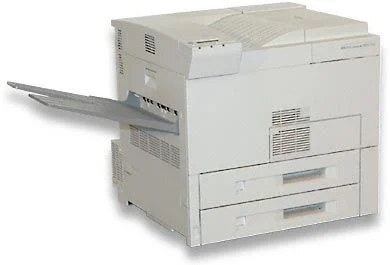
As a late-90s mono single-function printer, the LaserJet 8150MFP earned its reputation the slow way — page after page of clean, reliable output. The LaserJet 8150MFP treats everyday office document printing as its whole job description, and does it well. As an MFP, the LaserJet 8150MFP folds scanning and copying into the same box — one machine doing the work of two.
The LaserJet 8150MFP runs on the HP 82X family — the C4182X cartridge — shared with 8 other HP models, so supplies stay easy to find. Whether you want the OEM C4182X or a compatible HP 82X cartridge for the LaserJet 8150MFP, both are made to deliver the crisp output this printer is known for.
Toner Cartridges for LaserJet 8150MFP
This printer works with the following toner cartridges:
- HP C4182X
More HP Printers
- LaserJet 8100
- LaserJet 8100DN
- LASERJET 8100MFP
- LaserJet 8100N
- LaserJet 8150
- LaserJet 8150DN
- LaserJet 8150HN
- LaserJet 8150N
Frequently Asked Questions
Which toner cartridge does the LaserJet 8150MFP use?
The LaserJet 8150MFP uses the C4182X toner cartridge. Confirm the code printed on your current cartridge matches before ordering a replacement.
Can I scan documents with the LaserJet 8150MFP?
Yes — the LaserJet 8150MFP is a multifunction printer with a built-in scanner, so you can scan to your computer, email, or a USB drive. Use the LaserJet 8150MFP's scanner glass for single pages and delicate originals.
Can the LaserJet 8150MFP make copies without a computer?
Yes — the LaserJet 8150MFP works as a standalone copier: place the original on the scanner and press copy on the control panel. The LaserJet 8150MFP needs no computer connection for basic copying.