




LaserJet 2200DTN
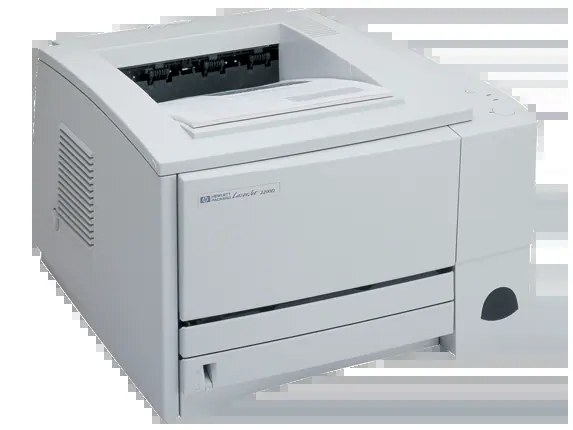
A millennium-era mono single-function printer, the LaserJet 2200DTN reflects an era when printers were bought for durability first and features second. If your workload is everyday office document printing, the LaserJet 2200DTN is the kind of printer that just keeps showing up. The DTN in the LaserJet 2200DTN badge adds duplex printing, an extra paper tray and networking to the base model.
One practical upside of the LaserJet 2200DTN: its HP 96A cartridges (C4096A) are shared with 10 other models, so you're never hunting for something obscure. For the LaserJet 2200DTN, we carry genuine HP C4096A cartridges alongside compatible HP 96A options that cost less to run.
Toner Cartridges for LaserJet 2200DTN
This printer works with the following toner cartridges:
- HP C4096A
More HP Printers
- LaserJet 2100
- LaserJet 2100M
- LaserJet 2100SE
- LaserJet 2100TN
- LaserJet 2100XI
- LaserJet 2200
- LaserJet 2200D
- LaserJet 2200DN
- LaserJet 2200DSE
- LaserJet 2200DT
Frequently Asked Questions
Which cartridge codes fit the LaserJet 2200DTN?
The LaserJet 2200DTN fits C4096A. The code printed on the box is what matters; matching it exactly is how you avoid returns.
How should I store spare toner for the LaserJet 2200DTN?
Keep spare C4096A cartridges sealed in their original packaging until the LaserJet 2200DTN needs them — toner breaks down faster in heat and humidity. Store them flat in a cool, dry spot away from direct sunlight. Don't open a new cartridge until you're ready to install it.
What does the toner-low message on my LaserJet 2200DTN mean?
The LaserJet 2200DTN estimates toner from page counts rather than weighing the cartridge, so "low" means it's getting close — not that it's empty. Keep a spare C4096A on hand and swap it when print quality visibly fades. The warning usually clears on its own once the new cartridge is recognized.