




LaserJet 2200
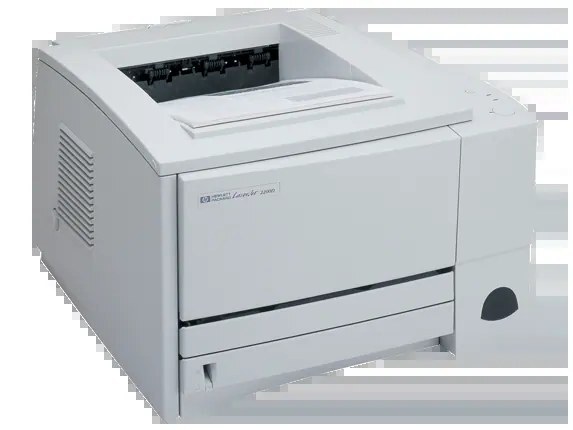
The LaserJet 2200 is the millennium-era successor in HP's everyday monochrome line — a single-function laser that offices chose for document printing and then, very often, never found a reason to replace. It kept the family's cartridge, HP 96A (C4096A), so this page stocks one black cartridge in singles and multipacks, with premium and MICR variants alongside.
The 2200's quiet advantage is continuity. Sites that stepped up from the 2100 did not have to change their supply shelf: the same C4096A stock feeds both generations and most of the models around them. A printer that fits an existing cupboard of cartridges is a printer that never waits for a special order, and that practical fit — as much as the printing itself — explains the 2200s still in service.
Toner Cartridges for LaserJet 2200
One at a time: the C4096A single, the C4096A MICR single, the cartridge listed under the printer name — all black, with rated yields on the product pages.
In multipacks: a 2 pack, a 3 pack, a 5 pack, a premium quality 5 pack, a 10 pack, each box holding the same cartridge in multiples.
Also stocked on this page: the same cartridge listed under two sibling model names — the 2200DT listing and the 2200DTN listing. The code is identical; only the listing name differs.
Which cartridge should you buy?
Think of the purchase as stocking a family, not a single printer. If your 2200 shares a shelf with any 2100-series machine, one C4096A stock serves them all, which makes the larger boxes attractive: the 5 pack or 10 pack keeps every machine covered from a single order, and the premium quality 5 pack suits buyers who standardize on that build. A standalone 2200 in light use needs only the single or a 2 pack. The MICR cartridge belongs solely to check printing duty. Beyond that, the choice is arithmetic — how many pages a month, how much interruption a dry printer would cause — because the cartridge itself never changes.
Chip, toner and everyday use
Sharing a cartridge family across printers simplifies the routine: one spare fits whichever machine fades first. Each cartridge's chip identifies it to the printer and supports toner-level reporting. When a cartridge nears its end, rocking it gently side to side redistributes the toner and typically restores full density for a further stretch — worth doing before any long print run. Yields are rated at 5% page coverage, so fleets printing dense documents should plan on faster turnover than the rating suggests. Keep cartridges sealed until use, stored flat and away from sunlight, and rotate stock so the oldest box is opened first across all the printers it serves.
Frequently Asked Questions
Does the LaserJet 2200 use the same cartridge as the 2100?
Yes — both generations run on the HP C4096A, the 96A. That shared supply is why the family list below mixes 2100 and 2200 models, and why one stock of cartridges can cover all of them.
Which toner should I buy for the 2200?
The C4096A, in the quantity your volume justifies: singles for light use, the 5 pack or larger for shared or multi-printer sites, and the MICR variant only when this machine prints checks.
Does the 2200 need a separate drum unit?
No. The drum is built into the toner cartridge on this model, so every cartridge change renews the drum as well — there is no drum part number for the 2200.
Can I use a cartridge bought for a 2100 in my 2200?
If it is a C4096A, yes — the listings are the same cartridge regardless of which family model's name is on the box. Match the code, not the model name, when raiding the supply shelf.
More printers that use the same cartridges
Two generations, one cartridge — every model below takes the same supply as the 2200: HP C4096A, LaserJet 2100, LaserJet 2100M, LaserJet 2100SE, LaserJet 2100TN, LaserJet 2100XI, LaserJet 2200D, LaserJet 2200DN, LaserJet 2200DSE, LaserJet 2200DT, LaserJet 2200DTN.