




LaserJet 2200DSE
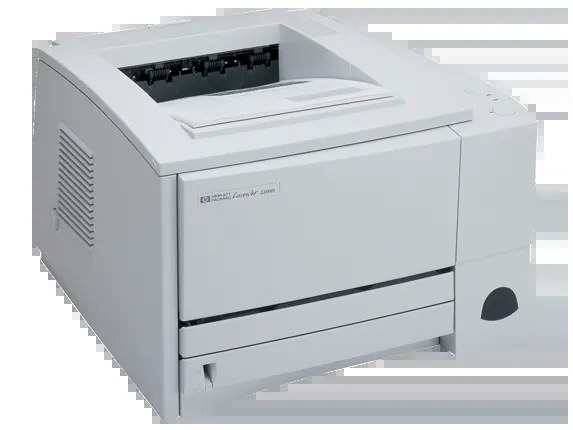
HP’s turn-of-the-millennium mono range included the LaserJet 2200DSE, a single-function printer aimed at everyday office documents rather than spec-sheet bragging rights. It has kept that brief ever since, and it prints from the family cartridge, the HP 96A (C4096A). Below you will find that cartridge as a standard single, a MICR single, multi-packs from two to ten, and a premium quality 5 pack.
The DSE is the sort of printer that gets bought once and forgotten — in the good way. It sits in a corner, produces the day’s paperwork, and only asks for attention when the toner runs low. That low-maintenance character is precisely why its cartridge is a shared family part: when the one consumable it needs is this easy to source, the printer never becomes a problem to own.
Toner Cartridges for LaserJet 2200DSE
| Cartridge | Color | Yield |
|---|---|---|
| C4096A — 2 pack | Black | Check product page |
| C4096A — standard single | Black | Check product page |
| C4096A — 3 pack | Black | Check product page |
| C4096A — MICR single | Black | Check product page |
| C4096A — 5 pack | Black | Check product page |
| C4096A — premium quality 5 pack | Black | Check product page |
| C4096A — 10 pack | Black | Check product page |
| Model-named black cartridge | Black | Check product page |
| C4096A — listed under LaserJet 2200DT | Black | Check product page |
| C4096A — listed under LaserJet 2200DTN | Black | Check product page |
Which cartridge should you buy?
For most DSE owners the 2 pack is the quiet sweet spot: one cartridge in the printer, one sealed in the drawer, and no reorder errand for a long while. Lighter users can stay with the standard single and simply replace as needed. Where this machine prints all day, step up to the 5 pack or 10 pack and let the per-cartridge cost fall; the premium quality 5 pack is the same count in the shelf’s upgraded build. The MICR single has one job — checks — and should only be bought for it. One caution that applies to every choice here: buy the count your volume justifies, because a cartridge ages best sealed, and a decade’s supply helps no one.
Chip, toner and everyday use
Recognition on this generation is mechanical and electrical at once: the cartridge must sit fully home so its contacts meet the printer’s. If a new unit is not recognized, removing and reinserting it with the printer powered on usually clears the error. Pull the sealing tape fully before the first install, and if pages fade near the end of a cartridge, rock it gently to redistribute what toner remains. Spares belong sealed in their packaging, flat, away from sunlight and radiators. Treat yield ratings as estimates at about 5% coverage — real life depends on what your documents actually look like.
Frequently Asked Questions
How do I know I am buying the right toner for my LaserJet 2200DSE?
Compare the code on the box with this model’s list: C4096A. HP made look-alike cartridges for different printer families in the same years, so the code match — not the silhouette — is your guarantee that the cartridge will seat and be recognized.
How should spare toner for the 2200DSE be stored?
Sealed in the original packaging, flat, in a cool dry place away from direct sunlight. Heat and humidity age toner even inside the box, and an opened cartridge should go into the printer rather than back on the shelf. Rotate spares so the oldest is installed first.
What does the toner-low message on the 2200DSE mean?
It means the printer’s page-count estimate says the cartridge is getting close — not that it is empty. Pages typically stay clean for a while after the warning. Swap when the output visibly fades, and use the warning as your reminder to have the next C4096A ready.
When would I choose the MICR cartridge over the standard one?
Only for check printing. MICR toner contains magnetic material that bank readers scan, which ordinary documents do not need. If the DSE prints the office checks, keep a MICR single for that work and standard cartridges for everything else.
More printers that use the same cartridges
The family cartridge is shared widely, so this same box also serves HP C4096A, LaserJet 2100, LaserJet 2100M, LaserJet 2100SE, LaserJet 2100TN, LaserJet 2100XI, LaserJet 2200, LaserJet 2200D, LaserJet 2200DN, LaserJet 2200DT, LaserJet 2200DTN.