




LaserJet 2100M
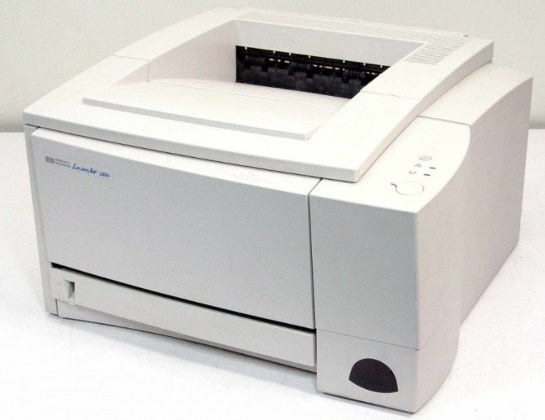
HP introduced the LaserJet 2100M in the turn of the millennium as a mono single-function printer for everyday office document printing, and plenty of them are still on the job. What keeps the LaserJet 2100M relevant is everyday office document printing: unglamorous, essential, and exactly what offices need.
The LaserJet 2100M's cartridge story is refreshingly simple: the HP 96A family, starting with the C4096A, shared across 10 models. From the standard C4096A upward, our HP 96A selection keeps the LaserJet 2100M supplied — in genuine OEM or quality-compatible form.
Toner Cartridges for LaserJet 2100M
This printer works with the following toner cartridges:
- HP C4096A
More HP Printers
- LaserJet 2100
- LaserJet 2100SE
- LaserJet 2100TN
- LaserJet 2100XI
- LaserJet 2200
- LaserJet 2200D
- LaserJet 2200DN
- LaserJet 2200DSE
- LaserJet 2200DT
- LaserJet 2200DTN
Frequently Asked Questions
How do I know I'm buying the right toner for my LaserJet 2100M?
Compare the code on the box with the LaserJet 2100M's list: C4096A. HP makes look-alike cartridges for different printer families, so a code match is your guarantee.
How do I install a new toner cartridge in my LaserJet 2100M?
Open the cartridge door on the LaserJet 2100M and slide the old C4096A out by its handle — set it aside for recycling. Unpack the new C4096A, pull off its protective seal, and slide it straight in until it clicks. Close the door and print a test page from the LaserJet 2100M to confirm.
Where do I get drivers and firmware for the LaserJet 2100M?
Download them from HP's official support site — search for the LaserJet 2100M and choose your operating system. Current drivers fix printing, scanning, and connectivity problems, so keep them updated. Skip third-party driver sites, which often bundle unwanted software.