




Color Pro M255dw
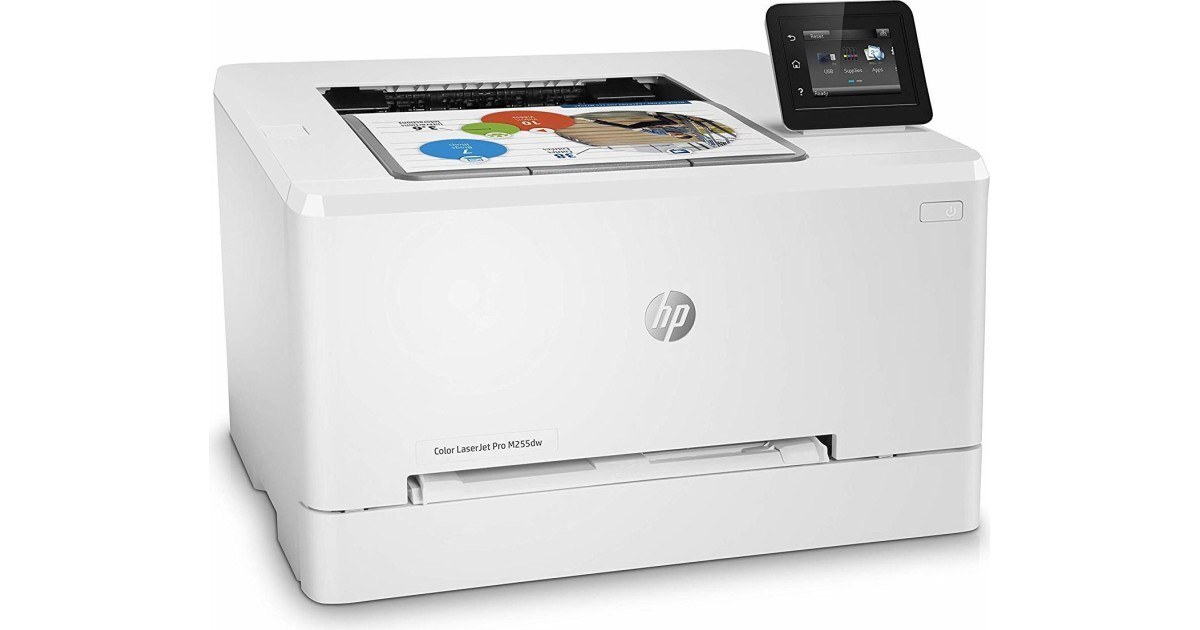
The Color LaserJet Pro M255dw is a single-function color printer from HP's 2020 generation, built for hybrid offices that want color on the desk without a scanner bed on top of it. It runs the HP 206A (W2110A) family: that black in standard yield, W2111A cyan, W2113A magenta and W2112A yellow beside it, and above them a high-yield tier headed by 206X (W2110X) black with W2111X cyan, W2113X magenta and W2112X yellow. Everything on this page is a compatible cartridge — no original-brand stock is listed here — and the shelf below carries the range under several model labels, all of them the same four cartridges underneath.
Printers like this one tend to stay in service for years because the job never changes: letters, reports, the odd spreadsheet with a color chart, a handout before a meeting. What wears out is only the toner, one color at a time, and the M255dw tracks each cartridge separately so a faded cyan never forces you to replace a healthy black. Owners who print mostly text lean on the high-yield black and keep standard colors; desks that print color documents daily step the whole set up. Either way, the reorder is a single code off the old cartridge, and compatible units here carry a 1-year warranty with 1-year returns.
Toner Cartridges for Color Pro M255dw
| Cartridge | Color | Page Yield |
|---|---|---|
| W2110A Black, 2 pack | Black | See product page |
| W2110A, W2111A, W2113A, W2112A 4 Color Set | Black, Cyan, Magenta, Yellow | See product page |
| W2110A Black | Black | See product page |
| W2111A Cyan | Cyan | See product page |
| W2113A Magenta | Magenta | See product page |
| W2112A Yellow | Yellow | See product page |
| W2110X Black, 2 pack | Black | See product page |
| W2110X, W2111X, W2113X, W2112X 4 Color Set | Black, Cyan, Magenta, Yellow | See product page |
| W2110X Black | Black | See product page |
| W2111X Cyan | Cyan | See product page |
| W2113X Magenta | Magenta | See product page |
| W2112X Yellow | Yellow | See product page |
| W2110A Black, 2 pack | Black | See product page |
| W2110A, W2111A, W2113A, W2112A 4 Color Set | Black, Cyan, Magenta, Yellow | See product page |
| W2110A Black | Black | See product page |
| W2111A Cyan | Cyan | See product page |
| W2113A Magenta | Magenta | See product page |
| W2112A Yellow | Yellow | See product page |
Also stocked under the M255nw listings: W2110A Black, 2 pack, W2110A, W2111A, W2113A, W2112A 4 Color Set, W2110A Black, W2111A Cyan, W2113A Magenta, W2112A Yellow.
Also stocked under the M282nw listings: W2110A Black, 2 pack, W2110A, W2111A, W2113A, W2112A 4 Color Set, W2110A Black, W2111A Cyan, W2113A Magenta, W2112A Yellow.
Also stocked under the M283cdw listings: W2110A Black, 2 pack, W2110A, W2111A, W2113A, W2112A 4 Color Set, W2110A Black, W2111A Cyan, W2113A Magenta, W2112A Yellow.
Also stocked under the M283fdn listings: W2110A Black, 2 pack, W2110A, W2111A, W2113A, W2112A 4 Color Set, W2110A Black, W2111A Cyan, W2113A Magenta, W2112A Yellow.
Also stocked under the M283fdw listings: W2110A Black, 2 pack, W2110A, W2111A, W2113A, W2112A 4 Color Set, W2110A Black, W2111A Cyan, W2113A Magenta, W2112A Yellow.
Which cartridge should you buy?
Start from how the printer is actually used. The standard-yield set is the economical choice for light, occasional color — a few pages a day never justifies more. The high-yield X tier earns its place when the machine runs daily: each cartridge goes longer between swaps, and the black in particular rewards the upgrade because text dominates office output. You can mix the tiers freely — an X black beside standard colors is a common, sensible setup — and you can replace a single color the day it fades instead of buying a set. The four-color sets below suit a full refresh when several colors are low together; otherwise, singles keep cash in the drawer and toner on the shelf only where it is needed.
Chip, toner and everyday use
A new cartridge announces itself through its chip, and the M255dw reads that chip as the door closes. If a low-toner message survives the swap, open and close the door once or restart the printer so it takes a fresh reading. Pull the sealing strip out in one steady motion before the cartridge goes in, and never touch the chip contacts or the drum surface. When a color starts to thin, lifting that cartridge out and rocking it gently redistributes the toner for a while longer. Spares keep best sealed in their boxes, upright, in a cool dry cabinet; heat and sunlight are the enemies of a cartridge waiting its turn.
Frequently Asked Questions
Which toner cartridges work with the Color Pro M255dw?
The printer uses the HP 206 family: W2110A black, W2111A cyan, W2112A yellow and W2113A magenta in standard yield, and the same four colors as W2110X, W2111X, W2112X and W2113X in high yield. Match the code on the cartridge you remove — that code is the whole ordering decision.
Do I have to replace all four cartridges at the same time?
No. The M255dw meters each cartridge on its own, so an empty yellow can be swapped while the other three stay in place. Replace colors individually as they run out; a four-color set only makes sense when several are near empty together.
What is the difference between the 206A and 206X cartridges?
They are the same cartridge family in two capacities. The A codes are standard yield and the X codes are high yield, so an X cartridge prints more pages before it empties and usually lowers the cost per page. Both fit the same slots, and you can mix them across colors.
How do I clear a paper jam in the M255dw?
Switch the printer off, then ease the stuck sheet out slowly through the rear or toner access door, pulling in the direction the paper travels. Check inside for torn scraps, reload the tray with fanned paper, and the machine should pick up where it stopped.
More printers that use the same cartridges
Five sibling models drink from the same 206 shelf, so one set of spare cartridges covers any of them.
Color Pro MFP M2255nw, Color Pro MFP M282nw, Color Pro MFP M283cdw, Color Pro MFP M283fdn, Color Pro MFP M283fdw.