




Color LaserJet Pro MFP M181fw
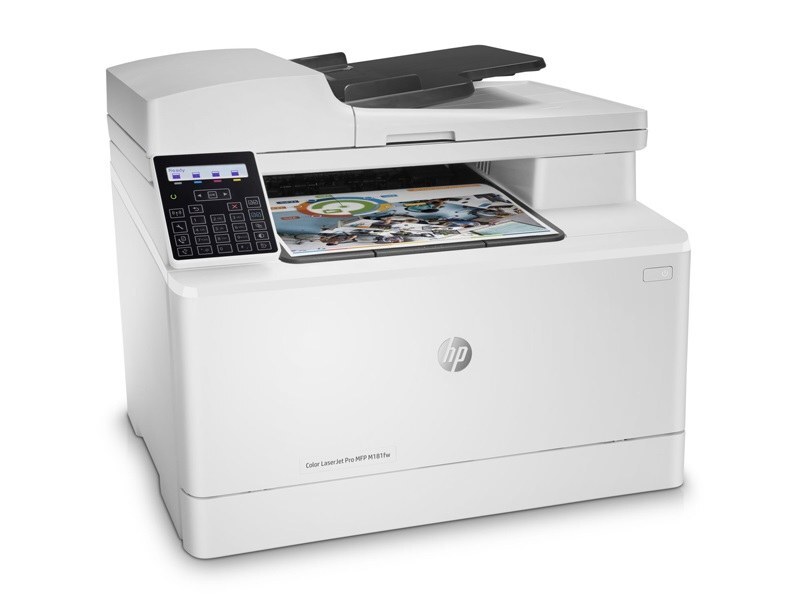
The Color LaserJet Pro MFP M181fw belongs to the 2018-era generation of color all-in-ones serving compact workspaces — the fullest-featured configuration of its line, built for teams that just need pages on paper without ceremony. It takes the same four cartridges as the rest of the family: CF510A for black, CF511A for cyan, CF512A for yellow and CF513A for magenta, the 204A series. Two slots get most of the attention in daily use — black, and whichever color a given job leans on — but all four are stocked individually below.
An all-in-one at the top of its range tends to become the room's default machine: printing in the morning, scanning at midday, copying in the afternoon. That variety is exactly why its supplies deserve a small routine — glance at the four levels when you load paper, and the printer will never ambush a deadline with an empty cartridge.
Toner Cartridges for Color LaserJet Pro MFP M181fw
Rows at the foot of the table are the listings labeled for this model itself, including its model-named black cartridge — identical cartridges to the family-labeled rows above them.
Which cartridge should you buy?
Replace by the slot, not by the set: the M181fw meters each cartridge on its own, and a single-color order is the cheapest correct answer nine times out of ten. Black is the exception worth planning ahead for — it drains fastest in a machine that copies, so the black two, three and five packs are the pragmatic shelf stock. The four-color set makes sense as a reset when several levels sag together. This family has no high-yield option to step up to, so long-run economy comes from disciplined single replacements and one spare black in reserve.
Chip, toner and everyday use
Compatible cartridges for this machine carry chips that report levels to the printer just like the originals, and the swap itself is a two-minute job: power on, open the access door, pull the old cartridge straight out, strip the seal from the new one, slide it home. Yield ratings assume about five percent coverage per page. Toner settles as a cartridge ages, so a gentle rock before installation evens it out. Spares keep best sealed in their bags, indoors at room temperature — a supply cupboard, not a windowsill.
Frequently Asked Questions
What causes vertical streaks on pages from the M181fw?
Streaks usually trace back to one failing color cartridge or a dirty imaging path. Print a supplies-status page to see which of the four cartridges is lowest, replace that one, and run the printer's cleaning routine. If the streak sits in the same spot on every page and no level is low, the glass and paper path deserve a wipe before you order parts.
How do I clear a paper jam in the M181fw?
Switch the machine off, open the rear and toner doors, and ease the sheet out along the paper path without tearing it. Then fan the paper stack, square the tray guides against it, and print a test page. Jams that return in the same place often mean the stack is overfilled or the guides have drifted loose.
My cartridge box says CF531A instead of CF511A. Will it fit?
Yes — HP documents a 205A series for this printer too: CF530A black, CF531A cyan, CF532A yellow and CF533A magenta. This page stocks the 204A equivalents listed above. Both series fit the machine; just order by the code printed on the cartridge you are replacing so the paperwork matches.
Which cartridge should I keep as a spare?
Black, without much debate. The CF510A empties first in almost every office pattern, while colors can often wait a day for delivery. One spare black on the shelf covers the only toner emergency this machine is likely to throw at you.
More printers that use the same cartridges
The rest of the family shares these exact cartridges: