




Color LaserJet Pro M154nw
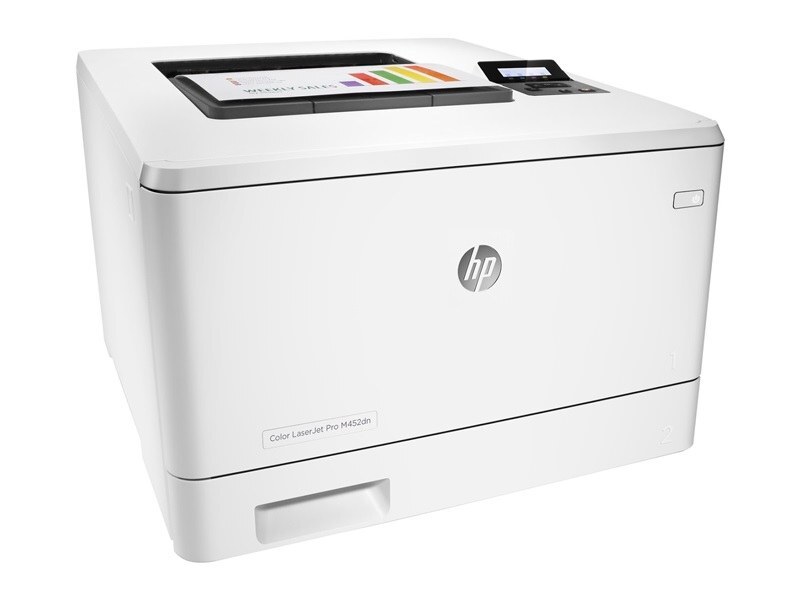
HP aimed the Color LaserJet Pro M154nw squarely at compact workspaces when it launched this 2018-era color machine, and its network connection makes it the shared printer of the family rather than a personal one. It feeds on four cartridges: the black CF510A, the cyan CF511A, the yellow CF512A and the magenta CF513A — the 204A range listed below. Any one of them can be changed without touching the other three.
Years after launch, replacement toner for this printer remains easy to find, partly because the same cartridges serve the whole product family. In practice the M154nw sits where a handful of people can all reach it — a small office, a front counter, a classroom corner — and it absorbs a mixed queue of black-heavy paperwork and occasional color pieces. Shared machines empty their black cartridge first and their colors unevenly, which shapes how you should stock for it.
Toner Cartridges for Color LaserJet Pro M154nw
Buyers who search by printer name rather than cartridge code will find the identical cartridges in M154nw-labeled listings too, such as the M154nw black cartridge — the labeling differs, the cartridge does not.
Which cartridge should you buy?
Because this printer is shared, plan around the black cartridge first: it empties several times for every color change, so the black two, three and five packs exist precisely for machines like this. Colors are a different rhythm — buy the CF512A or whichever single color the status page flags, and resist the urge to refresh all three at once. Reserve the complete four-color set for the day a status report shows everything low together, or for a newly inherited machine whose cartridges are all unknown quantities. There is no high-yield version in this family; capacity planning here means pack sizes, not cartridge tiers.
Chip, toner and everyday use
A shared printer cannot be babysat, so let the cartridge chips do the monitoring: they report levels the whole office can check from the printer's status page before a big job goes out. When a swap is needed, the new cartridge's chip is read on installation and the level resets — if an old warning lingers, reseat the cartridge rather than replacing it again. Keep the spare shelf boring and reliable: cartridges stored sealed in a cool cupboard, first-in first-out. And when output fades near the end of a cartridge's life, a gentle side-to-side rock redistributes the remaining toner and usually carries the queue through the day.
Frequently Asked Questions
The M154nw says toner is low. Do I need to swap the cartridge right away?
No — treat the warning as an ordering reminder, not a stop signal. Put a replacement on the shelf now and keep printing; the cartridge is genuinely finished when pages begin to fade or streak. Swapping at the first warning wastes the toner still left inside.
Can the Color LaserJet Pro M154nw print envelopes and labels?
Yes. Feed envelopes or label sheets through the manual feed tray one at a time and pick the matching media size in your print settings so the printer handles them at the right pace. Everyday paper stays in the main tray as usual.
Which cartridges fit the M154nw?
The black CF510A plus CF511A cyan, CF512A yellow and CF513A magenta. HP's documentation also names a 205A series (CF530A through CF533A) for this model; this page stocks the 204A equivalents, so match the code on the cartridge you are replacing.
One color looks wrong on every print. What should I check?
Run a supplies-status page first: a color that prints wrong across every document is usually that cartridge running empty or failing. Replace the single cartridge named by the report. If its level reads healthy, try the printer's cleaning and calibration routines before ordering anything.
More printers that use the same cartridges
These sibling models run on the identical cartridge set: