




Color LaserJet M281dw
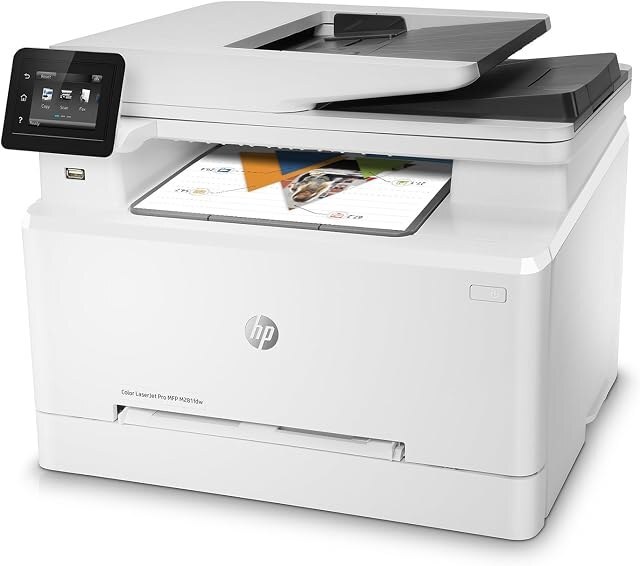
The Color LaserJet M281dw arrived as a 2018-era color workgroup machine built for small workgroups that needed pages on paper without ceremony — and it keeps both yield tiers of its family on the table: standard 202A black CF500A, cyan CF501A, yellow CF502A and magenta CF503A, each with a longer-life twin in the 202X black CF500X, cyan CF501X, yellow CF502X and magenta CF503X. Every color offers a standard fill and a longer-life option, so the shelf can be tuned slot by slot.
The dw in the name is the tell: this is the connected, duplexing member of its little family, the one a small office parks on the network and shares. Shared machines empty unevenly — black first, then whichever color the team's documents favor — and the listings below are organized for that reality: singles in both tiers for the slot that actually emptied, black multi-packs for the slot that always empties, and full sets for a clean refresh.
Toner Cartridges for Color LaserJet M281dw
- Standard yield: CF500A Black · CF501A Cyan · CF502A Yellow · CF503A Magenta
- High yield: CF500X Black · CF501X Cyan · CF502X Yellow · CF503X Magenta
- Black shelf packs: 202A 2 Black Set · 3 Black Set · 5 Black Set · 202X 2 Black Set · 3 Black Set · 5 Black Set
- Full refreshes: 202A 4 Color Set · 5 Color Set · 8 Color Set · 202X 4 Color Set · 5 Color Set · 8 Color Set
- Colors only: 202A 3 Color Set · 6 Color Set · 202X 3 Color Set · 6 Color Set
Listings under this model's own name carry the standard-tier four: M281dw Black (CF500A), M281dw Cyan (CF501A), M281dw Magenta (CF503A), M281dw Yellow (CF502A) and the M281dw 4 Color Set.
Which cartridge should you buy?
Tune it per slot instead of picking one tier for the whole machine. Black does the heavy lifting in most small offices, so the high-yield black — or its multi-packs — is where the X tier pays back fastest. Colors depend on the work: a team printing color daily belongs in X colors too, while a team whose color use is the occasional chart can stay standard and replace singles as they fade. Mixing is not a compromise; the slots genuinely do not care. Every compatible here is covered by a 1-year warranty and 1-year returns.
Chip, toner and everyday use
The chip in each cartridge keeps the printer's level display honest, which is what makes per-slot buying workable — you can see which color is truly low instead of guessing from a faded page. Swap with the machine on, pull the old cartridge straight out, and seat the new one firmly; pull the sealing tape completely before it goes in. Yield numbers assume roughly 5% coverage, so brochure-style pages with big color blocks will land well under the rating. Store the spare for the black slot sealed and upright at room temperature; it is the one you will reach for first.
Frequently Asked Questions
Which toner cartridges work with the Color LaserJet M281dw?
The eight codes listed above — the standard four and their high-yield twins. Checking the label on the old cartridge is the fastest way to confirm which of the pair your slot has been running.
Can the M281dw print double-sided automatically?
Yes — automatic two-sided printing is built in. Enable the duplex or two-sided option in your print settings and long reports and handouts come out ready to staple. It saves paper; the cartridge choice stays the same.
What is the difference between CF501A and CF501X?
Both fit this printer. The X is the high-yield version of the A, holding more toner so it lasts longer between changes. The same A/X pairing repeats across all four slots in this family.
Should a small workgroup buy sets or singles?
Singles for routine life — replace the slot that emptied. Sets earn their keep at setup time, or when two or more slots report low together and one delivery beats three.
More printers that use the same cartridges
The family index and its sibling model share every cartridge on this page: HP 202X, Color LaserJet M254dw.