






 See Compatible Printers
 Read more about our ink!
Hewlett Packard
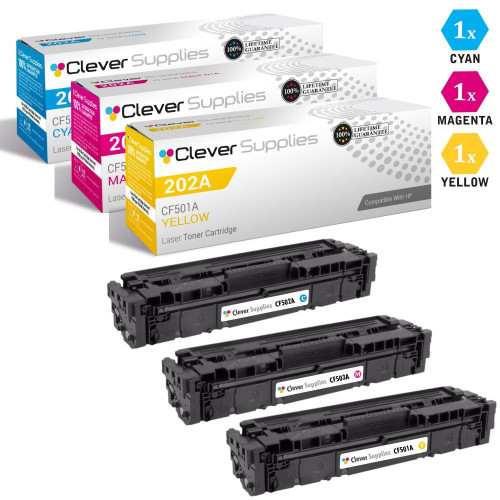
CS Compatible Replacement for HP 202A Toner Cartridges 3 Color Set (CF501A, CF503A, CF502A)

Amazon Price:

- Page Yield:
- Color: 1300
- Availability:
- In Stock
- Shipping:
- Free Shipping
- Compatible Printers
- Color LaserJet M254dw
- Color LaserJet M281cdw
- Color LaserJet M281dw
- Color LaserJet M281fdwi>
- HP 202X
- Specifications
- SKU:
- CS-HP--202A-3Set
- Printer Brand:
- Hewlett Packard
- OEM Number:
- CF501A, CF503A, CF502A
- Ink Color:
- Cyan, Magenta, Yellow
- Page Yield:
- Color: 1300
- Printer Type:
- Laser Cartridge
- Condition:
- New Compatible
- Description
- Reviews

/> 

Clever Supplies brand products are made in the USA! Why pay more for cheaper product with a high defective rate? You will end up having to send it back to the manufacturer. Get a quality product that you KNOW will work. Purchase the Clever Supplies Products Compatible for HP 202A (CF501A, CF503A, CF502A) 3 Color Set and experience the difference! All Clever Supplies brand products are backed by '100% Quality Satisfaction' 1 year warranty against defects in materials and workmanship for all toner products. Free tech support for a Clever Supplies problems for all Clever Supplies brand products. The use of Clever Supplies brand replacement laser toner cartridges and supplies does not void printer warranty. Premium Quality Replacement Toner Cartridge is made by ISO9001 Certified Factory to Meet or Exceed OEM Standards. These units are manufactured 100% brand new with all new parts including OPC drums, wiper blades, a smart chip and other internal parts, they are an economical alternative to expensive OEM CF501A, CF503A, CF502A Compatible Toner Cartridges. This is a Compatible for HP toner cartridges Cyan, Magenta, Yellow guaranteed to perform with HP Laser Printers. It replaces the original HP 202A toner cartridge Cyan, Magenta, Yellow. The compatible replacement for CF501A, CF503A, CF502A. We offer a 100% Quality Satisfaction Guarantee on our Compatible for CF501A, CF503A, CF502Alaser toner cartridges and supplies. For use in the following printers:Color LaserJet M254dw, Color LaserJet M281dw Every configuration this family is sold in — both tiers for the Color LaserJet Pro M254 and MFP M280/M281 printers: the standard-yield 202A and high-yield 202X four-color sets, tri-color sets, five-, six- and eight-cartridge sets, all eight singles and the six black multi-packs — is compared side by side in our Best HP 202A & 202X (CF500–CF503) Toner Cartridges guide.
Frequently Asked Questions
The box lists three codes — CF501A, CF503A and CF502A. Which colors are they?
They are the three color cartridges of the HP 202A family: CF501A is cyan, CF503A is magenta and CF502A is yellow, each rated at 1,300 pages. Together they fill the three color bays of compact Color LaserJet Pro printers such as the Color LaserJet M254dw. Match the code stamped on the empty you remove to the code on the new carton and the color side of the machine is fully accounted for.
Is there a black cartridge in this set?
No — and it is worth saying plainly. This is a colors-only set: cyan, magenta and yellow. Black runs on its own cartridge and its own schedule, because text documents draw on black constantly while the colors are spent on the pages that carry graphics, charts and photos. When black fades, it is ordered separately; this set exists for the day the color side needs attention.
Only one color looks faded. Why change all three?
Because color printing is a balance, not three independent inks. When one channel is fresh and the other two are near the end, mixes skew — greens lean yellow, skin tones go muddy, brand blues drift. The three cartridges age together in most offices since every color page draws on all of them, so renewing the trio together restores the balance in one pass and resets the whole color side to the same starting line.
My prints have gone too green. Which cartridge is that?
Too-green output usually means magenta is running low — magenta is the counterweight to green, so as it fades the green cast takes over. Prints that look cold and blue point the other way, toward yellow. Rocking the suspect cartridge gently side to side can revive it briefly; if the cast returns within days, that channel is spent, and a trio renewal puts all three back in step.
What does the $56.43 price cover?
All three color cartridges — cyan, magenta and yellow — for $56.43. Each one carries a 1-year warranty, and the set is covered by 1-year free returns under our shipping and returns policy, so a cartridge that arrives damaged or disappoints early goes back at no cost to you. There is nothing else the color side needs.
How should I handle the swap and the spares?
Swap only the channels that are empty if you prefer — the set does not force an all-at-once change — and keep any unopened cartridge sealed, flat, in a cool dry drawer away from sunlight. Orders ship from our warehouses in Illinois, Pennsylvania, Georgia and California, and support answers Monday through Friday, 9 AM to 5 PM CST if a cartridge from the set ever misbehaves.
What does each cartridge in the set work out to on its own?
Divide the $56.43 set price by the three cartridges and each color lands at about $18.81. Set against the 1,300-page rating each cartridge carries, a full-color page that draws on all three channels costs roughly four cents in toner. That is the honest way to budget this set: not as one $56.43 event, but as three modest cartridges whose combined cost per color page stays low across the whole renewal cycle.
How can I prove the renewal actually fixed the drift?
Keep one document your office knows by heart — the logo sheet, a standard brochure, a photo page everyone has seen a hundred times. Print it once on the tired cartridges and once after the trio goes in, then compare the two side by side. If the second copy matches the colors you remember, the renewal did its work. Keep that good print in a drawer; it becomes the reference the next drift gets judged against.
What should I do with the three empties I take out?
Set them aside together and mark each one as spent, with the date it came out. An unmarked empty has a way of wandering back into the spares drawer and being refitted by someone in a hurry, which wastes a morning proving it really is empty. The codes stamped on the three spent units are also your reorder record — read them before ordering and the replacement set is guaranteed to match what the machine just gave up.
How do I make sure this is the right set before I order it?
Order by code, not by color name or by the family label alone. Pull any one of the color cartridges you are replacing and read the stamp on it: if the three empties between them read CF501A, CF503A and CF502A, this is their set. Color names get reused across printer generations and a cartridge that looks identical can carry a different code, so the thirty seconds spent reading the empties is the cheapest compatibility check there is.
About This 202A 3 Color Set
Color problems rarely arrive one cartridge at a time; they arrive as a drift — a logo slightly off, a photo slightly flat. This $56.43 trio of CF501A cyan, CF503A magenta and CF502A yellow, each rated at 1,300 pages, is the correction: the whole color side renewed together, with black honestly left to its own separate cartridge and cycle. Keep the set sealed until the drift appears, change the channels together, and the HP range in our store carries the black side on the same straightforward terms when its turn comes.
Related Items

Hewlett Packard
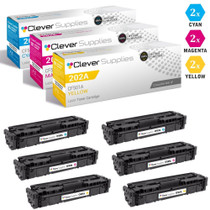
CS Compatible Replacement for HP 202A Toner Cartridges 6 Color Set (CF501A, CF503A, CF502A)
/>


Hewlett Packard
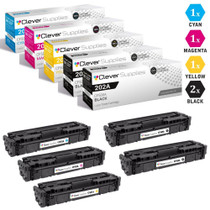
CS Compatible Replacement for HP 202A Toner Cartridges 5 Color Set (CF500A, CF501A, CF503A, CF502A)
/>


Hewlett Packard
CS Compatible Replacement for HP 202A Toner Cartridges 4 Color Set (CF500A, CF501A, CF503A, CF502A)
/>

Hewlett Packard
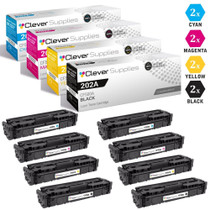
CS Compatible Replacement for HP 202A Toner Cartridges 8 Color Set (CF500A, CF501A, CF503A, CF502A)
/>