






 See Compatible Printers
 Read more about our ink!
Hewlett Packard
CS Compatible Replacement for HP 202A Toner Cartridges Yellow (CF502A)

Amazon Price:

- Page Yield:
- Color: 1300
- Availability:
- In Stock
- Shipping:
- Calculated at Checkout
- Compatible Printers
- Color LaserJet M254dw
- Color LaserJet M281cdw
- Color LaserJet M281dw
- Color LaserJet M281fdwi>
- HP 202X
- Specifications
- SKU:
- CS-HP--202A-Y
- Printer Brand:
- Hewlett Packard
- OEM Number:
- CF502A
- Ink Color:
- Yellow
- Page Yield:
- Color: 1300
- Printer Type:
- Laser Cartridge
- Condition:
- New Compatible
- Description
- Reviews

/> 

Clever Supplies brand products are made in the USA! Why pay more for cheaper product with a high defective rate? You will end up having to send it back to the manufacturer. Get a quality product that you KNOW will work. Purchase the Clever Supplies Products Compatible for HP 202A (CF502A) Yellow and experience the difference! All Clever Supplies brand products are backed by '100% Quality Satisfaction' 1 year warranty against defects in materials and workmanship for all toner products. Free tech support for a Clever Supplies problems for all Clever Supplies brand products. The use of Clever Supplies brand replacement laser toner cartridges and supplies does not void printer warranty. Premium Quality Replacement Toner Cartridge is made by ISO9001 Certified Factory to Meet or Exceed OEM Standards. These units are manufactured 100% brand new with all new parts including OPC drums, wiper blades, a smart chip and other internal parts, they are an economical alternative to expensive OEM CF502A Compatible Toner Cartridges. This is a Compatible for HP toner cartridges Yellow guaranteed to perform with HP Laser Printers. It replaces the original HP 202A toner cartridge Yellow. The compatible replacement for CF502A. We offer a 100% Quality Satisfaction Guarantee on our Compatible for CF502Alaser toner cartridges and supplies. For use in the following printers:Color LaserJet M254dw, Color LaserJet M281dw Every configuration this family is sold in — both tiers for the Color LaserJet Pro M254 and MFP M280/M281 printers: the standard-yield 202A and high-yield 202X four-color sets, tri-color sets, five-, six- and eight-cartridge sets, all eight singles and the six black multi-packs — is compared side by side in our Best HP 202A & 202X (CF500–CF503) Toner Cartridges guide.
Frequently Asked Questions
My empty cartridge says CF502A — is this listing that cartridge?
It is the same unit. CF502A is the yellow cartridge's part number in the HP 202A family, and this is the yellow sold singly. It fits the compact color LaserJet Pro generation represented by the Color LaserJet Pro M254dw. Check the stamp on the cartridge you removed: CF502A there means CF502A here, with no other matching to do.
Yellow seems like a minor color — why does it run out at all?
Because yellow works invisibly. It warms skin tones, builds every highlight and cream background, makes oranges and greens possible, and prints the caution panels and highlight boxes in office forms. Pages that look mostly white with a little color are often quietly yellow-heavy, so this cartridge empties on a schedule nobody predicts from looking at the output tray.
What does a dying yellow cartridge look like on paper?
Prints turn cold. Whites pick up a bluish edge, warm photographs go steely, oranges slide toward red and greens toward blue. Unlike black, which fades obviously, yellow announces itself through other colors looking wrong — so if the whole palette feels chilly while individual colors still print, run a test page and look at the yellow block specifically.
How should I read the 1,300-page rating?
As a light-coverage benchmark: 1,300 pages of standard documents. Real life varies with coverage — a term of school handouts with highlighted passages uses yellow differently from a run of neutral letters. Budget with the rating, then let the printer's supply gauge and a test page tell you when the end is actually near rather than ordering on a calendar.
How is the yellow cartridge swapped?
Open the front door, draw the cartridge tray toward you, and lift the yellow unit out by its handle. Peel the seal from the new cartridge, rock it gently side to side, seat it in the yellow-labeled slot, and push the tray in. Each color's slot is shaped for its own cartridge, so a wrong fit is physically obvious before you force anything.
What do I get for $31.13 besides the cartridge?
Cover, mainly: a 1-year warranty on the cartridge and 1-year free returns under our shipping and returns policy if it arrives damaged or gives trouble early. Delivery runs from warehouses in Illinois, Pennsylvania, Georgia and California, and support answers Monday through Friday, 9 AM to 5 PM CST.
What does this yellow cost per page?
At $31.13 against a 1,300-page rating, yellow works out to roughly two and a half cents per page at standard light coverage — the highest per-page figure among the colors, simply because the rating is the family's standard-yield size. Pages dense with warm graphics spend it faster; pages that only borrow a little warmth for highlights and skin tones sip at it. For an office whose color work is mostly documents with accents, the real cost per page lands close to the rated arithmetic.
Is it worth keeping a spare yellow on the shelf?
For most offices, yes. Yellow rarely stops a printer outright; it corrupts output quietly, so the failure is usually discovered on a finished job someone needed — a handout run, a set of forms — rather than at a convenient moment. A sealed CF502A in the drawer converts that discovery into a one-minute swap. Keep the spare sealed, flat and away from sunlight, and it waits without complaint for the day the palette turns cold.
How do I confirm the new yellow has fixed the problem?
Reprint something warm that you know well — a photograph with skin tones, a page with orange or cream elements, the form whose highlight boxes faded. Those are the areas yellow builds, and they are where a healthy cartridge announces itself. Compare against the cold-looking output from before the swap: warmth back in the skin tones and highlights sitting solid means the new unit is doing its work. Keep that first good print as the reference for next time.
What should I do with the spent yellow cartridge?
Mark it as spent, with the date, as soon as it comes out. A yellow cartridge gives few outward signs of being finished — it looks exactly like the spare beside it — so an unmarked empty is easily refitted by the next person to open the drawer. Retain it briefly while the replacement proves itself on real work, then let it leave with your usual office recycling rather than letting it take up permanent residence next to the sealed stock.
About This CF502A Yellow Cartridge
Yellow is the color nobody watches, right up until every print comes out cold. This compatible CF502A is rated at 1,300 pages and costs $31.13, made for the yellow slot of the 202A compact color LaserJet Pro family. It is sold on its own, by its own code, so a faded yellow never forces you to disturb cartridges that are still healthy. Keep the code from the empty unit, match it here, and warmth returns to the page — the remainder of the HP set is stocked alongside for the other slots.
Related Items


Hewlett Packard
CS Compatible Replacement for HP M254dw Toner Cartridges Yellow (CF502A)
/>



Hewlett Packard
CS Compatible Replacement for HP M281dw Toner Cartridges Yellow (CF502A)
/>

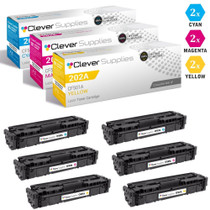
Hewlett Packard
CS Compatible Replacement for HP 202A Toner Cartridges 6 Color Set (CF501A, CF503A, CF502A)
/>


Hewlett Packard
CS Compatible Replacement for HP 202A Toner Cartridges 3 Color Set (CF501A, CF503A, CF502A)
/>