






 See Compatible Printers
 Read more about our ink!
Hewlett Packard
CS Compatible Replacement for HP 202A Toner Cartridges Magenta (CF503A)

Amazon Price:

- Page Yield:
- Color: 1300
- Availability:
- In Stock
- Shipping:
- Calculated at Checkout
- Compatible Printers
- Color LaserJet M254dw
- Color LaserJet M281cdw
- Color LaserJet M281dw
- Color LaserJet M281fdwi>
- HP 202X
- Specifications
- SKU:
- CS-HP--202A-M
- Printer Brand:
- Hewlett Packard
- OEM Number:
- CF503A
- Ink Color:
- Magenta
- Page Yield:
- Color: 1300
- Printer Type:
- Laser Cartridge
- Condition:
- New Compatible
- Description
- Reviews

/> 

Clever Supplies brand products are made in the USA! Why pay more for cheaper product with a high defective rate? You will end up having to send it back to the manufacturer. Get a quality product that you KNOW will work. Purchase the Clever Supplies Products Compatible for HP 202A (CF503A) Magenta and experience the difference! All Clever Supplies brand products are backed by '100% Quality Satisfaction' 1 year warranty against defects in materials and workmanship for all toner products. Free tech support for a Clever Supplies problems for all Clever Supplies brand products. The use of Clever Supplies brand replacement laser toner cartridges and supplies does not void printer warranty. Premium Quality Replacement Toner Cartridge is made by ISO9001 Certified Factory to Meet or Exceed OEM Standards. These units are manufactured 100% brand new with all new parts including OPC drums, wiper blades, a smart chip and other internal parts, they are an economical alternative to expensive OEM CF503A Compatible Toner Cartridges. This is a Compatible for HP toner cartridges Magenta guaranteed to perform with HP Laser Printers. It replaces the original HP 202A toner cartridge Magenta. The compatible replacement for CF503A. We offer a 100% Quality Satisfaction Guarantee on our Compatible for CF503Alaser toner cartridges and supplies. For use in the following printers:Color LaserJet M254dw, Color LaserJet M281dw Every configuration this family is sold in — both tiers for the Color LaserJet Pro M254 and MFP M280/M281 printers: the standard-yield 202A and high-yield 202X four-color sets, tri-color sets, five-, six- and eight-cartridge sets, all eight singles and the six black multi-packs — is compared side by side in our Best HP 202A & 202X (CF500–CF503) Toner Cartridges guide.
Frequently Asked Questions
Is CF503A the right code for the magenta in my printer?
Yes — CF503A is the part number HP gives the magenta cartridge in the 202A family, and this listing is that single magenta unit. It runs in the compact color LaserJet Pro line typified by the Color LaserJet Pro M254dw. The code is stamped on the cartridge itself, so the surest check is the empty in your hand: if it reads CF503A, this box replaces it directly.
Which colors on the page does magenta carry?
Magenta is responsible for reds, pinks and purples, and it does quiet work inside skin tones and warm browns as well. Any office printing product photos, real-estate sheets, menus or presentation covers leans on it heavily — a page that looks red-dominant is mostly a magenta page with yellow support.
Everything prints with a green cast. Could magenta be empty?
That is exactly what a spent magenta cartridge does. Magenta is the counterweight to green in color printing, so as it fades the cast creeps in: reds turn muddy orange-brown, faces look seasick, purples collapse toward blue. A test page settles it — a pale or banded magenta block beside healthy neighbours names this cartridge as the one to swap.
How long will 1,300 pages last us?
At standard light coverage the rating is 1,300 pages. In practice the number bends with what you print: text-light color documents sip at it, while full-page photographs and dense marketing sheets drink it. A monthly color report run might take half a year to finish one cartridge; a photo-heavy desk could do it in weeks. The rating is for planning — the fading reds are the real clock.
Can I replace magenta without touching the other cartridges?
Yes, and that is how the machine is designed to be serviced. Open the front door, slide the drawer out, lift the magenta cartridge from its labeled slot and drop the new one in after removing its sealing strip. The remaining cartridges stay seated and undisturbed, and the printer recalibrates itself on the next job.
What protection comes with the $31.13 price?
A 1-year warranty and 1-year free returns under our shipping and returns terms if the cartridge arrives damaged or fades far earlier than it should. Parcels leave warehouses in Illinois, Pennsylvania, Georgia and California, and a support team is on hand Monday through Friday, 9 AM to 5 PM CST for fitting or print-quality questions.
What does this magenta cost per page?
At $31.13 against a 1,300-page rating, magenta works out to roughly two and a half cents per page at standard light coverage. What your office actually pays per page depends on how red its work is: menus, presentation covers and product photography draw heavily on this channel, while ordinary documents with a colored heading barely sip. Treat the rated figure as the planning number, and expect photo- and marketing-heavy desks to land above it.
How can I learn our real magenta replacement cycle?
Note the install date on the carton when the new cartridge goes in. Magenta announces its end gradually, through drifting reds rather than a sudden stop, so the date the cast becomes impossible to ignore is a soft finish line — but paired with the install date it still gives your office its true interval. After one full cycle you will know roughly how many months a CF503A lasts under your workload, and the next reorder can be timed before the green cast sets in.
Is a spare magenta worth holding?
If your color work faces customers, yes. Magenta's failure mode is embarrassing rather than mechanical: the printer keeps running while every red slides toward orange-brown and every face takes on a green tinge. Work like real-estate sheets and menus cannot go out looking like that. A sealed spare in the drawer means the correction takes minutes on the morning it is needed. Keep it sealed, flat and out of direct light and it will wait without deteriorating.
What do I do with the spent magenta cartridge?
Mark it spent, with the date, the moment it comes out of the machine. Set it aside until the replacement has printed a few red-heavy pages well — the old unit's CF503A stamp is the proof of what was fitted, useful if the new cartridge's first output raises questions. After that brief probation it should leave with the office recycling, and it should never be left unmarked near the spares, where its identical appearance invites an accidental refit.
About This CF503A Magenta Cartridge
Order this when the reds go wrong. The compatible CF503A carries a 1,300-page rating at $31.13 and slots into the magenta bay of the 202A generation of compact color LaserJet Pro printers. Because each color in this family is its own cartridge with its own code, there is no need to retire healthy colors alongside it — read the code off the spent unit, match it to the box, and the color balance comes back. The rest of the HP family sits in our store for the day a different slot runs dry.
Related Items


Hewlett Packard
CS Compatible Replacement for HP M281dw Toner Cartridges Magenta (CF503A)
/>



Hewlett Packard
CS Compatible Replacement for HP M254dw Toner Cartridges Magenta (CF503A)
/>

Hewlett Packard
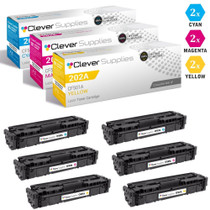
CS Compatible Replacement for HP 202A Toner Cartridges 6 Color Set (CF501A, CF503A, CF502A)
/>


Hewlett Packard
CS Compatible Replacement for HP 202A Toner Cartridges 3 Color Set (CF501A, CF503A, CF502A)
/>