






 See Compatible Printers
 Read more about our ink!
Hewlett Packard
CS Compatible Replacement for HP 202A Toner Cartridges Black (CF500A)

Amazon Price:

- Page Yield:
- Black: 1400
- Availability:
- In Stock
- Shipping:
- Calculated at Checkout
- Compatible Printers
- Color LaserJet M254dw
- Color LaserJet M281cdw
- Color LaserJet M281dw
- Color LaserJet M281fdwi>
- HP 202X
- Specifications
- SKU:
- CS-HP--202A-BK
- Printer Brand:
- Hewlett Packard
- OEM Number:
- CF500A
- Ink Color:
- Black
- Page Yield:
- Black: 1400
- Printer Type:
- Laser Cartridge
- Condition:
- New Compatible
- Description
- Reviews

/> 

Clever Supplies brand products are made in the USA! Why pay more for cheaper product with a high defective rate? You will end up having to send it back to the manufacturer. Get a quality product that you KNOW will work. Purchase the Clever Supplies Products Compatible for HP 202A (CF500A) Black and experience the difference! All Clever Supplies brand products are backed by '100% Quality Satisfaction' 1 year warranty against defects in materials and workmanship for all toner products. Free tech support for a Clever Supplies problems for all Clever Supplies brand products. The use of Clever Supplies brand replacement laser toner cartridges and supplies does not void printer warranty. Premium Quality Replacement Toner Cartridge is made by ISO9001 Certified Factory to Meet or Exceed OEM Standards. These units are manufactured 100% brand new with all new parts including OPC drums, wiper blades, a smart chip and other internal parts, they are an economical alternative to expensive OEM CF500A Compatible Toner Cartridges. This is a Compatible for HP toner cartridges Black guaranteed to perform with HP Laser Printers. It replaces the original HP 202A toner cartridge Black. The compatible replacement for CF500A. We offer a 100% Quality Satisfaction Guarantee on our Compatible for CF500Alaser toner cartridges and supplies. For use in the following printers:Color LaserJet M254dw, Color LaserJet M281dw Every configuration this family is sold in — both tiers for the Color LaserJet Pro M254 and MFP M280/M281 printers: the standard-yield 202A and high-yield 202X four-color sets, tri-color sets, five-, six- and eight-cartridge sets, all eight singles and the six black multi-packs — is compared side by side in our Best HP 202A & 202X (CF500–CF503) Toner Cartridges guide.
Frequently Asked Questions
My order list just says CF500A — is that what this cartridge is?
Yes. CF500A is the part number for the black cartridge in the HP 202A family, and that is exactly the unit in this box. The same cartridge serves the compact color LaserJet Pro generation led by the Color LaserJet Pro M254dw, so if the empty you pulled out is stamped CF500A, this is its like-for-like replacement — order by the code on the old cartridge and there is nothing else to match.
How far does the 1,400-page rating go on a paperwork-heavy desk?
The 1,400-page figure is measured at light, standard coverage, so treat it as a planning number. A desk turning out invoices, packing slips and contracts at 150 pages a month gets roughly nine months from one cartridge. Pages carrying logos, shaded table headers and bold totals draw more toner than plain letters, so heavier layouts shorten that span — the printer's own low warning is the signal to act on.
Black text has started to look gray. Is it empty?
Not necessarily. Toner settles toward one side of the cartridge as it runs down, and the page fades before the supply is truly gone. Lift the cartridge out, rock it gently side to side a few times to level what remains, and print again. If the text comes back dense, you have real pages left; if it fades again within days, the cartridge is at the end and a swap is due.
How do I fit the new cartridge?
Open the front access door, take the old unit out by its handle, and set it aside. Peel the sealing strip from the new cartridge, rock it once or twice, then slide it into the black bay until it seats with a click and close the door. It is about a minute's work, needs no tools, and the machine is ready as soon as its ready light holds steady.
What does the $31.29 price include?
One Clever Supplies compatible black cartridge, rated at 1,400 pages, for $31.29. It is covered by a 1-year warranty, and by 1-year free returns under our shipping and returns policy if it arrives damaged or disappoints early. Nothing about the cartridge asks you to change how you print — same bay, same page sizes, same driver settings.
Should I keep a spare on the shelf?
For a single-printer office, yes — black is the cartridge that stops the day when it runs out, because almost every business document needs it. A sealed spare keeps indefinitely in a cool, dry drawer away from sunlight. Orders leave our warehouses in Illinois, Pennsylvania, Georgia and California, and our support team answers Monday through Friday, 9 AM to 5 PM CST if a cartridge ever misbehaves.
My printer's order history shows a different code — how do I double-check before ordering?
Trust the cartridge, not the paperwork. Pull the black unit from the printer and read the code stamped on its label: if it says CF500A, this listing is the match. Order histories can carry codes from a previous printer or a mistyped entry, but the bay only accepts the cartridge it was built for, and on this Color LaserJet Pro generation that black cartridge is the CF500A.
Can this cartridge keep up with a month-end billing run?
Yes — a billing run is exactly the steady text work the 1,400-page rating is measured on. If the run is large, check the level before it starts rather than discovering a fade on the last batch of statements. Starting the run with a cartridge near empty invites a mid-run swap; starting it with the level known, or with a sealed spare in the drawer, makes the whole run uneventful.
First pages from the new cartridge look slightly light — is that normal?
It can be, briefly. A fresh CF500A may need a few pages for toner to distribute evenly after its sealing strip is pulled, especially if the carton sat in one position for months. Print five or six ordinary pages and judge the last one, not the first. If output is still light after that, rock the cartridge gently once and retest before treating it as a fault.
What should I do with the empty cartridge?
Put it back in the new cartridge's carton as soon as it comes out, and mark the carton spent with the date. That keeps toner residue contained, keeps the empty from being mistaken for the spare, and — if you later need to discuss the cartridge with support — gives you the unit and its dates in one place. Empties have no further use in the printer once the rocking trick stops reviving them.
About This CF500A Black Cartridge
This is the black half of the 202A story: a $31.29 compatible cartridge carrying the CF500A code and a 1,400-page rating, built for the small color LaserJet Pro machines that anchor so many one-desk offices. Black does the heavy lifting in that world — the letters, the invoices, the forms — while color is reserved for the pages that face customers. Order it by the code stamped on the cartridge you are replacing, keep one sealed spare if the printer cannot be allowed to stop, and the HP section of our store holds the rest of the range when the color side needs attention too.
Related Items

Hewlett Packard
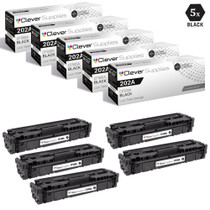
CS Compatible Replacement for HP 202A Toner Cartridges 5 Black Set (CF500A)
/>



Hewlett Packard
CS Compatible Replacement for HP 202A Toner Cartridges 2 Black Set (CF500A)
/>


Hewlett Packard
CS Compatible Replacement for HP 202A Toner Cartridges 3 Black Set (CF500A)
/>


Hewlett Packard
CS Compatible Replacement for HP M281dw Toner Cartridges Black (CF500A)
/>