






 See Compatible Printers
 Read more about our ink!
Hewlett Packard
CS Compatible Replacement for HP 202X Toner Cartridges Black (CF500X)

Amazon Price:

- Page Yield:
- Black: 3200
- Availability:
- In Stock
- Shipping:
- Calculated at Checkout
- Compatible Printers
- Color LaserJet M254dw
- Color LaserJet M281cdw
- Color LaserJet M281dw
- Color LaserJet M281fdwi>
- HP 202X
- Specifications
- SKU:
- CS-HP--202X-BK
- Printer Brand:
- Hewlett Packard
- OEM Number:
- CF500X
- Ink Color:
- Black
- Page Yield:
- Black: 3200
- Printer Type:
- Laser Cartridge
- Condition:
- New Compatible
- Description
- Reviews

/> 

Clever Supplies brand products are made in the USA! Why pay more for cheaper product with a high defective rate? You will end up having to send it back to the manufacturer. Get a quality product that you KNOW will work. Purchase the Clever Supplies Products Compatible for HP 202X (CF500X) Black and experience the difference! All Clever Supplies brand products are backed by '100% Quality Satisfaction' 1 year warranty against defects in materials and workmanship for all toner products. Free tech support for a Clever Supplies problems for all Clever Supplies brand products. The use of Clever Supplies brand replacement laser toner cartridges and supplies does not void printer warranty. Premium Quality Replacement Toner Cartridge is made by ISO9001 Certified Factory to Meet or Exceed OEM Standards. These units are manufactured 100% brand new with all new parts including OPC drums, wiper blades, a smart chip and other internal parts, they are an economical alternative to expensive OEM CF500X Compatible Toner Cartridges. This is a Compatible for HP toner cartridges Black guaranteed to perform with HP Laser Printers. It replaces the original HP 202X toner cartridge Black. The compatible replacement for CF500X. We offer a 100% Quality Satisfaction Guarantee on our Compatible for CF500Xlaser toner cartridges and supplies. For use in the following printers:Color LaserJet M254dw, Color LaserJet M281dw Every configuration this family is sold in — both tiers for the Color LaserJet Pro M254 and MFP M280/M281 printers: the standard-yield 202A and high-yield 202X four-color sets, tri-color sets, five-, six- and eight-cartridge sets, all eight singles and the six black multi-packs — is compared side by side in our Best HP 202A & 202X (CF500–CF503) Toner Cartridges guide.
Frequently Asked Questions
The empty I removed is stamped CF500X — is this that cartridge?
It is. CF500X is the part number of the high-yield black cartridge in the HP 202X family, and this box holds exactly that unit. It runs in the compact color LaserJet Pro generation represented by the Color LaserJet M254dw, so matching the code stamped on the old cartridge is the whole job — nothing else about your printer needs checking or changing.
What does a 3,200-page rating mean in monthly terms?
At the light standard coverage the rating assumes, a desk printing 400 pages a month works through one cartridge in about eight months. Bold letterheads, shaded tables and statement runs pull more toner per page than plain text, so a paperwork mix with heavy formatting lands shorter. Treat the figure as your budgeting yardstick and the machine's low warning as the moment to open the next box.
One side of the page prints lighter than the other. Finished?
Usually not yet. Toner drifts to one end of the cartridge over its life, and the print thins on the starved side first. Take the unit out, tilt it gently end to end several times to level the contents, and reprint. Even density means real pages remain; a return to one-sided fading within the week means the cartridge is genuinely at its end.
What does the $32.98 price buy?
A single Clever Supplies compatible CF500X black cartridge rated at 3,200 pages, for $32.98. It carries a 1-year warranty and 1-year free returns under our shipping and returns policy, so a cartridge that arrives damaged or lets you down early costs you nothing to send back. Same black bay, same paper sizes, same driver — only the swap itself is new.
How is the swap done?
Open the printer's front door, grip the old cartridge by its handle and draw it straight out. Strip the seal from the new unit, give it one gentle rock, and slide it into the black bay until it clicks home, then close the door. Under a minute, no tools, and the printer is ready when its status light settles.
How should the next cartridge be kept?
Sealed in its carton, flat, in a cool dry cupboard away from radiators and window sun — toner keeps for a long shelf life stored that way. Orders leave our warehouses in Illinois, Pennsylvania, Georgia and California, and our support team is on hand Monday through Friday, 9 AM to 5 PM CST if anything ever prints wrong.
When is the right moment to order the next CF500X?
When the low warning stops clearing and holds — not when output is already fading mid-run. A single cartridge rated at 3,200 pages gives you a long, predictable runway: if you know your monthly volume, you can see the changeover coming weeks ahead and order in calm. Orders leave our warehouses in Illinois, Pennsylvania, Georgia and California, so the replacement is a short trip away; ordering at the warning rather than at the fade keeps the printer's heaviest work uninterrupted.
What do I do with the spent cartridge after the swap?
Slip it into the carton the new CF500X came in before it touches a desk or a shelf. That contains the toner residue, protects the office, and labels the unit clearly as spent — a loose empty black cartridge has a habit of being picked up and refitted by someone in a hurry. From there it goes with the office's other empties to the cartridge recycling collection. One minute of tidiness at the changeover is the whole job.
The first pages from a new cartridge look slightly uneven. Is that normal?
It can be. A fresh cartridge settles as its first pages run — toner distributes inside the unit and density evens out across the sheet. Print a small run of ordinary documents and judge the last of them rather than the very first page. If a light patch persists, one gentle end-to-end tilt of the cartridge usually finishes the settling. Output that stays streaky or pale beyond that is not settling at all; that is a support call under the 1-year warranty.
Is it worth keeping a sealed spare if this is my only printer?
For a paperwork office, yes. When the only printer's black bay empties, every document job stops at once — there is no second machine to absorb the invoices and statements while a delivery travels. A single sealed CF500X in the cupboard, stored flat and cool, converts that stoppage into the same one-minute swap the cartridge change already is. Offices that can tolerate a day without printing can skip the spare; offices that cannot should treat it as part of the printer.
About This CF500X Black Cartridge
Black is the cartridge a paperwork office actually lives on, and the CF500X is the long-legged version of it: one $32.98 unit with a 3,200-page rating for the small color LaserJet Pro machines that run invoices, statements and correspondence all day. Buy it by the code on the cartridge you are replacing, swap it in a minute when the low warning holds, and the HP shelves of the store carry the matching color side of the 202X family for when the graphics work needs attention.
Related Items


Hewlett Packard
CS Compatible Replacement for HP 202X Toner Cartridges 2 Black Set (CF500X)
/>



Hewlett Packard
CS Compatible Replacement for HP 202X Toner Cartridges 3 Black Set (CF500X)
/>


Hewlett Packard
CS Compatible Replacement for HP 202X Toner Cartridges 5 Black Set (CF500X)
/>

Hewlett Packard
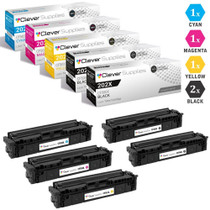
CS Compatible Replacement for HP 202X Toner Cartridges 5 Color Set (CF500X, CF501X, CF503X, CF502X)
/>