




Color LaserJet Enterprise M750
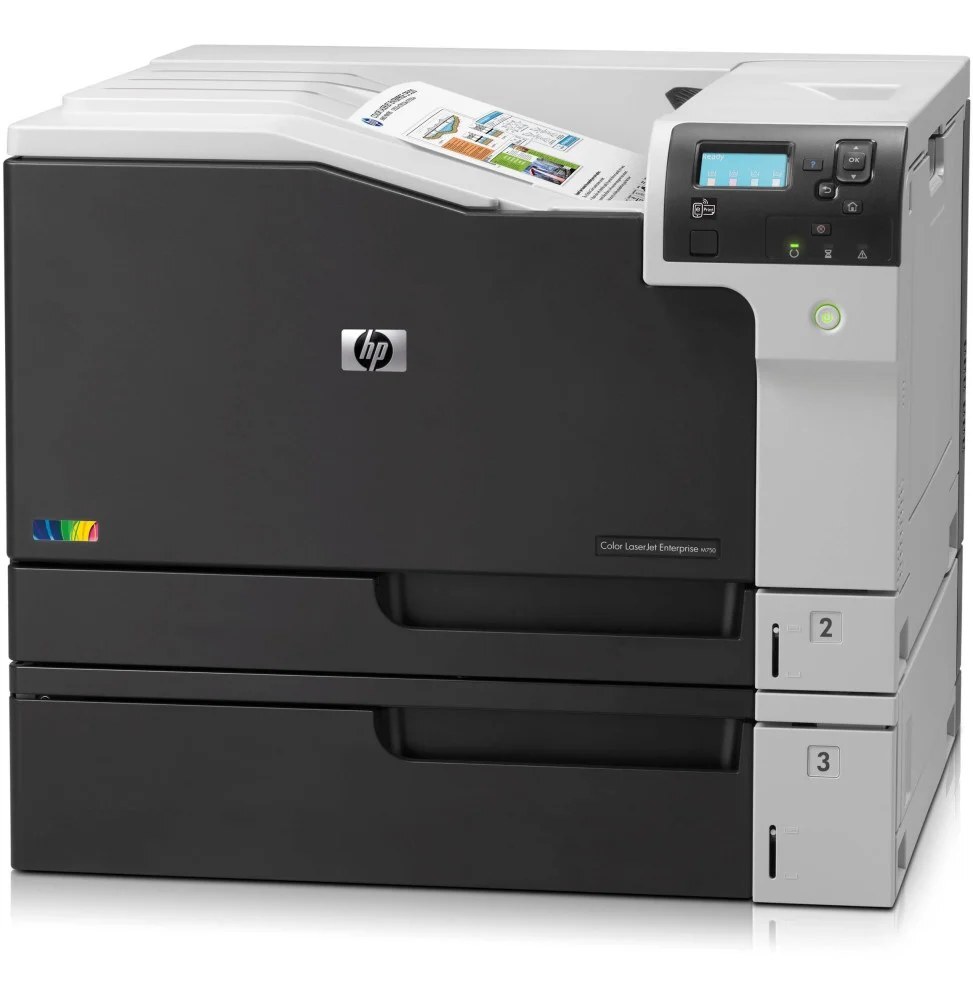
The Color LaserJet Enterprise M750 is the wide-format flagship of its line, built for departments that live in A3 — creative and technical teams printing large color pages with enterprise management layered on top. It runs the HP cartridge line built on black CE270A — the standard black of the 650A family — with CE271A cyan, CE272A yellow and CE273A magenta completing the set of four. Every option on this page is a Clever Supplies compatible built for those codes.
A3 changes the toner conversation. A full-bleed ledger page carries several times the toner of a letter page, so cartridges on this machine empty faster than the same codes would in a smaller printer, and a color proof run can move one shade noticeably in a single afternoon. Teams running the M750 learn to watch levels per color rather than per month, and to keep the next set within arm's reach of the machine.
Toner Cartridges for Color LaserJet Enterprise M750
| Color | Cartridge Code | Page Yield |
|---|---|---|
| Color set | CE270A / CE271A / CE273A / CE272A / 650A | See product page |
| Black | CE270A / 650A | See product page |
| Cyan | CE271A / 650A | See product page |
| Yellow | CE272A / 650A | See product page |
| Magenta | CE273A / 650A | See product page |
| Color set | Enterprise M750 Toner Cartridge Color Laserjet 4 Color Set | See product page |
| Color set | CE270A / CE271A / CE272A / CE273A | See product page |
| Black | CE270A | See product page |
| Color set | CE271A / CE272A / CE273A | See product page |
| Magenta | CE273A | See product page |
| Color set | CE271A / CE272A / CE273A | See product page |
| Color set | CE270A / CE271A / CE272A / CE273A | See product page |
| Black | CE270A | See product page |
| Cyan | CE271A | See product page |
| Magenta | CE273A | See product page |
| Yellow | CE272A | See product page |
| Black | CE270A | See product page |
| Color set | CE270A / CE271A / CE272A / CE273A | See product page |
| Color set | CE270A / CE271A / CE272A / CE273A | See product page |
| Black | CE270A | See product page |
| Cyan | CE271A | See product page |
| Cyan | CE271A | See product page |
| Color set | CE271A / CE272A / CE273A | See product page |
| Color set | CE270A / CE271A / CE272A / CE273A | See product page |
| Black | CE270A | See product page |
| Cyan | CE271A | See product page |
| Magenta | CE273A | See product page |
| Yellow | CE272A | See product page |
| Black | CE270A | See product page |
| Color set | CE270A / CE271A / CE272A / CE273A | See product page |
| Yellow | CE272A | See product page |
| Black | CE270A | See product page |
| Magenta | CE273A | See product page |
| Yellow | CE272A | See product page |
Which cartridge should you buy?
There is one capacity tier on this page, so the real choice is singles versus sets. Buy singles when the panel shows one color sagging — CE271A, CE272A and CE273A each replace independently, and black CE270A turns over fastest in most offices. Buy a four-color set when two or more positions are low together, or when a big A3 project is coming and you want the whole row fresh before it starts. HP's documentation for this family also lists high-yield X versions (CE270X and its color counterparts); those are not among the listings on this page, so match orders to the A codes shown here.
Chip, toner and everyday use
Big cartridges are heavy cartridges — support a fresh one with both hands and slide it straight in rather than angling it into the bay. Remove the seal completely before insertion, and let the printer run its recognition and calibration routine after a swap before printing a proof you intend to judge. Store spares flat in a cool room; stacking heavy boxes on a waiting cartridge can warp its packaging and seals. Yield ratings assume five percent coverage, a figure an A3 poster exceeds in its first square foot.
Frequently Asked Questions
Which cartridges does the Enterprise M750 use?
Four singles: CE270A black, CE271A cyan, CE272A yellow and CE273A magenta — the HP 650A family. They are all listed above, as individual cartridges and in multi-color sets.
Why does one color on my M750 run out so much faster than the others?
Large-format work is rarely balanced. A team proofing blue-dominant artwork will empty cyan while magenta barely moves, and the next project may reverse the pattern. That is normal behavior for A3 color work, not a leaking cartridge.
Can I keep printing when one cartridge reports empty?
The machine decides, and on this platform an empty position usually pauses color work rather than risking poor output. Keep a spare of the fastest-moving color — for most departments that is black — and the pause never becomes a missed deadline.
Are the cartridges on this page original HP or compatible?
Compatible. Every listing here is a Clever Supplies cartridge built to the original specification for the 650A family, and each carries a 1-year warranty with 1-year returns.
More printers that use the same cartridges
The same 650A cartridges serve the CP5520 and CP5525 lines as well as the M750 family — every model category is listed here.
Color LaserJet CP5520, Color LaserJet CP5520DN, Color LaserJet CP5520N, Color LaserJet CP5520XH, Color LaserJet CP5525, Color LaserJet CP5525DN, Color LaserJet CP5525N, Color LaserJet CP5525XH, Color LaserJet Enterprise CP5520, Color LaserJet Enterprise CP5520DN, Color LaserJet Enterprise CP5520N, Color LaserJet Enterprise CP5520XH, Color LaserJet Enterprise CP5525, Color LaserJet Enterprise CP5525DN, Color LaserJet Enterprise CP5525N, Color LaserJet Enterprise CP5525XH, Color LaserJet Enterprise M750DN, Color LaserJet Enterprise M750N, Color LaserJet Enterprise M750XH, Color LaserJet M750, Color LaserJet M750DN, Color LaserJet M750N, Color LaserJet M750XH, HP 650A.