






 See Compatible Printers
 Read more about our ink!
Hewlett Packard
Compatible HP Enterprise M750 (CE272A) Toner Cartridge Yellow

Amazon Price:

- Page Yield:
- Color: 15000
- Availability:
- In Stock
- Shipping:
- Free Shipping
- Compatible Printers
- Color LaserJet CP5525
- Color LaserJet CP5525dn
- Color LaserJet CP5525n
- Color LaserJet CP5525xh
- Color LaserJet M750dn
- Color LaserJet M750n
- Color LaserJet M750xh
- Color LaserJet Enterprise CP5525
- Color LaserJet Enterprise CP5525dn
- Color LaserJet Enterprise CP5525n
- Color LaserJet Enterprise CP5525xh
- Color LaserJet Enterprise M750dn
- Color LaserJet Enterprise M750n
- Color LaserJet Enterprise M750xh
- Enterprise CP5525
- Enterprise CP5525dn
- Enterprise CP5525n
- Enterprise CP5525xh
- Enterprise M750dn
- Enterprise M750n
- Enterprise M750xh
- LaserJet CP5525
- LaserJet CP5525dn
- LaserJet CP5525n
- LaserJet CP5525xh
- LaserJet M750dn
- LaserJet M750n
- LaserJet M750xh
- LaserJet Enterprise CP5525
- LaserJet Enterprise CP5525dn
- LaserJet Enterprise CP5525n
- LaserJet Enterprise CP5525xh
- LaserJet Enterprise M750dn
- LaserJet Enterprise M750n
- LaserJet Enterprise M750xhi>
- Color LaserJet CP5520
- Color LaserJet CP5520DN
- Color LaserJet CP5520N
- Color LaserJet CP5520XH
- Color LaserJet Enterprise CP5520
- Color LaserJet Enterprise CP5520DN
- Color LaserJet Enterprise CP5520N
- Color LaserJet Enterprise CP5520XH
- Color LaserJet Enterprise M750
- Color LaserJet M750
- HP 650A
- Specifications
- SKU:
- CLS-HP-Enterprise M750-Y
- Printer Brand:
- Hewlett Packard
- OEM Number:
- CE272A
- Ink Color:
- Yellow
- Page Yield:
- Color: 15000
- Printer Type:
- Laser Cartridge
- Condition:
- New Compatible
- Description
- Reviews



The HP 650A Color LaserJet Series comprises a lineup of printers tailored for professional printing tasks, including the CP5520, Enterprise CP5520, Enterprise M750, CP5520dn, Enterprise CP5520dn, Enterprise M750dn, CP5520n, Enterprise CP5520n, Enterprise M750n, CP5520xh, Enterprise CP5520xh, Enterprise M750xh, CP5525, Enterprise CP5525, M750, CP5525dn, Enterprise CP5525dn M750dn, CP5525n, Enterprise CP5525n, M750n, and CP5525xh, Enterprise CP5525xh, M750xh models. These printers are equipped to handle various printing needs with efficiency and precision. Compatible with these printers are the CE270A Black, CE271A Cyan, CE273A Magenta, and CE272A Yellow cartridges, recognized as the HP 650A toner cartridge or toner cartridge. Each printer in the HP 650A Color LaserJet Series is designed to deliver high-quality prints consistently. Whether it's standard documents, marketing materials, or graphics-heavy presentations, these printers ensure crisp text and vibrant colors, meeting the expectations of professional printing environments. The versatility of the CP5520, CP5525, and Enterprise M750 series printers lies in their ability to handle different media types and sizes, making them suitable for a wide range of printing applications. From envelopes to glossy brochures, these printers can handle it all with ease. With the HP 650A cartridges, businesses can achieve cost-effective printing solutions without compromising on quality. The CE270A Black cartridge produces sharp and clear black text, while the CE271A Cyan, CE273A Magenta, and CE272A Yellow cartridges ensure vivid and accurate color reproduction for all printing needs. Investing in the HP 650A Color LaserJet Series printers and cartridges equips businesses with reliable printing solutions that can handle the demands of today's fast-paced work environments. From small offices to large enterprises, these printers deliver exceptional performance and professional results every time.
Frequently Asked Questions
The supply list for our Enterprise M750 names CE272A — is this the yellow it needs?
It is. CE272A is the yellow cartridge for the M750 — the 650A family's yellow, at $87.53 with a 15,000-page rating from HP's enterprise line. Like the Color LaserJet CP5525 generation it descends from, the M750 drinks from the 650A family — and the code printed on the supplies screen is the code printed on this box.
What does yellow actually do in large-format graphics?
More than its own color. Yellow builds every green with cyan and every orange and warm tone with magenta; it lights backgrounds and softens harsh contrasts. On an M750 printing posters, covers and wide graphics, yellow is a load-bearing color — the output goes flat and cold without it, even when its own color barely shows.
Our oversize prints are coming out cold and blue. Is yellow the culprit?
Most likely. Cold, blue-leaning output is what a missing yellow looks like, because the warmth has gone out of every mixture at once. Print the supplies status page: if yellow is the gauge near empty while the rest read healthy, this cartridge is the one to replace — no other slot needs touching.
How far will the 15,000-page rating go on graphics work?
Less far than on office documents. The rating is set on light test pages; a poster or cover sheet with wide colored areas can use many times that coverage per sheet. For an M750 doing graphics, treat 15,000 as the ceiling for gentle work and use the printer's gauge — which tracks your real coverage — to time reorders.
Can I swap just the yellow in the middle of a project?
Yes. Each color has its own slot, so a fresh CE272A goes in while the other cartridges stay exactly where they are. The printer recalibrates briefly after the swap, and the project continues with its warmth restored — no need to replace a set to fix one color.
What guarantee backs this cartridge?
Two promises stand behind it: a 1-year warranty, plus 1-year free returns if the cartridge arrives damaged or its early pages print poorly. Help is available from our support team, Monday through Friday, 9 AM to 5 PM CST.
What two-minute routine keeps a big graphics job from dying on an empty yellow?
Before any oversize run, open the supplies view and read the yellow gauge specifically. Posters and covers spend CE272A faster than any office document, so a level that looks adequate for memos may not survive a morning of full-bleed work. If the reading is low, fit the fresh cartridge first and let the tired one finish its days on text.
Why does a graphics shop keep a sealed yellow on the shelf at all times?
Because large-format deadlines do not wait for deliveries. Warm color is the product an M750 graphics shop sells, and yellow is the cartridge whose absence flattens it. One sealed CE272A in reserve converts a failed run into a short pause — cheap insurance compared with reprinting oversize stock or missing a client's date.
How can we be sure the replacement restored the warmth mid-project?
Reprint a single piece from earlier in the same project — a cover or poster whose approved look you already know. Side by side with the earlier sheet, the fresh CE272A should bring back the warm tones exactly. Matching a known-good piece from the same artwork is a stricter test than any generic sample page.
The spent yellow is a big cartridge. What is the sensible way to dispose of it?
Pack it into the carton the new one shipped in and route it to recycling with the shop's other empties. Large cartridges earn a batch approach: collect a few, then send them out together. Keeping the empty boxed in the meantime protects work surfaces and stops anyone from refitting a drained cartridge by mistake.
About This Enterprise M750 Yellow Cartridge
On a large-format machine, yellow does the warming work behind every green, orange and skin tone — and it is the first color whose absence makes output look cold. For the M750 that yellow is this CE272A — a 15,000-page cartridge (standard test pages) at $87.53. We keep stock in Illinois, Pennsylvania, Georgia, and California; your order ships from the site nearest you, and delivery timing and return steps are covered on the shipping and returns page.
Related Items


Hewlett Packard
Compatible HP M750 (CE272A) Toner Cartridge Yellow


Hewlett Packard
Compatible HP Enterprise CP5525 (CE272A) Toner Cartridge Yellow

Hewlett Packard
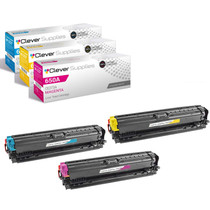
Compatible HP Enterprise M750 (CE271A CE272A CE273A) Toner Cartridge 3 Color Set


Hewlett Packard
Compatible HP Enterprise M750 (CE270A CE271A CE272A CE273A) Toner Cartridge 8 Color Set