




Color LaserJet CP5525XH
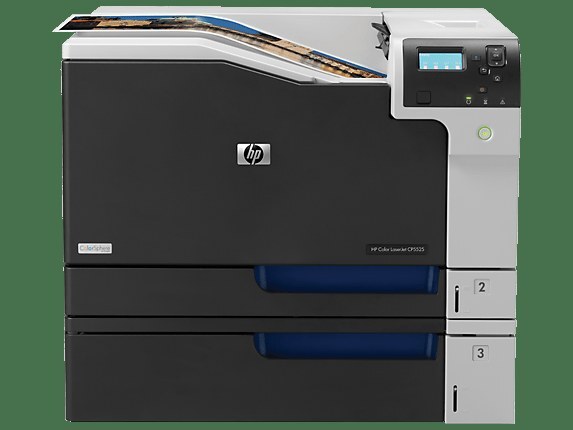
High-capacity trays for constant wide-format demand — the CP5525XH is the endurance config of the CP5525 line. Big color jobs run with little supervision and fewer reloads.
HP 650A toner powers it: CE270A black (high-yield CE270X) plus CE271A, CE272A, CE273A color (high-yield X). Compatible and genuine OEM cartridges are both stocked for the CP5525XH.
Toner Cartridges for Color LaserJet CP5525XH
This printer works with the following toner cartridges:
- HP CE270A
- HP CE271A
- HP CE272A
- HP CE273A
- HP CE270X
- HP CE271X
- HP CE272X
- HP CE273X
More HP Printers
- Color LaserJet CP5520
- Color LaserJet CP5520DN
- Color LaserJet CP5520N
- Color LaserJet CP5520XH
- Color LaserJet CP5525
- Color LaserJet CP5525DN
- Color LaserJet CP5525N
- Color LaserJet Enterprise CP5520
- Color LaserJet Enterprise CP5520DN
- Color LaserJet Enterprise CP5520N
- Color LaserJet Enterprise CP5520XH
- Color LaserJet Enterprise CP5525
- Color LaserJet Enterprise CP5525DN
- Color LaserJet Enterprise CP5525N
- Color LaserJet Enterprise CP5525XH
- Color LaserJet Enterprise M750
- Color LaserJet Enterprise M750DN
- Color LaserJet Enterprise M750N
- Color LaserJet Enterprise M750XH
- Color LaserJet M750
- Color LaserJet M750DN
- Color LaserJet M750N
- Color LaserJet M750XH
Frequently Asked Questions
What toner cartridges does the Color LaserJet CP5525XH use?
The Color LaserJet CP5525XH is a color laser printer that takes four separate toner cartridges: CE270A, CE271A, CE272A, CE273A, CE270X, CE271X, CE272X, CE273X. Match these exact codes when buying replacements for the Color LaserJet CP5525XH.
What is the difference between CE270A and CE270X for the Color LaserJet CP5525XH?
Both cartridges fit the Color LaserJet CP5525XH, but CE270X is the high-yield version of the standard CE270A black cartridge, so it prints longer before running out. Choose CE270X for heavy printing on the Color LaserJet CP5525XH and CE270A if you print only occasionally.
Why does my Color LaserJet CP5525XH not recognize a new toner cartridge?
Reseat the cartridge firmly in the Color LaserJet CP5525XH and make sure the protective seal was fully removed, since leftover seal or dirty contacts are the usual cause. If the Color LaserJet CP5525XH still rejects it, move the cartridge to a different slot to rule out a slot issue.