






 See Compatible Printers
 Read more about our ink!
Hewlett Packard
Compatible HP Enterprise M750 (CE271A) Toner Cartridge Cyan

Amazon Price:

- Page Yield:
- Color: 15000
- Availability:
- In Stock
- Shipping:
- Free Shipping
- Compatible Printers
- Color LaserJet CP5525
- Color LaserJet CP5525dn
- Color LaserJet CP5525n
- Color LaserJet CP5525xh
- Color LaserJet M750dn
- Color LaserJet M750n
- Color LaserJet M750xh
- Color LaserJet Enterprise CP5525
- Color LaserJet Enterprise CP5525dn
- Color LaserJet Enterprise CP5525n
- Color LaserJet Enterprise CP5525xh
- Color LaserJet Enterprise M750dn
- Color LaserJet Enterprise M750n
- Color LaserJet Enterprise M750xh
- Enterprise CP5525
- Enterprise CP5525dn
- Enterprise CP5525n
- Enterprise CP5525xh
- Enterprise M750dn
- Enterprise M750n
- Enterprise M750xh
- LaserJet CP5525
- LaserJet CP5525dn
- LaserJet CP5525n
- LaserJet CP5525xh
- LaserJet M750dn
- LaserJet M750n
- LaserJet M750xh
- LaserJet Enterprise CP5525
- LaserJet Enterprise CP5525dn
- LaserJet Enterprise CP5525n
- LaserJet Enterprise CP5525xh
- LaserJet Enterprise M750dn
- LaserJet Enterprise M750n
- LaserJet Enterprise M750xhi>
- Color LaserJet CP5520
- Color LaserJet CP5520DN
- Color LaserJet CP5520N
- Color LaserJet CP5520XH
- Color LaserJet Enterprise CP5520
- Color LaserJet Enterprise CP5520DN
- Color LaserJet Enterprise CP5520N
- Color LaserJet Enterprise CP5520XH
- Color LaserJet Enterprise M750
- Color LaserJet M750
- HP 650A
- Specifications
- SKU:
- CLS-HP-Enterprise M750-C
- Printer Brand:
- Hewlett Packard
- OEM Number:
- CE271A
- Ink Color:
- Cyan
- Page Yield:
- Color: 15000
- Printer Type:
- Laser Cartridge
- Condition:
- New Compatible
- Description
- Reviews



The HP 650A Color LaserJet Series comprises a lineup of printers tailored for professional printing tasks, including the CP5520, Enterprise CP5520, Enterprise M750, CP5520dn, Enterprise CP5520dn, Enterprise M750dn, CP5520n, Enterprise CP5520n, Enterprise M750n, CP5520xh, Enterprise CP5520xh, Enterprise M750xh, CP5525, Enterprise CP5525, M750, CP5525dn, Enterprise CP5525dn M750dn, CP5525n, Enterprise CP5525n, M750n, and CP5525xh, Enterprise CP5525xh, M750xh models. These printers are equipped to handle various printing needs with efficiency and precision. Compatible with these printers are the CE270A Black, CE271A Cyan, CE273A Magenta, and CE272A Yellow cartridges, recognized as the HP 650A toner cartridge or toner cartridge. Each printer in the HP 650A Color LaserJet Series is designed to deliver high-quality prints consistently. Whether it's standard documents, marketing materials, or graphics-heavy presentations, these printers ensure crisp text and vibrant colors, meeting the expectations of professional printing environments. The versatility of the CP5520, CP5525, and Enterprise M750 series printers lies in their ability to handle different media types and sizes, making them suitable for a wide range of printing applications. From envelopes to glossy brochures, these printers can handle it all with ease. With the HP 650A cartridges, businesses can achieve cost-effective printing solutions without compromising on quality. The CE270A Black cartridge produces sharp and clear black text, while the CE271A Cyan, CE273A Magenta, and CE272A Yellow cartridges ensure vivid and accurate color reproduction for all printing needs. Investing in the HP 650A Color LaserJet Series printers and cartridges equips businesses with reliable printing solutions that can handle the demands of today's fast-paced work environments. From small offices to large enterprises, these printers deliver exceptional performance and professional results every time.
Frequently Asked Questions
The supply list for our Enterprise M750 calls for CE271A — is this the cyan it needs?
It is. CE271A is the cyan cartridge for the M750: one cyan cartridge at $87.53, rated at 15,000 pages, from the HP 650A family. The code on the printer's supplies screen is the code on this box — that match is the whole test. The M750 platform shares its 650A generation with the Color LaserJet CP5525 line.
Why do big blue posters and cover sheets drain cyan so fast?
Coverage. A letter page of text might cover five percent of the sheet; a poster with a full blue background covers nearly all of it, in cyan. On an M750 — a machine bought for oversize output — a handful of large solid-color pieces can spend what hundreds of ordinary pages would. Cyan is not leaking; the format is thirsty.
Large blue areas are printing unevenly. Is the cartridge low?
That is the first thing to check. As cyan runs down, big solid areas lose evenness before small text or charts show any change — the largest fills expose a tired cartridge earliest. Print the supplies status page: if cyan is near empty, this replacement restores the solids; if the gauge reads healthy, the unevenness has another cause worth a closer look.
What does the 15,000-page rating mean on a large-format machine?
It is measured on standard letter-size test pages at light coverage, so treat it as a reference point rather than a promise for poster work. A tabloid sheet has about twice the area, and a full-bleed graphic covers far more of it. Your real yield depends on what the M750 actually prints — the printer's own gauge is the honest counter.
How do I make sure cyan won't die in the middle of a poster run?
Check the supplies estimate before the run, not during it — the control panel or the printer's embedded web server both report the level in seconds. If cyan is low, swap in the new cartridge first and keep the tired one as an emergency text-only backup; starting a long color run on a nearly empty cartridge is how deadlines get missed.
What guarantee backs this cartridge?
A 1-year warranty and 1-year free returns. If it arrives damaged or the first prints disappoint, reach our support team Monday through Friday, 9 AM to 5 PM CST, and we will put it right.
How do we confirm a fresh cyan has fixed uneven blue solids?
Reprint a piece you already know — ideally a poster or cover with a large blue area that showed the problem. On the new CE271A the fill should run edge to edge without banding or thin patches. Comparing the same artwork before and after removes guesswork: if the solids are even now, the old cartridge was the cause; if they are not, the machine needs a closer look.
Poster work comes in bursts. How should we keep track of cyan between them?
Give the supplies gauge a glance on a schedule — weekly works for most shops — rather than only when a big job lands. Burst printing can pull a CE271A down quickly in a few heavy days and then sit idle for a week, so the calendar alone will not warn you. A routine check turns a mid-run failure into a planned swap.
Is there anything different about physically fitting a cartridge this size?
Only that it rewards a steady hand. Support the CE271A with both hands, slide it straight into the cyan position until it seats, and do not force it if it resists — withdraw it and check the alignment instead. Let the printer calibrate before sending real work. Big cartridges are not fragile, but a rushed, angled entry helps nothing.
Once the new cartridge has proven itself, what happens to the old one?
Let it go to recycling, packed in the box the replacement came in. There is little value in shelving a drained large-format cartridge: it takes up disproportionate room and invites confusion months later when someone assumes it is usable stock. A day or two of grace while the new cartridge proves out is sensible; a permanent place on the shelf is not.
About This Enterprise M750 Cyan Cartridge
On a large-format machine, cyan carries skies, water, corporate blues and the big solid backgrounds of posters and covers. This CE271A supplies it — $87.53, rated at 15,000 standard pages. Orders ship from the warehouse nearest you among our Illinois, Pennsylvania, Georgia, and California sites, and the shipping and returns page details delivery timing and the return process.
Related Items


Hewlett Packard
Compatible HP Enterprise M750dn (CE271A) Toner Cartridge Cyan



Hewlett Packard
Compatible HP Enterprise M750dn (CE271A) Toner Cartridge Cyan


Hewlett Packard
Compatible HP M750n (CE271A) Toner Cartridge Cyan

Hewlett Packard
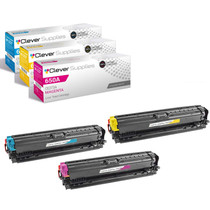
Compatible HP Enterprise M750 (CE271A CE272A CE273A) Toner Cartridge 3 Color Set