




Color LaserJet Enterprise CP5525
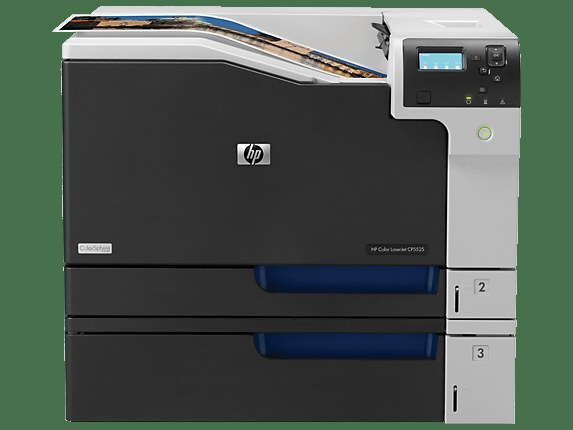
Improved wide-format color meets fleet management in the Enterprise CP5525. Departments get sharper large output with the Enterprise controls IT expects.
It runs HP 650A toner: CE270A black (high-yield CE270X) with CE271A/CE272A/CE273A color (high-yield X). Compatible and genuine OEM cartridges are both available here.
Toner Cartridges for Color LaserJet Enterprise CP5525
This printer works with the following toner cartridges:
- HP CE270A
- HP CE271A
- HP CE272A
- HP CE273A
- HP CE270X
- HP CE271X
- HP CE272X
- HP CE273X
More HP Printers
- Color LaserJet CP5520
- Color LaserJet CP5520DN
- Color LaserJet CP5520N
- Color LaserJet CP5520XH
- Color LaserJet CP5525
- Color LaserJet CP5525DN
- Color LaserJet CP5525N
- Color LaserJet CP5525XH
- Color LaserJet Enterprise CP5520
- Color LaserJet Enterprise CP5520DN
- Color LaserJet Enterprise CP5520N
- Color LaserJet Enterprise CP5520XH
- Color LaserJet Enterprise CP5525DN
- Color LaserJet Enterprise CP5525N
- Color LaserJet Enterprise CP5525XH
- Color LaserJet Enterprise M750
- Color LaserJet Enterprise M750DN
- Color LaserJet Enterprise M750N
- Color LaserJet Enterprise M750XH
- Color LaserJet M750
- Color LaserJet M750DN
- Color LaserJet M750N
- Color LaserJet M750XH
Frequently Asked Questions
What toner does the Color LaserJet Enterprise CP5525 take?
The Color LaserJet Enterprise CP5525 needs all four of these cartridges installed: CE270A, CE271A, CE272A, CE273A, CE270X, CE271X, CE272X, CE273X. Any cartridge set marketed as a replacement for these exact codes will work in the Color LaserJet Enterprise CP5525.
Do the high-yield and standard black cartridges fit the same slot in the Color LaserJet Enterprise CP5525?
Yes — CE270X and CE270A both install into the black slot of the Color LaserJet Enterprise CP5525. The X version just holds more toner, so choose it for heavier printing and CE270A for light use.
How do I clear a paper jam in the Color LaserJet Enterprise CP5525?
Turn the Color LaserJet Enterprise CP5525 off, open the covers, and gently pull the jammed sheet in the direction it feeds — never yank it sideways. Also check the cartridge area of the Color LaserJet Enterprise CP5525, since a sheet can lodge behind one of the toner cartridges.