






 See Compatible Printers
 Read more about our ink!
Hewlett Packard
Compatible HP M750n (CE271A) Toner Cartridge Cyan
- Page Yield:
- Color: 15000
- Availability:
- In Stock
- Shipping:
- Free Shipping

Amazon Price:

- Page Yield:
- Color: 15000
- Availability:
- In Stock
- Shipping:
- Free Shipping
- Compatible Printers
- Color LaserJet CP5525
- Color LaserJet CP5525dn
- Color LaserJet CP5525n
- Color LaserJet CP5525xh
- Color LaserJet M750dn
- Color LaserJet M750n
- Color LaserJet M750xh
- Color LaserJet Enterprise CP5525
- Color LaserJet Enterprise CP5525dn
- Color LaserJet Enterprise CP5525n
- Color LaserJet Enterprise CP5525xh
- Color LaserJet Enterprise M750dn
- Color LaserJet Enterprise M750n
- Color LaserJet Enterprise M750xh
- Enterprise CP5525
- Enterprise CP5525dn
- Enterprise CP5525n
- Enterprise CP5525xh
- Enterprise M750dn
- Enterprise M750n
- Enterprise M750xh
- LaserJet CP5525
- LaserJet CP5525dn
- LaserJet CP5525n
- LaserJet CP5525xh
- LaserJet M750dn
- LaserJet M750n
- LaserJet M750xh
- LaserJet Enterprise CP5525
- LaserJet Enterprise CP5525dn
- LaserJet Enterprise CP5525n
- LaserJet Enterprise CP5525xh
- LaserJet Enterprise M750dn
- LaserJet Enterprise M750n
- LaserJet Enterprise M750xhi>
- Color LaserJet CP5520
- Color LaserJet CP5520DN
- Color LaserJet CP5520N
- Color LaserJet CP5520XH
- Color LaserJet Enterprise CP5520
- Color LaserJet Enterprise CP5520DN
- Color LaserJet Enterprise CP5520N
- Color LaserJet Enterprise CP5520XH
- Color LaserJet Enterprise M750
- Color LaserJet M750
- HP 650A
- Specifications
- SKU:
- CLS-HP-M750n-C
- Printer Brand:
- Hewlett Packard
- OEM Number:
- CE271A
- Ink Color:
- Cyan
- Page Yield:
- Color: 15000
- Printer Type:
- Laser Cartridge
- Condition:
- New Compatible
- Description
- Reviews



The HP 650A Color LaserJet Series comprises a lineup of printers tailored for professional printing tasks, including the CP5520, Enterprise CP5520, Enterprise M750, CP5520dn, Enterprise CP5520dn, Enterprise M750dn, CP5520n, Enterprise CP5520n, Enterprise M750n, CP5520xh, Enterprise CP5520xh, Enterprise M750xh, CP5525, Enterprise CP5525, M750, CP5525dn, Enterprise CP5525dn M750dn, CP5525n, Enterprise CP5525n, M750n, and CP5525xh, Enterprise CP5525xh, M750xh models. These printers are equipped to handle various printing needs with efficiency and precision. Compatible with these printers are the CE270A Black, CE271A Cyan, CE273A Magenta, and CE272A Yellow cartridges, recognized as the HP 650A toner cartridge or toner cartridge. Each printer in the HP 650A Color LaserJet Series is designed to deliver high-quality prints consistently. Whether it's standard documents, marketing materials, or graphics-heavy presentations, these printers ensure crisp text and vibrant colors, meeting the expectations of professional printing environments. The versatility of the CP5520, CP5525, and Enterprise M750 series printers lies in their ability to handle different media types and sizes, making them suitable for a wide range of printing applications. From envelopes to glossy brochures, these printers can handle it all with ease. With the HP 650A cartridges, businesses can achieve cost-effective printing solutions without compromising on quality. The CE270A Black cartridge produces sharp and clear black text, while the CE271A Cyan, CE273A Magenta, and CE272A Yellow cartridges ensure vivid and accurate color reproduction for all printing needs. Investing in the HP 650A Color LaserJet Series printers and cartridges equips businesses with reliable printing solutions that can handle the demands of today's fast-paced work environments. From small offices to large enterprises, these printers deliver exceptional performance and professional results every time.
Frequently Asked Questions
The supply list for our M750n says CE271A — is this the cyan it takes?
Yes. The Color LaserJet M750n uses the CE271A as its cyan cartridge — one cyan at $87.53, rated at 15,000 pages, from the HP 650A family. If the code came from the printer's supplies screen, this box is its match.
Why does cyan vanish on our shared networked machine when nobody prints 'that much' color?
Because the color comes from many desks in small amounts. One person's chart, another's diagram, a third's presentation draft — each job sips cyan, and nobody watches the gauge because nobody feels like the main user. On a networked M750n, cyan empties by accumulation, which is why it so often surprises the whole workgroup at once.
The blues in our diagrams have gone pale. How do I confirm cyan is the cause?
Print the supplies status page and look at the cyan estimate, or check it from your desk through the printer's embedded web server. Pale blues with a low cyan reading settle the question. If cyan reads healthy while blues still fade, the cause sits elsewhere and a fresh cartridge would not change it.
What should we expect from the 15,000-page rating on mixed work?
The rating assumes standard test pages at light coverage. Diagram- and chart-bearing office pages use more; a run of large-format color pieces uses far more. For a shared machine printing a blend of text and graphics, expect a real count below the headline figure and let the printer's gauge — which sees your actual pages — time the reorder.
When is the right moment to order for a machine the whole office shares?
At the first low warning. A shared printer that stops for toner stops everyone's color work, and the warning arrives days before the stop does. Smarter still: keep a sealed spare in the cabinet, and treat the day it is installed as the day its replacement gets ordered.
What guarantee comes with this cartridge?
It carries a 1-year warranty and 1-year free returns. If it arrives damaged or prints poorly from the first pages, contact support Monday through Friday, 9 AM to 5 PM CST, and we will make it right.
What does cyan cost per page on this machine?
At $87.53 against a 15,000-page rating, the CE271A works out at a little over half a cent per standard page. Charts and diagrams carry heavier coverage than the rating's test pages, so graphics-heavy desks will spend it faster — but even then, the color that quietly serves the whole workgroup does so for a modest per-page figure.
How do we fit the replacement and prove it has done its job?
Swap the cyan position, close the machine up, and reprint a chart or diagram the office knows — ideally the same page that first looked pale. Blues should come back at full depth. Testing with the very document that exposed the problem is the surest proof, because it exercises exactly the tones the old cartridge was failing to deliver.
Besides pale blues, what else betrays a fading cyan?
Watch the cool half of the palette. Greens lose their depth and turn yellowish, skies wash toward white, and teals flatten into something duller than the screen promised. Warm colors — reds, oranges — can look perfectly healthy at the same time, which is why a cyan shortage often reads as a general dullness before anyone names the color.
What should we do with the spent cyan cartridge?
Box it, mark the carton as spent, and keep it apart from the sealed spare. On a shared networked machine, the person swapping is rarely the person who stocked the cabinet, and an unmarked empty is an invitation to refit a dead CE271A during the next rush. From its marked box it leaves with the office's usual recycling.
About This M750n Cyan Cartridge
A networked M750n serves its cyan to a whole workgroup's diagrams, charts and large-format pieces. This CE271A is that supply — priced at $87.53 and rated for 15,000 standard pages. Your order leaves from whichever of our Illinois, Pennsylvania, Georgia, and California warehouses is closest to you, and the shipping and returns page explains delivery timing and returns in full.
Related Items


Hewlett Packard
Compatible HP Enterprise M750dn (CE271A) Toner Cartridge Cyan


Hewlett Packard
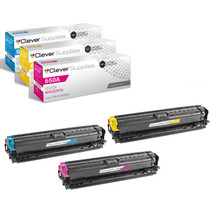
Compatible HP M750n (CE271A CE272A CE273A) Toner Cartridge 3 Color Set


Hewlett Packard
Compatible HP Enterprise M750dn (CE271A) Toner Cartridge Cyan


Hewlett Packard
Compatible HP Enterprise M750 (CE271A) Toner Cartridge Cyan