






 See Compatible Printers
 Read more about our ink!
Hewlett Packard
Compatible HP Enterprise CP5525 (CE272A) Toner Cartridge Yellow

Amazon Price:

- Page Yield:
- Color: 15000
- Availability:
- In Stock
- Shipping:
- Free Shipping
- Compatible Printers
- Color LaserJet CP5525
- Color LaserJet CP5525dn
- Color LaserJet CP5525n
- Color LaserJet CP5525xh
- Color LaserJet M750dn
- Color LaserJet M750n
- Color LaserJet M750xh
- Color LaserJet Enterprise CP5525
- Color LaserJet Enterprise CP5525dn
- Color LaserJet Enterprise CP5525n
- Color LaserJet Enterprise CP5525xh
- Color LaserJet Enterprise M750dn
- Color LaserJet Enterprise M750n
- Color LaserJet Enterprise M750xh
- Enterprise CP5525
- Enterprise CP5525dn
- Enterprise CP5525n
- Enterprise CP5525xh
- Enterprise M750dn
- Enterprise M750n
- Enterprise M750xh
- LaserJet CP5525
- LaserJet CP5525dn
- LaserJet CP5525n
- LaserJet CP5525xh
- LaserJet M750dn
- LaserJet M750n
- LaserJet M750xh
- LaserJet Enterprise CP5525
- LaserJet Enterprise CP5525dn
- LaserJet Enterprise CP5525n
- LaserJet Enterprise CP5525xh
- LaserJet Enterprise M750dn
- LaserJet Enterprise M750n
- LaserJet Enterprise M750xhi>
- Color LaserJet CP5520
- Color LaserJet CP5520DN
- Color LaserJet CP5520N
- Color LaserJet CP5520XH
- Color LaserJet Enterprise CP5520
- Color LaserJet Enterprise CP5520DN
- Color LaserJet Enterprise CP5520N
- Color LaserJet Enterprise CP5520XH
- Color LaserJet Enterprise M750
- Color LaserJet M750
- HP 650A
- Specifications
- SKU:
- CS-HP-Enterprise CP5525-Y-1
- Printer Brand:
- Hewlett Packard
- OEM Number:
- CE272A
- Ink Color:
- Yellow
- Page Yield:
- Color: 15000
- Printer Type:
- Laser Cartridge
- Condition:
- New Compatible
- Description
- Reviews



The HP 650A Color LaserJet Series comprises a lineup of printers tailored for professional printing tasks, including the CP5520, Enterprise CP5520, Enterprise M750, CP5520dn, Enterprise CP5520dn, Enterprise M750dn, CP5520n, Enterprise CP5520n, Enterprise M750n, CP5520xh, Enterprise CP5520xh, Enterprise M750xh, CP5525, Enterprise CP5525, M750, CP5525dn, Enterprise CP5525dn M750dn, CP5525n, Enterprise CP5525n, M750n, and CP5525xh, Enterprise CP5525xh, M750xh models. These printers are equipped to handle various printing needs with efficiency and precision. Compatible with these printers are the CE270A Black, CE271A Cyan, CE273A Magenta, and CE272A Yellow cartridges, recognized as the HP 650A toner cartridge or toner cartridge. Each printer in the HP 650A Color LaserJet Series is designed to deliver high-quality prints consistently. Whether it's standard documents, marketing materials, or graphics-heavy presentations, these printers ensure crisp text and vibrant colors, meeting the expectations of professional printing environments. The versatility of the CP5520, CP5525, and Enterprise M750 series printers lies in their ability to handle different media types and sizes, making them suitable for a wide range of printing applications. From envelopes to glossy brochures, these printers can handle it all with ease. With the HP 650A cartridges, businesses can achieve cost-effective printing solutions without compromising on quality. The CE270A Black cartridge produces sharp and clear black text, while the CE271A Cyan, CE273A Magenta, and CE272A Yellow cartridges ensure vivid and accurate color reproduction for all printing needs. Investing in the HP 650A Color LaserJet Series printers and cartridges equips businesses with reliable printing solutions that can handle the demands of today's fast-paced work environments. From small offices to large enterprises, these printers deliver exceptional performance and professional results every time.
Frequently Asked Questions
The supplies screen on our Enterprise CP5525 lists CE272A — is this listing that cartridge?
Yes. This is the CE272A yellow cartridge for the Color LaserJet Enterprise CP5525 — one yellow cartridge at $87.53, rated at 15,000 pages, from the HP 650A family. The screen's code and the box's code match, and that is the order confirmed.
Why does yellow matter so much for marketing collateral?
Because collateral is where warmth lives: brand golds and ambers, warm skin tones in photographs, sunlit backgrounds, and the greens and oranges built on a yellow base. A corporate brochure that prints cold and blue has usually lost its yellow first — the color itself rarely dominates a page, but every warm tone on the page depends on it.
Our collateral is printing cold and flat. How do I check whether yellow is at fault?
Print the supplies status page from the control panel or check the level through the printer's embedded web server. If yellow is the one near empty, the diagnosis is done: replace this cartridge and the warmth returns. If yellow reads healthy, the cold cast has another cause and a new cartridge would not change it.
How should we plan yield for collateral-heavy work?
Below the headline. The 15,000-page rating is measured at light coverage, and collateral — full-color pages, wide backgrounds, photographs — covers far more of the sheet. A marketing department should plan on noticeably fewer pages per yellow cartridge than a text office would, and use the printer's gauge for real reorder timing.
Can I replace only the yellow before a big collateral run?
Yes, and it is the sensible move. Each color is an independent slot; a fresh CE272A restores the warmth while the other cartridges keep whatever life they have left. For a print run that has to look right the first time, starting it on a healthy yellow is the difference between a usable batch and a reprint.
What guarantee covers this cartridge?
It carries a 1-year warranty and 1-year free returns. If it arrives damaged or prints poorly from the first pages, reach our support team Monday through Friday, 9 AM to 5 PM CST, and we will make it right.
How can we judge a fresh yellow against the standard our collateral has to meet?
Keep one approved brochure from a previous run in the drawer as your reference sheet. After fitting the CE272A, print that same brochure and compare the two under the same light: brand golds, warm backgrounds and skin tones should match the approved copy. A kept reference turns color judgment from opinion into a simple comparison.
What reorder point should a marketing department set for yellow?
Earlier than feels necessary. Collateral work spends a CE272A at several times the rate of text printing, so waiting for visible fading means the warning arrives mid-campaign. Pick a gauge level — the point at which a fresh cartridge gets ordered automatically — and treat the shelf spare as the trigger: when the spare goes in, its replacement gets ordered.
We stock up before campaign season. How should the spare yellows wait?
Sealed, flat and together in a cool, dry cabinet away from sunlight, with arrival dates marked on the boxes so the oldest is used first. Campaign season is the worst time to discover a spare was stored badly or that the spare on the shelf is actually an empty. A dated, sealed row of CE272A boxes removes both surprises.
What happens to the spent yellow cartridge?
It goes into the box the new cartridge arrived in and from there to the office recycling collection. Marketing departments generate empties in bursts around campaigns, so a single collection spot that gets cleared regularly works better than cartridges scattered across desks. Boxing it immediately also keeps the supply shelf an honest picture of what is actually available.
About This Enterprise CP5525 Yellow Cartridge
Marketing collateral judges a printer by its warmth, and yellow is the color that supplies it. This CE272A is the Enterprise CP5525's yellow — $87.53 for a rated 15,000 pages of brochures, covers and presentation work. Your order ships from whichever of our Illinois, Pennsylvania, Georgia, and California warehouses is closest, and the shipping and returns page explains delivery timing and the return process.
Related Items


Hewlett Packard
Compatible HP Enterprise M750 (CE272A) Toner Cartridge Yellow



Hewlett Packard
Compatible HP M750n (CE272A) Toner Cartridge Yellow


Hewlett Packard
Compatible HP M750 (CE272A) Toner Cartridge Yellow

Hewlett Packard
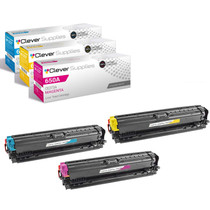
Compatible HP CP5525 (CE271A CE272A CE273A) Toner Cartridge 3 Color Set