




Color LaserJet Enterprise M577C
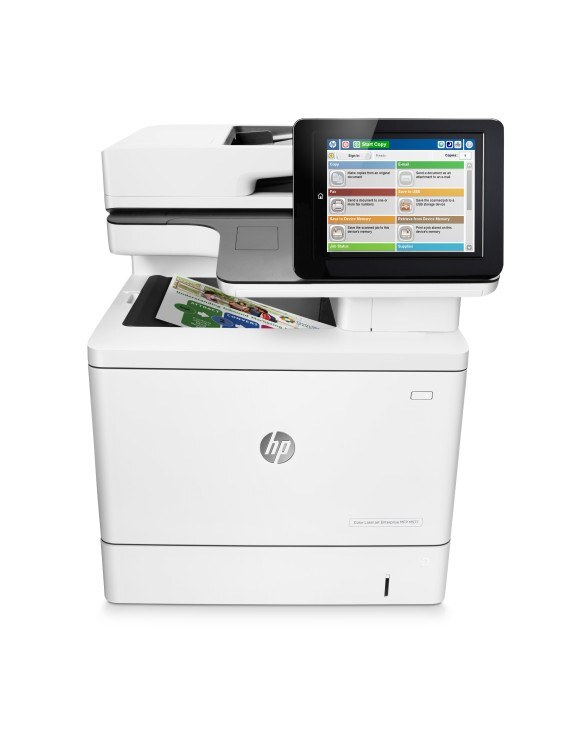
Flow capability set the HP Color LaserJet Enterprise M577C apart, adding advanced workflow features to the Enterprise color MFP platform that departments digitizing heavy document flows put to work. It prints from HP's high-yield 508X line — black CF360X, cyan CF361X, yellow CF362X and magenta CF363X — four separate cartridges, each replaced on its own schedule. The same four are also bundled under the 508A label in the four-color set listed below. Scanning may be its headline, but everything it copies or prints still comes out of these four slots.
A Flow MFP sits at the crossing point of paper entering and leaving an organization: mail gets scanned in, forms get routed, and printed output still lands in the tray all day. That mix hides toner use in plain sight — every scan-to-copy is a print, and workflow-heavy departments copy far more than they realize. The shelf below keeps the print half of this machine fed: the family's high-yield line in singles, packs and sets, all compatible.
Toner Cartridges for Color LaserJet Enterprise M577C
| Cartridge | Color | Page Yield |
|---|---|---|
| CF360X | Black (high yield) | See product page |
| CF361X | Cyan (high yield) | See product page |
| CF362X | Yellow (high yield) | See product page |
| CF363X | Magenta (high yield) | See product page |
| CF360X — 2 Black Set | Black | See product page |
| CF360X — 3 Black Set | Black | See product page |
| CF360X — 5 Black Set | Black | See product page |
| 508X 4 Color Set | Black + CMY | See product page |
| 508X 5 Color Set | Black + CMY | See product page |
| 508X 8 Color Set | Black + CMY | See product page |
| 508X 3 Color Set (CMY) | CMY | See product page |
| 508X 6 Color Set (CMY) | CMY | See product page |
Listings carrying this model's own name hold the same four cartridges: M577C Black (CF360X), M577C Cyan (CF361X), M577C Magenta (CF363X), M577C Yellow (CF362X) and the M577C 4 Color Set.
- M552DN: Black (CF360X), Cyan (CF361X), Magenta (CF363X), Yellow (CF362X), 4 Color Set
- M553DN: Black (CF360X), Cyan (CF361X), Magenta (CF363X), Yellow (CF362X), 4 Color Set
- M577F: Black (CF360X), Cyan (CF361X), Magenta (CF363X), Yellow (CF362X), 4 Color Set
Which cartridge should you buy?
The family also exists in a standard-yield A line — CF360A black with CF361A, CF362A and CF363A colors — but the shelf below is the high-yield X line, and for a workflow hub that is the right default: more pages between swaps and a lower cost per page, at the price of a larger box on the shelf. Colors should still be bought one at a time as each slot empties; a full set is for a fresh install or a planned refresh of all four. Departments that copy heavily should watch the color sets rather than black alone: a scanning queue that copies in color drains cyan, magenta and yellow together, and the colors-only sets exist for that moment. Compatibles here come with a 1-year warranty and 1-year returns.
Chip, toner and everyday use
Scanning never touches toner, so a Flow machine can feel immortal right up to the day a big copy run exposes an empty slot. Check the supplies page weekly rather than waiting for a fade mid-job. When you swap: seal fully removed, cartridge seated until it clicks, door closed, one test copy to confirm. Yield figures are 5%-coverage estimates; copied forms with shaded boxes and logos cover far more and will land below the rating. Spares store best sealed and upright at room temperature, ideally next to the machine rather than in a distant stockroom.
Frequently Asked Questions
Will any HP toner cartridge work in the M577C, or does it need a specific family?
A specific family — the one at the top of this page. The machine works with compatible versions of these codes as happily as with the original; confirm the code matches, because cartridges for other HP printers will not fit.
How should I store a spare cartridge for the M577C?
Leave it sealed, upright and in normal room conditions until the machine calls for it. An unopened cartridge keeps well as a backup, which matters for a hub machine whose copy queue cannot wait for a delivery.
Paper keeps jamming on heavy stock — what helps?
Heavier stock jams more easily, so load thick paper with the tray set for that media type and the driver told the same story. Keeping paper dry and flat matters more than anything; a workflow machine that scans all day still prints on the paper it is given.
Does heavy scanning wear the toner faster?
Scanning itself uses no toner at all. It is the copying that follows scanning which prints — so a department that scans-to-email barely touches these cartridges, while a scan-to-copy department uses them like a printer.
More printers that use the same cartridges
The same cartridge family also feeds these Enterprise color models: Color LaserJet Enterprise M533X, Color LaserJet Enterprise M553N, Color LaserJet Enterprise M577DN, Color LaserJet Enterprise M577Z.