




Color LaserJet Enterprise M577DN
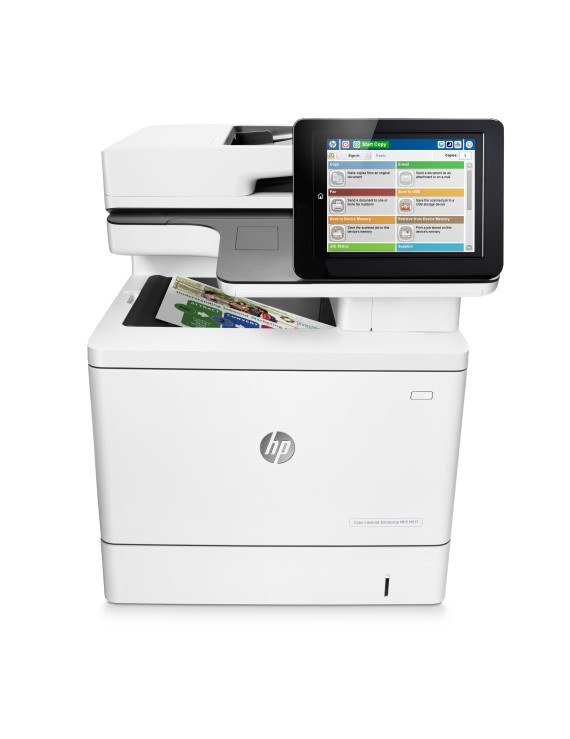
Duplexing and networking made the HP Color LaserJet Enterprise M577DN the standard deployment of its MFP line — a secure, manageable color hub for everyday document work. It prints from HP's high-yield 508X line — black CF360X, cyan CF361X, yellow CF362X and magenta CF363X — four separate cartridges, each replaced on its own schedule. The same four are also bundled under the 508A label in the four-color set listed below.
Standard deployment is a compliment in IT terms: this is the configuration that got rolled out because it needed no babysitting. An Ethernet drop, an address on the network, duplexing on by default, and the office forgets it exists — until a supply runs low. The buying job is to make sure that day is boring: the right four codes, in the right sizes, already on the shelf. Below is the family's high-yield line for this machine, all compatible cartridges.
Toner Cartridges for Color LaserJet Enterprise M577DN
| Cartridge | Color | Page Yield |
|---|---|---|
| CF360X | Black (high yield) | See product page |
| CF361X | Cyan (high yield) | See product page |
| CF362X | Yellow (high yield) | See product page |
| CF363X | Magenta (high yield) | See product page |
For the shelf: black comes in 2 Black Set, 3 Black Set and 5 Black Set packs; all four slots together in the 508X 4 Color Set, 5 Color Set and 8 Color Set; colors without black in the 3 Color Set and 6 Color Set.
The same cartridges under this model's own name: M577DN Black (CF360X), M577DN Cyan (CF361X), M577DN Magenta (CF363X), M577DN Yellow (CF362X) and the M577DN 4 Color Set.
The shelf also carries the same cartridges under the M552DN name: M552DN Black (CF360X), M552DN Cyan (CF361X), M552DN Magenta (CF363X), M552DN Yellow (CF362X) and the M552DN 4 Color Set.
Listings labeled for the M553DN carry the identical four codes: M553DN Black (CF360X), M553DN Cyan (CF361X), M553DN Magenta (CF363X), M553DN Yellow (CF362X) and the M553DN 4 Color Set.
You will also find them under the M577F label: M577F Black (CF360X), M577F Cyan (CF361X), M577F Magenta (CF363X), M577F Yellow (CF362X) and the M577F 4 Color Set.
Which cartridge should you buy?
The family also exists in a standard-yield A line — CF360A black with CF361A, CF362A and CF363A colors — but the shelf below is the high-yield X line, and for most offices that is the right default: more pages between swaps and a lower cost per page, at the price of a larger box on the shelf. Colors should still be bought one at a time as each slot empties; a full set is for a fresh install or a planned refresh of all four. A networked hub also argues for the larger black packs: its queue is the whole office's queue, and duplexing — printing both sides — saves paper, not toner, so page volume stays high even as paper use halves. These compatibles carry a 1-year warranty and 1-year returns.
Chip, toner and everyday use
On a managed network the supplies page is usually read remotely, and the chip in each cartridge is what makes that possible — levels report truthfully after every swap. Fitting is a one-minute job: old unit out, seal off the new one, slide home until the click. Ratings assume roughly 5% coverage, so a hub printing handouts for a whole floor should expect real life to run shorter. One habit pays for itself: when the console says a slot is low, order that day rather than at empty — network machines serve too many people to run to zero.
Frequently Asked Questions
How do I know which toner to order for the M577DN?
Match the number printed on the cartridge you are replacing to the four codes at the top of this page. Both the original and quality-compatible versions fit the same way, so the code — not the brand on the box — is the decision.
When one cartridge runs out, is it better to change all of them?
No — replace each cartridge independently and swap only the empty one. The printer's supplies status tells you which of the four is actually low, and the others keep whatever life they have left.
The printer is not showing up on the network — where do I start?
Check that the link light is on at the cable port and try a different cable or port. Reinstalling the driver on the computer resolves most remaining discovery issues. None of this affects toner — the same four codes fit regardless.
Does duplex printing change which cartridge I need?
No. Duplexing is a paper-path feature; the cartridges are the same four either way. It changes how much paper you buy, not which toner codes you order.
More printers that use the same cartridges
These Enterprise color models share the same cartridge family: Color LaserJet Enterprise M577Z, Color LaserJet Enterprise M577C, Color LaserJet Enterprise M553N, Color LaserJet Enterprise M533X.