




Color LaserJet Enterprise M553N
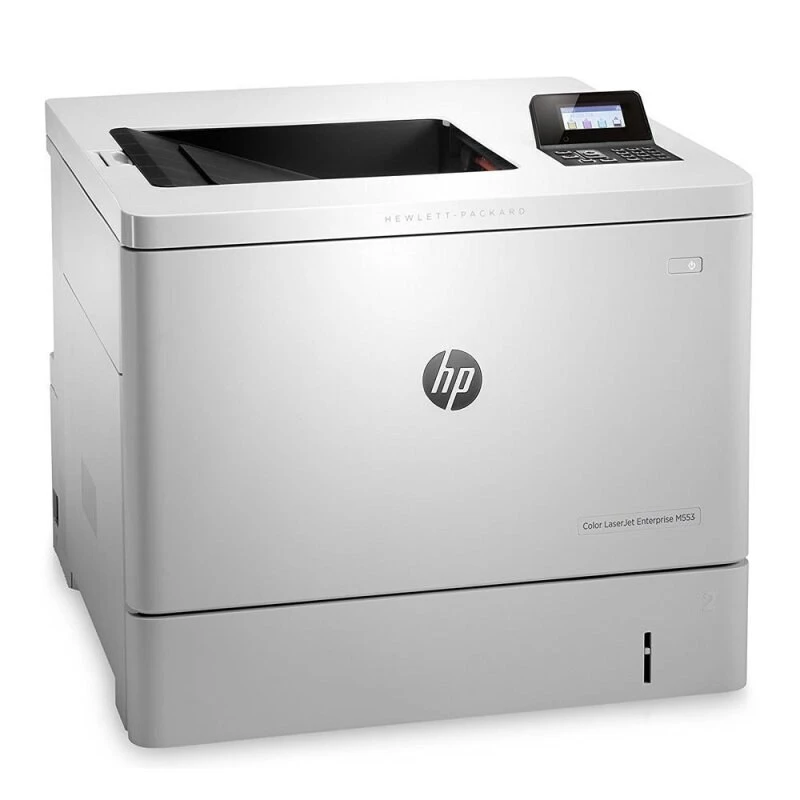
The HP Color LaserJet Enterprise M553N is a mid-2010s workgroup color laser built for managed fleets, a staple of IT-standardized offices thanks to its security features and consistent output. It prints from HP's high-yield 508X line — black CF360X, cyan CF361X, yellow CF362X and magenta CF363X — four separate cartridges, each replaced on its own schedule. The same four are also bundled under the 508A label in the four-color set listed below. In its home family the same slots also accept a standard-yield A line, covered in the buying notes below.
A fleet printer has a different job from a personal one: it must behave identically in forty offices at once, report its supplies honestly to a management console, and never surprise the help desk. Toner buying follows the same logic — standardization. When every site orders the same four codes, nobody stocks the wrong box and nobody improvises. This page is the M553N's shelf of that system: compatible cartridges in the family codes, sized for fleet replenishment.
Toner Cartridges for Color LaserJet Enterprise M553N
| Cartridge | Color | Page Yield |
|---|---|---|
| CF360X | Black (high yield) | See product page |
| CF361X | Cyan (high yield) | See product page |
| CF362X | Yellow (high yield) | See product page |
| CF363X | Magenta (high yield) | See product page |
| CF360X — 2 Black Set | Black | See product page |
| CF360X — 3 Black Set | Black | See product page |
| CF360X — 5 Black Set | Black | See product page |
| 508X 4 Color Set | Black + CMY | See product page |
| 508X 5 Color Set | Black + CMY | See product page |
| 508X 8 Color Set | Black + CMY | See product page |
| 508X 3 Color Set (CMY) | CMY | See product page |
| 508X 6 Color Set (CMY) | CMY | See product page |
The same cartridges are listed under this model's own name as well: M553N Black (CF360X), M553N Cyan (CF361X), M553N Magenta (CF363X), M553N Yellow (CF362X) and the M553N 4 Color Set.
The shelf also carries the same cartridges under the M552DN name: M552DN Black (CF360X), M552DN Cyan (CF361X), M552DN Magenta (CF363X), M552DN Yellow (CF362X) and the M552DN 4 Color Set.
Listings labeled for the M553DN carry the identical four codes: M553DN Black (CF360X), M553DN Cyan (CF361X), M553DN Magenta (CF363X), M553DN Yellow (CF362X) and the M553DN 4 Color Set.
You will also find them under the M577F label: M577F Black (CF360X), M577F Cyan (CF361X), M577F Magenta (CF363X), M577F Yellow (CF362X) and the M577F 4 Color Set.
Which cartridge should you buy?
The family also exists in a standard-yield A line — CF360A black with CF361A, CF362A and CF363A colors — but the shelf below is the high-yield X line, and for most offices that is the right default: more pages between swaps and a lower cost per page, at the price of a larger box on the shelf. Colors should still be bought one at a time as each slot empties; a full set is for a fresh install or a planned refresh of all four. For a managed fleet the X line has a second benefit: fewer cartridge changes means fewer chances for a user to leave a seal half-pulled or a door half-closed. Standardize on it and let the exceptions go. All compatibles here carry a 1-year warranty and 1-year returns.
Chip, toner and everyday use
Supply reporting is a fleet feature, and it depends on the cartridge chip: these units report their levels to the printer, so a console low-warning can be trusted. The classic fleet fault is not the cartridge but the install — packing left on, or a unit not pushed fully home. Train the swap once (seal out, slide in, click, close) and most toner tickets disappear. Rated yields assume about 5% coverage; offices printing dense color reports will cycle the color slots faster than black despite black carrying more pages.
Frequently Asked Questions
What are the correct toner cartridge numbers for the M553N?
The high-yield set linked at the top of this page, from the family this printer was designed around. Whether compatible or original, the code is what matters — anything outside the family will not seat properly.
What is the difference between the A and X versions?
The printer accepts both lines of the same family: A is standard yield, X is high yield. Light users do fine with A; heavy users — and fleets that want fewer interventions — prefer X to cut down on cartridge changes.
One color looks off right after a cartridge change — what should I check first?
Faded output straight after a swap usually means packing material was left on or the cartridge is not fully seated. Reopen the door, remove the seal completely, and click the cartridge firmly back into place before suspecting the cartridge itself.
Does this printer need a separate drum unit?
Everything sold for the M553N on this page is a toner cartridge; no separate drum listing is carried here. Order by cartridge code and the machine has what it needs.
More printers that use the same cartridges
Fleet standardization is easier because the same family covers these sibling models too: Color LaserJet Enterprise M533X, Color LaserJet Enterprise M577C, Color LaserJet Enterprise M577DN, Color LaserJet Enterprise M577Z.