




Color LaserJet 4730XM MFP
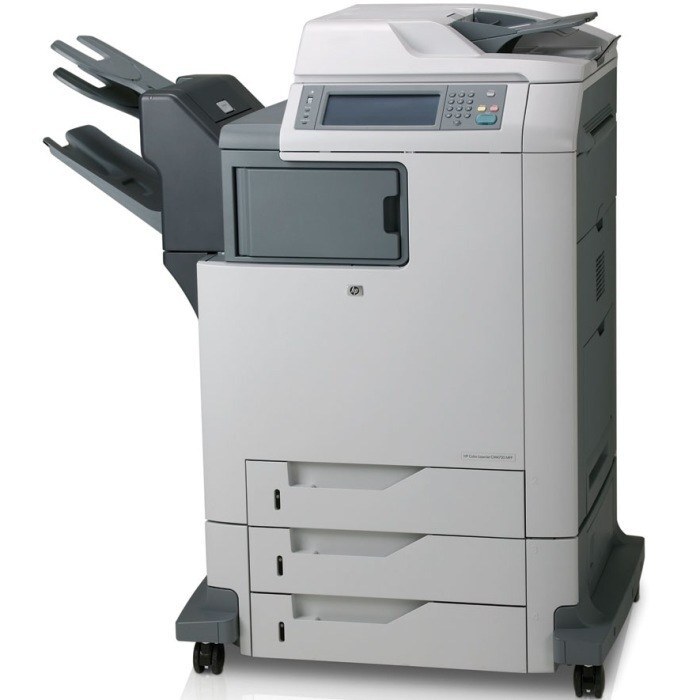
Full multifunction features met expanded media handling in the Color LaserJet 4730XM MFP — the versatile pick for offices juggling different document types through a single machine. Its black cartridge is the Q6460A — the black of the 644A family — with Q6461A cyan, Q6462A yellow and Q6463A magenta. One further listing on this page is labeled with the CE264X code — the 646X high-yield black that HP documents for the CM4730 branch of this family; it is tabled under its own listing below, so check the code on the cartridge you are replacing before choosing between it and the standard black.
Versatility is this configuration's story: different paper stocks, different jobs, one device expected to take them all in stride. Media variety also means toner variety in practice — heavy coverage on presentation stock spends color at a very different rate from plain-text copying, so the XM's levels tend to drift apart faster than its siblings'. The per-position readings on the panel, checked weekly, are the whole management system this machine asks for.
Toner Cartridges for Color LaserJet 4730XM MFP
| Color | Cartridge Code | Page Yield |
|---|---|---|
| Color set | 4730xm mfp Toner Cartridges 4 Color Set | See product page |
| — | Q6460A / Q6461A / Q6463A / Q6462A / 644A | See product page |
| Color set | Q6461A / Q6462A / Q6463A / 644A | See product page |
| — | Q6460A / 644A | See product page |
| Black | Q6460A / 644A | See product page |
| Cyan | Q6461A / 644A | See product page |
| Yellow | Q6462A / 644A | See product page |
| Magenta | Q6463A / 644A | See product page |
| Black | Q6460A | See product page |
| Black | Q6460A | See product page |
| Black | Q6460A | See product page |
| Yellow | CE264X | See product page |
| Black | Q6461A | See product page |
| Black | Q6460A | See product page |
| Magenta | Q6463A | See product page |
| Cyan | Q6461A / 644A | See product page |
| Cyan | Q6461A | See product page |
| Black | Q6460A | See product page |
| Black | Q6460A / 644A | See product page |
| Black | Q6460A | See product page |
Which cartridge should you buy?
Buy the position that is empty, in the size that matches its appetite. Q6460A black is a staple — keep the two-pack in mind if copying dominates. The colors Q6461A, Q6462A and Q6463A reward patience: replace each when its own level gives out, and reach for the tri-color or four-color set only when several are clearly fading together, as happens after a run of heavy media work. One caution from the table: the CE264X-labeled listing is the CM4730 branch's high-yield black code, so let the code on your spent cartridge — not the listing's position in the table — make the final call.
Chip, toner and everyday use
Mixed-media machines collect paper dust from many stocks, and that dust migrates. Before installing a fresh cartridge, a quick look inside the bay — and a soft brush-out if it is visibly dirty — prevents the specks that otherwise get blamed on the new cartridge. Seat each cartridge by its handle, avoid the drum surface entirely, and run a calibration page after any swap that follows heavy stock work. Store spares sealed; opened cartridges pick up the room's humidity and print quality suffers quietly.
Frequently Asked Questions
Which cartridges fit the Color LaserJet 4730XM MFP?
The HP 644A family: Q6460A black, Q6461A cyan, Q6462A yellow, Q6463A magenta — the same set as every other 4730 and CM4730 model, all listed in the table above.
Why do my color levels fall so unevenly on this machine?
Because the work is uneven. Presentation stock and graphics draw hard on one or two colors while text copying barely touches them. Uneven levels are the expected signature of a mixed-media machine, and they are exactly why the cartridges are sold singly as well as in sets.
The listing for CE264X calls it a yellow cartridge — is it?
The code is what counts: CE264X is the high-yield black (646X) for the CM4730 branch of this family, whatever the listing's color word says. Match the code printed on the cartridge you are replacing and the question answers itself.
Can I finish a copy job if the printer says a cartridge is very low?
Very low still prints, with fading risk on coverage-heavy pages. Finish the urgent work, then swap — running a shared MFP to absolute empty tends to stop it mid-queue at the least convenient moment.
More printers that use the same cartridges
The same 644A cartridges cover the full 4730 and CM4730 range — the family directory below is sorted alphabetically.
Color LaserJet 4730, Color LaserJet 4730MFP, Color LaserJet 4730X, Color LaserJet 4730X MFP, Color LaserJet 4730XM, Color LaserJet 4730XS, Color LaserJet 4730XS MFP, Color LaserJet CM4730, Color LaserJet CM4730F, Color LaserJet CM4730F MFP, Color LaserJet CM4730FM, Color LaserJet CM4730FM MFP, Color LaserJet CM4730FSK, Color LaserJet CM4730FSK MFP, Color LaserJet CM4730MFP, HP 644A.