




Color LaserJet CM4730FSK MFP
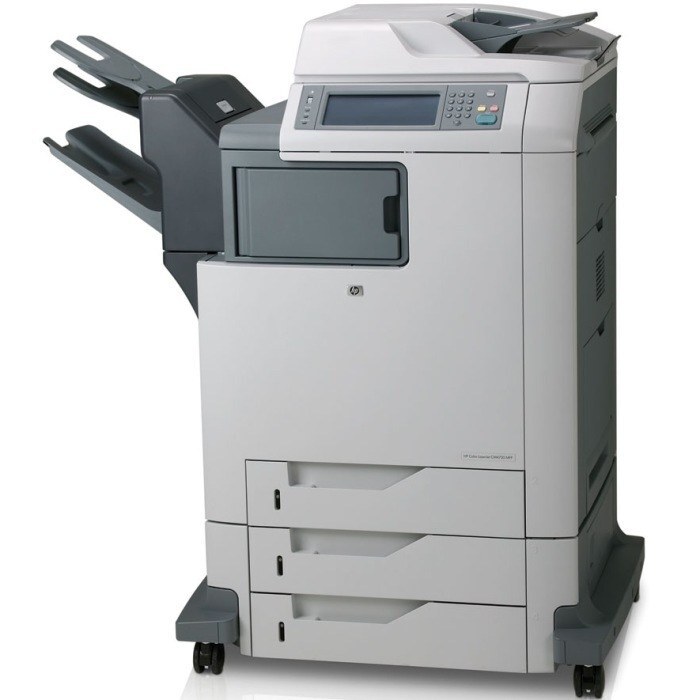
This MFP take on the HP Color LaserJet CM4730FSK combined advanced features with full print, copy, scan and fax. A complete document solution for busy workgroups.
It uses HP 644A cartridges — Q6460A black with cyan Q6461A, magenta Q6462A, yellow Q6463A. Compatible and genuine OEM toner ships fast.
Toner Cartridges for Color LaserJet CM4730FSK MFP
This printer works with the following toner cartridges:
- HP Q6460A
- HP Q6461A
- HP Q6462A
- HP Q6463A
More HP Printers
- Color LaserJet 4730
- Color LaserJet 4730MFP
- Color LaserJet 4730X
- Color LaserJet 4730X MFP
- Color LaserJet 4730XM
- Color LaserJet 4730XM MFP
- Color LaserJet 4730XS
- Color LaserJet 4730XS MFP
- Color LaserJet CM4730
- Color LaserJet CM4730F
- Color LaserJet CM4730F MFP
- Color LaserJet CM4730FM
- Color LaserJet CM4730FM MFP
- Color LaserJet CM4730FSK
- Color LaserJet CM4730MFP
Frequently Asked Questions
Which toner cartridges are compatible with the Color LaserJet CM4730FSK MFP?
Look for the exact codes Q6460A, Q6461A, Q6462A, Q6463A — one black and three color cartridges — for the Color LaserJet CM4730FSK MFP. Sticking to these codes guarantees a proper fit and correct recognition in the Color LaserJet CM4730FSK MFP.
Can I replace just one cartridge on the Color LaserJet CM4730FSK MFP?
Yes — each Q6460A, Q6461A, Q6462A and Q6463A cartridge in the Color LaserJet CM4730FSK MFP runs down on its own. Swap only the one the printer flags as low; replacing the whole set early just wastes toner.
Why is my Color LaserJet CM4730FSK MFP printing faded or streaked pages?
If your Color LaserJet CM4730FSK MFP prints faded or streaked pages, check the supplies menu to confirm none of the Q6460A, Q6461A, Q6462A, Q6463A cartridges are low, then run a cleaning page from the device menus. If streaks persist, remove the suspect cartridge, rock it gently to redistribute toner, and reseat it in the Color LaserJet CM4730FSK MFP.