




Color LaserJet 4730MFP
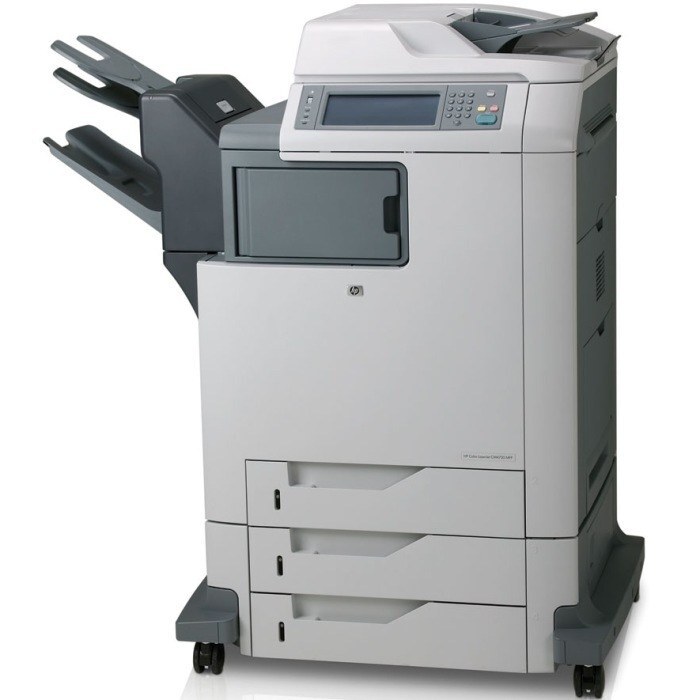
This MFP configuration of the HP Color LaserJet 4730 delivered the complete document center for busy departments. Color output plus full scanning and faxing covered every workflow.
Toner is HP 644A: Q6460A black alongside Q6461A, Q6462A and Q6463A color. We carry compatible and genuine OEM cartridges for the 4730MFP.
Toner Cartridges for Color LaserJet 4730MFP
This printer works with the following toner cartridges:
- HP Q6460A
- HP Q6461A
- HP Q6462A
- HP Q6463A
More HP Printers
- Color LaserJet 4730
- Color LaserJet 4730X
- Color LaserJet 4730X MFP
- Color LaserJet 4730XM
- Color LaserJet 4730XM MFP
- Color LaserJet 4730XS
- Color LaserJet 4730XS MFP
- Color LaserJet CM4730
- Color LaserJet CM4730F
- Color LaserJet CM4730F MFP
- Color LaserJet CM4730FM
- Color LaserJet CM4730FM MFP
- Color LaserJet CM4730FSK
- Color LaserJet CM4730FSK MFP
- Color LaserJet CM4730MFP
Frequently Asked Questions
What toner cartridges does the Color LaserJet 4730MFP use?
The Color LaserJet 4730MFP is a color laser printer that takes four separate toner cartridges: Q6460A, Q6461A, Q6462A, Q6463A. Match these exact codes when buying replacements for the Color LaserJet 4730MFP.
Will compatible toner cartridges work in the Color LaserJet 4730MFP?
Compatible cartridges built for the Color LaserJet 4730MFP's cartridge family are designed to fit and print like the originals. Match the exact codes (Q6460A, Q6461A, Q6462A, Q6463A) rather than a look-alike number to be safe.
Why does my Color LaserJet 4730MFP not recognize a new toner cartridge?
Reseat the cartridge firmly in the Color LaserJet 4730MFP and make sure the protective seal was fully removed, since leftover seal or dirty contacts are the usual cause. If the Color LaserJet 4730MFP still rejects it, move the cartridge to a different slot to rule out a slot issue.