




Color LaserJet CM4730FM MFP
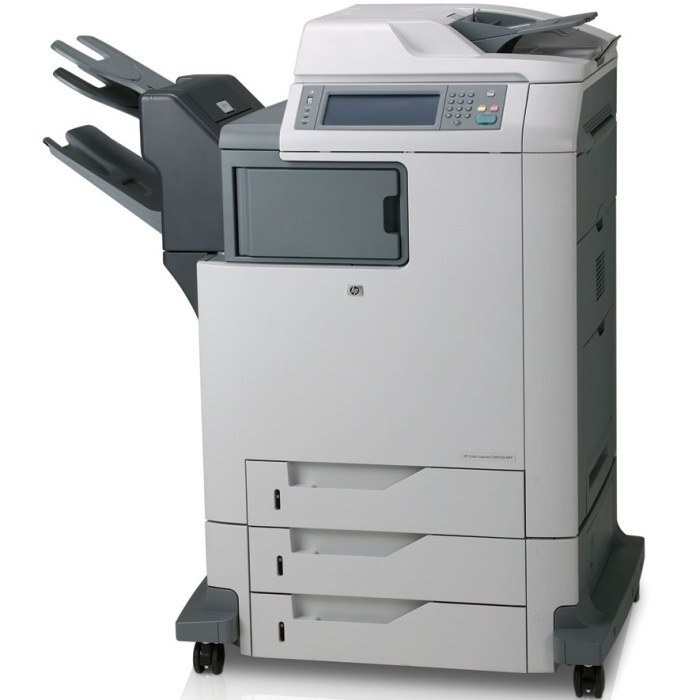
Full multifunction capability met flexible media handling in the HP Color LaserJet CM4730FM MFP. It adapted to whatever the office threw at it.
It runs HP 644A toner — Q6460A black alongside cyan Q6461A, magenta Q6462A and yellow Q6463A. Compatible and genuine OEM cartridges are both available.
Toner Cartridges for Color LaserJet CM4730FM MFP
This printer works with the following toner cartridges:
- HP Q6460A
- HP Q6461A
- HP Q6462A
- HP Q6463A
More HP Printers
- Color LaserJet 4730
- Color LaserJet 4730MFP
- Color LaserJet 4730X
- Color LaserJet 4730X MFP
- Color LaserJet 4730XM
- Color LaserJet 4730XM MFP
- Color LaserJet 4730XS
- Color LaserJet 4730XS MFP
- Color LaserJet CM4730
- Color LaserJet CM4730F
- Color LaserJet CM4730F MFP
- Color LaserJet CM4730FM
- Color LaserJet CM4730FSK
- Color LaserJet CM4730FSK MFP
- Color LaserJet CM4730MFP
Frequently Asked Questions
What toner does the Color LaserJet CM4730FM MFP take?
The Color LaserJet CM4730FM MFP needs all four of these cartridges installed: Q6460A, Q6461A, Q6462A, Q6463A. Any cartridge set marketed as a replacement for these exact codes will work in the Color LaserJet CM4730FM MFP.
Does the Color LaserJet CM4730FM MFP need all four cartridges installed to print black?
Yes — the Color LaserJet CM4730FM MFP requires all four cartridges (Q6460A, Q6461A, Q6462A, Q6463A) to be present, even for black-only jobs. For everyday documents, choose grayscale or black-only in the print dialog so the color cartridges last longer.
How do I install a toner cartridge in the Color LaserJet CM4730FM MFP?
Open the front access door of the Color LaserJet CM4730FM MFP, pull the empty cartridge straight out by its handle, and slide the new cartridge in until it clicks. Close the door and let the Color LaserJet CM4730FM MFP finish its calibration before printing.