




Color LaserJet CM4730
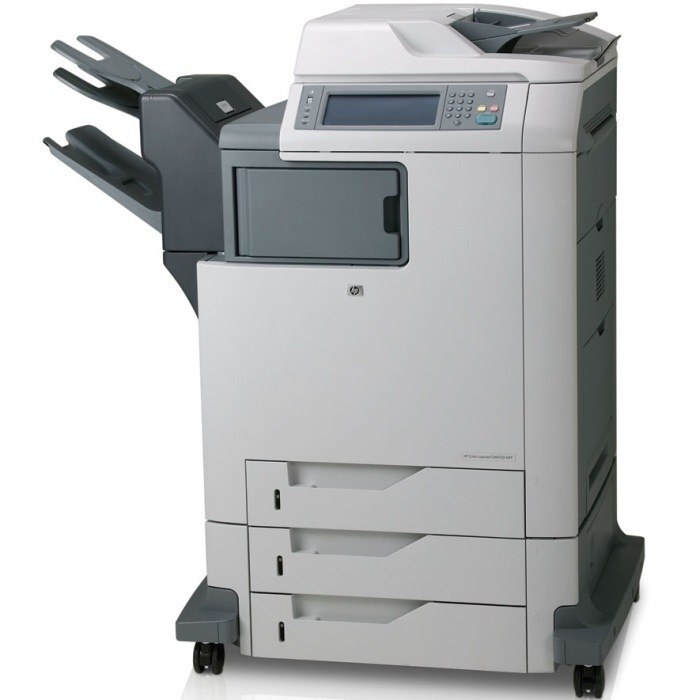
The HP Color LaserJet CM4730 was the multifunction flagship for workgroups wanting one machine to do it all. Its robust design stood up to shared use in busy departments.
It runs HP 644A toner — Q6460A black alongside cyan Q6461A, magenta Q6462A and yellow Q6463A. Compatible and genuine OEM cartridges for the CM4730 are available.
Toner Cartridges for Color LaserJet CM4730
This printer works with the following toner cartridges:
- HP Q6460A
- HP Q6461A
- HP Q6462A
- HP Q6463A
More HP Printers
- Color LaserJet 4730
- Color LaserJet 4730MFP
- Color LaserJet 4730X
- Color LaserJet 4730X MFP
- Color LaserJet 4730XM
- Color LaserJet 4730XM MFP
- Color LaserJet 4730XS
- Color LaserJet 4730XS MFP
- Color LaserJet CM4730F
- Color LaserJet CM4730F MFP
- Color LaserJet CM4730FM
- Color LaserJet CM4730FM MFP
- Color LaserJet CM4730FSK
- Color LaserJet CM4730FSK MFP
- Color LaserJet CM4730MFP
Frequently Asked Questions
Which toner cartridges are compatible with the Color LaserJet CM4730?
Look for the exact codes Q6460A, Q6461A, Q6462A, Q6463A — one black and three color cartridges — for the Color LaserJet CM4730. Sticking to these codes guarantees a proper fit and correct recognition in the Color LaserJet CM4730.
Can the Color LaserJet CM4730 scan and copy documents?
Yes — the Color LaserJet CM4730 is a multifunction unit, so it prints, copies and scans in one machine. Use the scanner glass or automatic document feeder on the Color LaserJet CM4730 to copy or scan straight from the control panel.
Where can I download drivers for the Color LaserJet CM4730?
HP publishes drivers for the Color LaserJet CM4730 on its official support site — search the model name there and pick the package for your operating system. For older models like the Color LaserJet CM4730, Windows and macOS often install a working driver automatically over USB or network.