




Color LaserJet CM4730F MFP
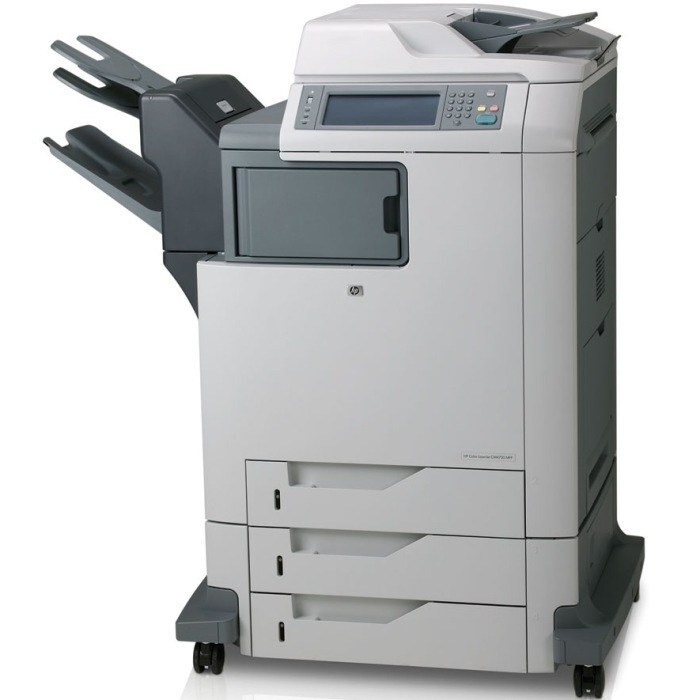
The MFP configuration of the HP Color LaserJet CM4730F delivered print, copy, scan and fax in a single color workhorse. Departments could centralize document work confidently.
It uses HP 644A cartridges — Q6460A black with cyan Q6461A, magenta Q6462A, yellow Q6463A. Compatible and genuine OEM toner for the CM4730F MFP ships fast.
Toner Cartridges for Color LaserJet CM4730F MFP
This printer works with the following toner cartridges:
- HP Q6460A
- HP Q6461A
- HP Q6462A
- HP Q6463A
More HP Printers
- Color LaserJet 4730
- Color LaserJet 4730MFP
- Color LaserJet 4730X
- Color LaserJet 4730X MFP
- Color LaserJet 4730XM
- Color LaserJet 4730XM MFP
- Color LaserJet 4730XS
- Color LaserJet 4730XS MFP
- Color LaserJet CM4730
- Color LaserJet CM4730F
- Color LaserJet CM4730FM
- Color LaserJet CM4730FM MFP
- Color LaserJet CM4730FSK
- Color LaserJet CM4730FSK MFP
- Color LaserJet CM4730MFP
Frequently Asked Questions
What toner cartridges does the Color LaserJet CM4730F MFP use?
The Color LaserJet CM4730F MFP is a color laser printer that takes four separate toner cartridges: Q6460A, Q6461A, Q6462A, Q6463A. Match these exact codes when buying replacements for the Color LaserJet CM4730F MFP.
How do I check toner levels on the Color LaserJet CM4730F MFP?
Open the supplies menu on the Color LaserJet CM4730F MFP's control panel — it shows each Q6460A, Q6461A, Q6462A and Q6463A cartridge's remaining level. Replace only the cartridge the printer flags, since the four deplete independently.
How can I lower the cost per page on the Color LaserJet CM4730F MFP?
Draft mode and the grayscale setting cut toner use on the Color LaserJet CM4730F MFP for everyday documents. Printing in black-only mode for routine pages also keeps the three color cartridges of the Color LaserJet CM4730F MFP lasting longer.