




Color LaserJet 4730X
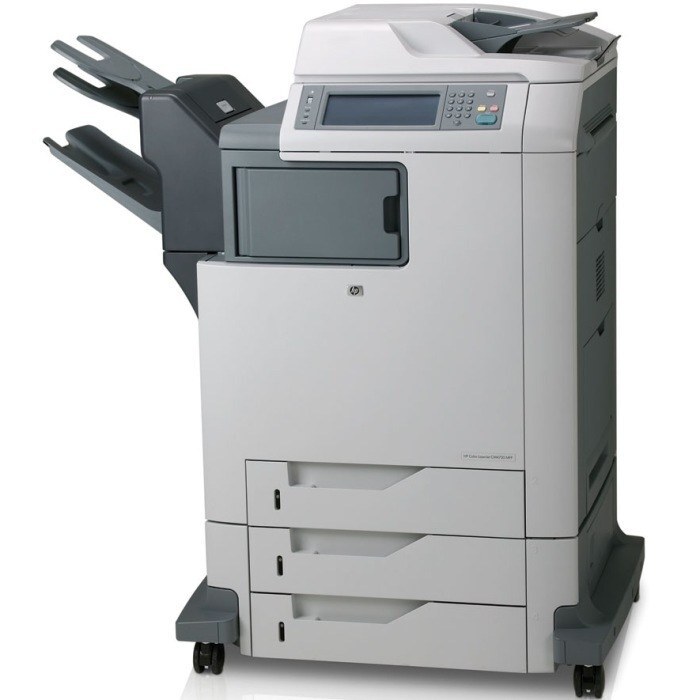
Maximum paper capacity made the HP Color LaserJet 4730X the choice for departments that printed constantly. Extra trays meant the MFP kept working while everyone else got on with their day.
It uses HP 644A cartridges — black Q6460A plus cyan Q6461A, magenta Q6462A, yellow Q6463A. Compatible and genuine OEM toner for the 4730X ships fast.
Toner Cartridges for Color LaserJet 4730X
This printer works with the following toner cartridges:
- HP Q6460A
- HP Q6461A
- HP Q6462A
- HP Q6463A
More HP Printers
- Color LaserJet 4730
- Color LaserJet 4730MFP
- Color LaserJet 4730X MFP
- Color LaserJet 4730XM
- Color LaserJet 4730XM MFP
- Color LaserJet 4730XS
- Color LaserJet 4730XS MFP
- Color LaserJet CM4730
- Color LaserJet CM4730F
- Color LaserJet CM4730F MFP
- Color LaserJet CM4730FM
- Color LaserJet CM4730FM MFP
- Color LaserJet CM4730FSK
- Color LaserJet CM4730FSK MFP
- Color LaserJet CM4730MFP
Frequently Asked Questions
Which toner cartridges are compatible with the Color LaserJet 4730X?
Look for the exact codes Q6460A, Q6461A, Q6462A, Q6463A — one black and three color cartridges — for the Color LaserJet 4730X. Sticking to these codes guarantees a proper fit and correct recognition in the Color LaserJet 4730X.
Why does my Color LaserJet 4730X not recognize a new toner cartridge?
Reseat the cartridge firmly in the Color LaserJet 4730X and make sure the protective seal was fully removed, since leftover seal or dirty contacts are the usual cause. If the Color LaserJet 4730X still rejects it, move the cartridge to a different slot to rule out a slot issue.
How do I check toner levels on the Color LaserJet 4730X?
Open the supplies or consumables menu on the Color LaserJet 4730X's control panel to see the remaining level of each Q6460A, Q6461A, Q6462A, Q6463A cartridge. You can also print a supplies-status page from the device menus for a quick snapshot.