




Laser 5350DN
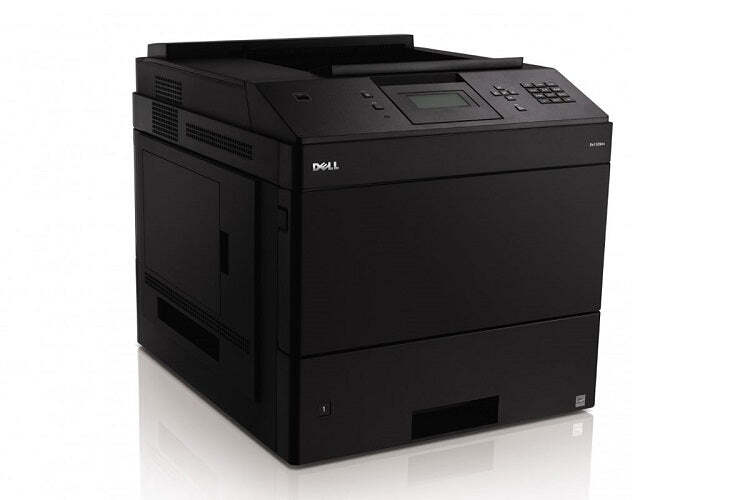
The 5350DN is the flagship configuration of Dell's departmental mono line: maximum speed, built-in networking and automatic duplexing on the heaviest-duty engine in the family. Its supply is the high-yield 330-6968 black cartridge, sized so a printer doing this much work is not stopping for toner every few weeks. This page carries that cartridge as a single, in multi-packs, and in a premium-quality version.
Flagship printers anchor the document flow of an entire department, and the DN configuration is the one shared by the most people at once. Two-sided printing is automatic, so long reports and board packs come out duplexed without anyone touching driver settings. At these volumes, toner is a budget line item, and the buying pattern that works is boring on purpose: the same high-yield cartridge, bought ahead, with a spare always in the building.
Toner Cartridges for Dell 5350DN
| Cartridge | Color | Page Yield |
|---|---|---|
| Dell 330-6968 Toner Cartridge High Yield | Black | See product page |
| Dell 5350DN Toner Cartridge High Yield | Black | See product page |
| Dell 330-6968 Toner Cartridge High Yield 8 Pack | Black | See product page |
| Dell 5350DN Toner Cartridge High Yield 5 Pack | Black | See product page |
| Dell 330-6968 Premium Quality Toner Cartridge High Yield 5 Pack | Black | See product page |
Which cartridge should you buy?
There is one cartridge for this printer, so the real choices are quantity and grade. A department running a single 5350DN as its only heavy printer should hold the 8 pack or the premium 5 pack: the machine's throughput will empty cartridges on a rhythm, and bulk stock turns toner into a scheduled purchase instead of an urgent one. The premium-quality version is aimed at documents that leave the building. Single cartridges suit a 5350DN that backs up another departmental machine. Exact yield figures are listed on each product page; every compatible cartridge here is covered by a 1-year warranty and 1-year returns.
Chip, toner and everyday use
On a networked flagship, check toner from the printer's status page before you walk over with a replacement; the chip reports levels continuously, and a planned swap between batch jobs takes under a minute. Install the new cartridge with a firm push until it seats, and let the printer complete its recognition cycle before releasing a long run. Yield ratings are measured at 5% coverage, so duplexed reports with dense tables will not match the headline number page for page. Store the spare sealed and flat beside the printer, and use the oldest stock first.
Frequently Asked Questions
Which supplies does the Dell 5350DN use?
One supply covers everything: the high-yield 330-6968 black cartridge, listed above in single and multi-pack form. There is no separate drum purchase in this family to plan around on this page.
Does the 5350DN take the same cartridge as the 5350?
Yes. The Dell 5350 and the 5350DN share the same cartridge family, as do the 5230 models listed below. The DN badge changes the printer's configuration, not its toner.
Does automatic duplexing change how long a cartridge lasts?
No. Duplexing puts the same toner on both sides of the sheet; it saves paper and filing space, not toner. A cartridge's life is counted in printed pages, and a two-sided document simply prints its pages on fewer sheets.
How do I keep a flagship printer from idling on an empty cartridge?
Hold one sealed spare for every installed cartridge and reorder when the spare goes in, not when the printer stops. The status page's toner gauge makes that rhythm easy to keep on a networked machine like this one.
More printers that use the same cartridges
These Dell models and cartridge pages belong to the same supply family: Color Laser Laser 5230DN, Color Laser Laser 5230N, Color Laser Laser 5350, Color Laser Laser 5350DN, Color Laser Laser 5230, Dell 330-6968, Laser 5230, Laser 5230DN, Laser 5230N, Laser 5350.