




Color Laser Laser 5230N
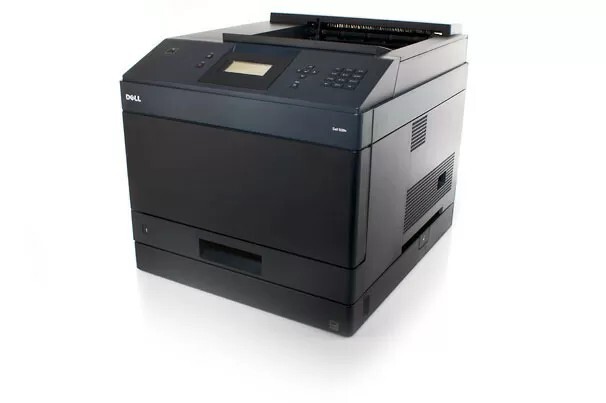
Adding a network port turned the departmental 5230 into a shared resource, and that is the Dell 5230N: one fast monochrome laser serving a whole workgroup over Ethernet, with the stamina to absorb everyone's output. Shared machines deserve shared savings, and this page stocks the 330-6968 black toner cartridge — the single cartridge this printer uses — from single units up to a 10 pack for centralized supply rooms.
A workgroup printer lives a different life from a personal one. Its users arrive in waves — morning reports, midday forms, the late-afternoon rush before courier pickup — and none of them think about toner until the moment it runs out. The 5230N rewards a little foresight: when a dozen people depend on one machine, keeping its cartridge stocked is a team habit rather than one person's errand, and the ordering pattern on this page is built around that habit.
Toner Cartridges for Laser 5230N
| Cartridge | Color | Page Yield |
|---|---|---|
| 330-6968 Black Toner Cartridge — Single | Black | See product page |
| 330-6968 Black Toner Cartridges — 2 Pack | Black | See product page |
| 330-6968 Black Toner Cartridges — 3 Pack | Black | See product page |
| 330-6968 Black Toner Cartridges — 5 Pack | Black | See product page |
| 330-6968 Black Toner Cartridges — 10 Pack | Black | See product page |
Which cartridge should you buy?
Start with how many people print here. A small team with modest output can run comfortably on singles or the 2 pack, reordering as the low-toner notice appears. A true workgroup machine, though, burns through cartridges on other people's schedules, which makes the 5 pack the sensible default: sealed spares sit beside the printer, the swap takes a minute, and work never waits on a delivery. The 10 pack fits offices that standardize purchasing across several machines from this family, since the same cartridge feeds the related models listed at the bottom of this page.
Chip, toner and everyday use
The cartridge chip lets the printer report its toner status, a small feature that matters on a networked unit because the warning may appear on a screen across the room from the supply shelf. Agree on a simple routine: whoever sees the low-toner message checks the cupboard and flags a reorder the same day. Store spares sealed and flat; toner powder does not dry out like liquid ink, so a cartridge bought this quarter will print just as well next quarter.
Frequently Asked Questions
Does the 5230N take the same cartridge as the 5230?
It does. The networked model uses the identical 330-6968 black cartridge as its non-networked sibling, and every product on this page is that cartridge in a different pack size.
Our whole team prints to this machine — which pack size fits?
For a shared printer, the 5 pack is the usual sweet spot, with the 10 pack close behind for larger groups. Buying several cartridges at once keeps the per-page cost down and removes the scramble when a cartridge ends midweek.
Why is there only a black cartridge listed?
Because the 5230N is a monochrome laser. It was designed for fast black-and-white office documents, so black toner is the only supply it consumes.
How do we stretch a cartridge that is running low?
Take it out and rock it gently from side to side several times to redistribute the remaining toner, then reinstall. Treat the extra pages as a bridge to the replacement, not a reason to postpone ordering one.
More printers that use the same cartridges
These related models pull from the same cartridge shelf as the 5230N, which keeps multi-printer offices simple to stock: Color Laser Laser 5230DN, Color Laser Laser 5350, Color Laser Laser 5350DN, Color Laser Laser 5230, Dell 330-6968, Laser 5230, Laser 5230DN, Laser 5230N, Laser 5350, Laser 5350DN.