




Color Laser Laser 5230DN
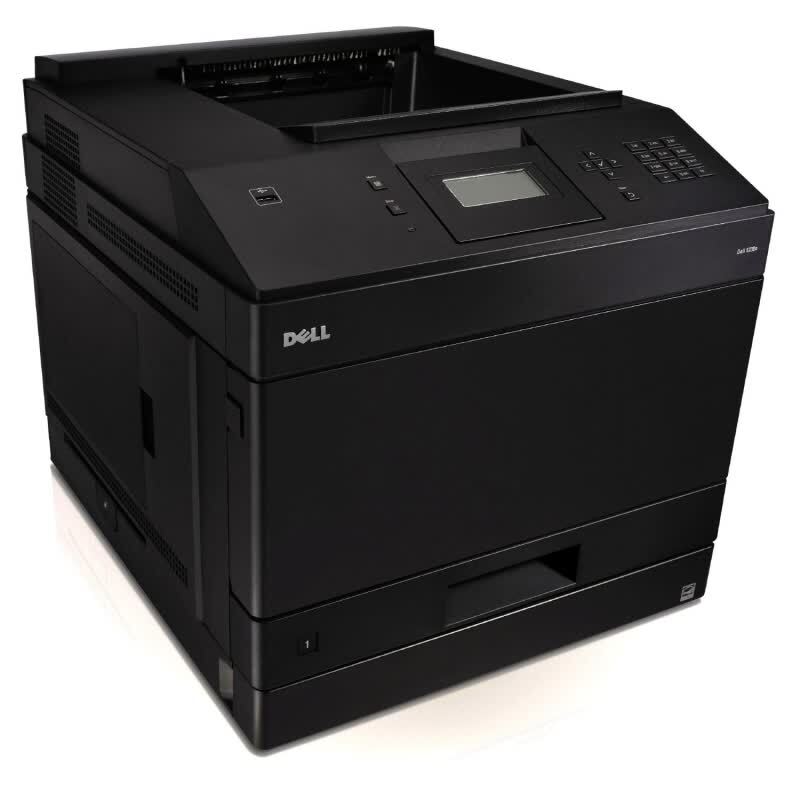
The letters at the end of this model name carry the whole pitch: the Dell 5230DN adds duplexing and networking to the departmental 5230 formula, so one monochrome laser can serve an entire team while printing on both sides of the sheet. Underneath, the supply story stays refreshingly simple. This page stocks the 330-6968 black toner cartridge in single through 10 pack quantities, the high-yield cartridge the whole 5230 line was built to run on.
Two-sided printing changes the economics of a busy office in a quiet way: paper consumption drops, filing cabinets fill more slowly, and long documents come out as tidy booklets instead of brick-thick stacks. Pair that with a network connection and the 5230DN becomes the printer a department organizes itself around — the one in the print room that everyone queues jobs to, confident it will clear them without drama.
Toner Cartridges for Laser 5230DN
| Cartridge | Color | Page Yield |
|---|---|---|
| 330-6968 Black Toner Cartridge — Single | Black | See product page |
| 330-6968 Black Toner Cartridges — 2 Pack | Black | See product page |
| 330-6968 Black Toner Cartridges — 3 Pack | Black | See product page |
| 330-6968 Black Toner Cartridges — 5 Pack | Black | See product page |
| 330-6968 Black Toner Cartridges — 10 Pack | Black | See product page |
Which cartridge should you buy?
Because the 5230DN is shared, its toner consumption is pooled across every user who prints to it, and that argues for buying ahead of the curve. A single 330-6968 is the right call for a light month or a first trial of our compatible line. Offices that print daily should look at the 3 or 5 pack: the cartridges wait sealed in the cupboard, the per-page cost stays at its lowest, and nobody discovers an empty machine at 4 p.m. on a deadline day. The 2 pack remains the balanced middle for smaller teams, while the 10 pack belongs to facilities managers stocking several family machines at once.
Chip, toner and everyday use
Duplexing does not change how toner is consumed per printed side; it changes how much paper a job uses, not how much powder lands on it. The cartridge chip reports toner level to the printer, which matters more on a networked machine because the person who sees the warning may not be the person who prints most. Decide in advance who owns the spare shelf. A cartridge stored flat, sealed and away from heat will be ready the moment the queue depends on it.
Frequently Asked Questions
Does two-sided printing require a different cartridge?
No. Duplexing is a paper-path feature, not a supply change. The 5230DN uses the same 330-6968 black cartridge as the rest of its family, and every listing on this page fits it.
Can the 5230DN share cartridges with the plain 5230?
Yes — the products above are the same ones sold for the base model, because both machines draw on the identical cartridge family. One stock of toner can cover a mixed fleet of these printers.
What should we do when the low-toner warning appears?
Treat it as a scheduling note. A fading cartridge can often finish the current job, especially if you remove it and rock it gently to redistribute the toner, but the replacement should be swapped in before the next long two-sided run begins.
Is this a color printer?
It is not. The 5230DN is a monochrome laser, which is why this page lists black cartridges only. Its strength is fast, economical black-and-white output for shared office work.
More printers that use the same cartridges
Every printer below runs on the same black cartridge family as the 5230DN, so a single toner stock can support the whole group: Color Laser Laser 5230N, Color Laser Laser 5350, Color Laser Laser 5350DN, Color Laser Laser 5230, Dell 330-6968, Laser 5230, Laser 5230DN, Laser 5230N, Laser 5350, Laser 5350DN.