




Laser 5350
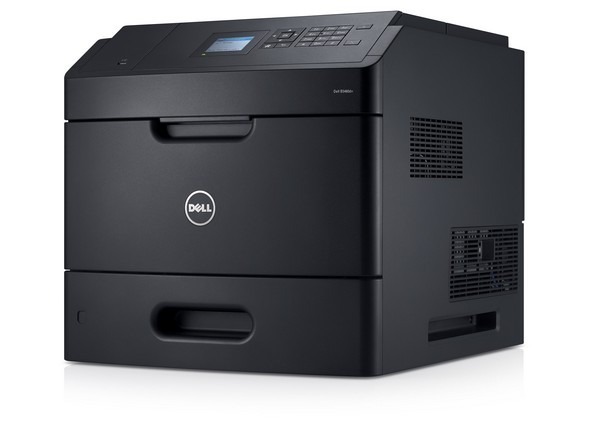
The Dell 5350 sits at the top of Dell's departmental mono laser range: heavier-duty construction and faster output for large workgroups where the printer is close to critical infrastructure. It runs on one high-yield black cartridge, the 330-6968, and this page stocks that cartridge as a single, in bulk packs, and in a premium-quality version. There is no standard-yield compromise in this family; the 5350 was designed around a long-life supply.
A departmental printer fails differently from a personal one: when it stops, dozens of people feel it. The 5350 is built for that environment, churning through the reporting, invoicing and documentation load of a large team. Supply planning is part of the machine's uptime, which is why the listings below lean toward multi-packs: a department that prints all day should be changing cartridges on a schedule, not in a panic.
Toner Cartridges for Dell 5350
| Cartridge | Color | Page Yield |
|---|---|---|
| Dell 330-6968 Toner Cartridge High Yield | Black | See product page |
| Dell 5350 Toner Cartridge High Yield | Black | See product page |
| Dell 330-6968 Toner Cartridge High Yield 8 Pack | Black | See product page |
| Dell 5350 Toner Cartridge High Yield 5 Pack | Black | See product page |
| Dell 330-6968 Premium Quality Toner Cartridge High Yield 5 Pack | Black | See product page |
Which cartridge should you buy?
Every cartridge here is the same high-yield fill, so the buying decision is about stock depth and output standard. A single cartridge suits a 5350 that shares departmental load with a second machine. The 5 and 8 packs suit a printer that carries a whole department on its own: fewer orders, a spare always in the building, and no gap between an empty cartridge and its replacement. Choose the premium-quality 5 pack if your documents go to customers or regulators and you want the closest match to Dell's own print character. Each product page lists the exact yield figure for its cartridge, and all compatible cartridges here include a 1-year warranty and 1-year returns.
Chip, toner and everyday use
The 5350 reads the chip on each cartridge as it is installed, so push the cartridge home firmly and let the machine register it before closing the cover and printing. Rated yields assume 5% page coverage; a department printing dense financial tables will see real-world numbers below the rating, which is normal. Keep at least one sealed cartridge near the printer, stored flat and out of sunlight, and rotate stock so the oldest cartridge is used first. If a nearly finished cartridge starts printing light, a gentle side-to-side rock redistributes the toner for a few hundred extra pages.
Frequently Asked Questions
Which cartridge fits the Dell 5350?
The high-yield black 330-6968, sold above as a single cartridge and in 5 and 8 packs. It is the only cartridge this page stocks because it is the supply the 5350 was designed around; match the code on your old cartridge to confirm.
Does the 5350 share cartridges with the 5230?
Yes. The Dell 5230 and its network variants belong to the same cartridge family, so the 330-6968 moves freely between them. Offices running both models can hold one shared toner stock.
Is there a standard-yield option for the 5350?
Not on this page: every listing is the high-yield cartridge. For a printer with the 5350's workload that is the sensible default, since it stretches the interval between changes and lowers the cost per page over the cartridge's life.
What should I do when prints start to fade?
Fading usually means the cartridge is near the end of its toner, not that the printer is failing. Redistribute the toner as described above, and if the fade returns within a few hundred pages, install the spare and order the next one the same day.
More printers that use the same cartridges
The same cartridge family serves these Dell models and cartridge pages: Color Laser Laser 5230DN, Color Laser Laser 5230N, Color Laser Laser 5350, Color Laser Laser 5350DN, Color Laser Laser 5230, Dell 330-6968, Laser 5230, Laser 5230DN, Laser 5230N, Laser 5350DN.