




Color Laser Laser 5350
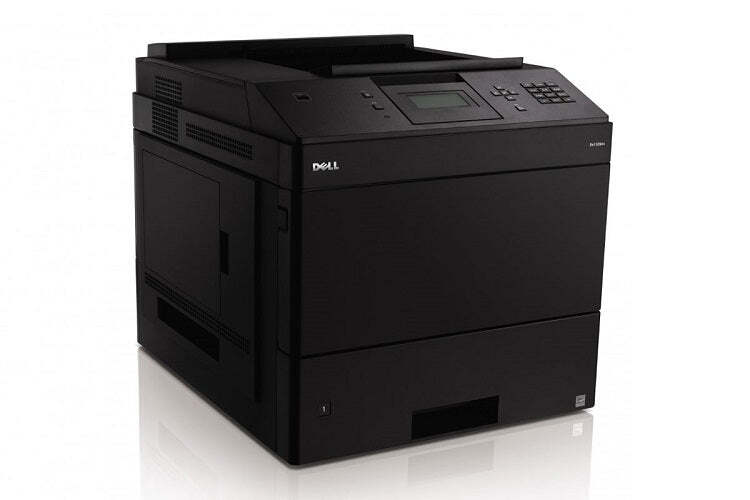
When a department outgrows ordinary workgroup printing, this is the step up: the Dell 5350 pairs high-speed monochrome output with heavy-duty reliability for offices where the print volume keeps climbing and downtime is not an option. Volume like that is only affordable when the cost per page falls as the page count rises, and the supply behind it here is the 330-6968 cartridge — Dell's high-yield black toner for this family — sold singly and in packs up to ten.
Picture the 5350's calendar: weekly reporting cycles, onboarding paperwork, warehouse documentation, then the month-end surge that doubles everything. Machines in this role are rarely anyone's personal printer; they are infrastructure. The buying pattern that suits infrastructure is planned rather than reactive, and this page is organized so a facilities or office manager can stock the cartridge the same way they stock paper — in quantity, ahead of need.
Toner Cartridges for Laser 5350
| Cartridge | Color | Page Yield |
|---|---|---|
| 330-6968 Black Toner Cartridge — Single | Black | See product page |
| 330-6968 Black Toner Cartridges — 2 Pack | Black | See product page |
| 330-6968 Black Toner Cartridges — 3 Pack | Black | See product page |
| 330-6968 Black Toner Cartridges — 5 Pack | Black | See product page |
| 330-6968 Black Toner Cartridges — 10 Pack | Black | See product page |
Which cartridge should you buy?
The high-yield design of the 330-6968 already stretches the interval between swaps, which is the single biggest lever on cost per page at 5350 volumes. The remaining choice is pack size, and it should follow your peak, not your average. If the printer's busiest week would consume a cartridge on its own, the 10 pack turns toner into a stocked commodity instead of a recurring purchase order. Mid-size departments usually land on the 3 or 5 pack, keeping a sealed reserve without tying up shelf space, while the single and 2 pack serve lighter installations or a compatible trial run.
Chip, toner and everyday use
Long, continuous runs are where a well-made cartridge proves itself: the chip tracks consumption so the printer can warn before a big job rather than during it. Help it along by keeping the spare cartridge in the same room as the printer — a swap during a peak run should be a two-minute pause, not a trip across the building. If pages emerge lighter on one side near a cartridge's end, a gentle side-to-side rock redistributes the remaining toner for a cleaner finish to the job.
Frequently Asked Questions
Which cartridge does the Dell 5350 use?
The 330-6968 black cartridge, the same high-yield supply used across this printer family. Every listing above is that cartridge; only the pack quantity changes.
Why does cost per page matter so much on this model?
Because the 5350 exists for volume. A small per-page saving multiplied by tens of thousands of pages becomes a real budget line, which is why the high-yield cartridge and the larger packs are the natural pairing for this machine.
Can I trial a compatible cartridge before buying packs?
That is exactly what the single is for. Run one through a normal week of departmental work, judge the text quality and yield yourself, then move to the pack size your consumption justifies. Our compatible cartridges carry a 1-year warranty and 1-year returns.
Does the 5350 need a separate drum unit?
No separate drum purchase is listed for this family on this page; the cartridge system sold here is the complete supply the printer asks for at toner time. When the machine reports low toner, the cartridge above is the replacement.
More printers that use the same cartridges
The 5350 shares its cartridge with the rest of this departmental family, so mixed installations can standardize on one stock: Color Laser Laser 5230DN, Color Laser Laser 5230N, Color Laser Laser 5350DN, Color Laser Laser 5230, Dell 330-6968, Laser 5230, Laser 5230DN, Laser 5230N, Laser 5350, Laser 5350DN.