




Laser 5230N
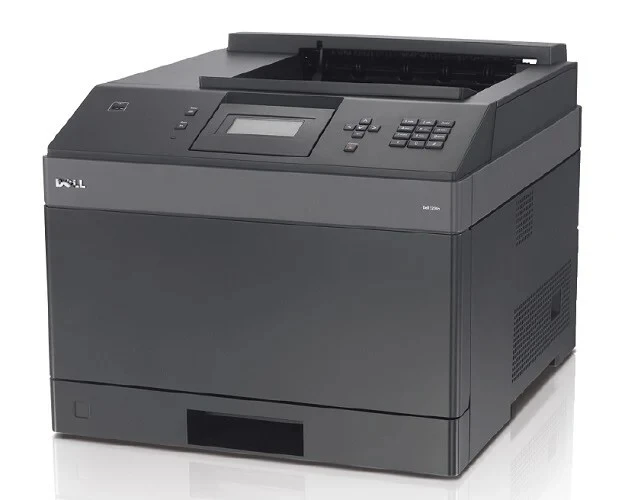
The Dell 5230N is the networked departmental mono laser: built-in Ethernet puts its fast, heavy-duty output at the disposal of an entire floor, not just the desk it sits on. Its supply is the high-yield black 330-6968 stocked below — code-named singles, the 5230N model-named version, and five- and eight-packs for rooms that consume cartridges steadily.
Networked printing changes how a department thinks about toner. The machine is shared infrastructure: nobody owns it, everybody depends on it, and its cartridge status is visible to anyone who checks the printer's web page. High-yield cartridges are the natural match for that role — long stretches between changeovers, a lower cost per page, and far fewer interruptions for the person who ends up as the unofficial printer keeper.
Toner Cartridges for Laser 5230N
| Cartridge | Color | Page Yield |
|---|---|---|
| 330-6968 — High yield black toner cartridge | Black | See product page |
| Dell 5230N — High yield black toner cartridge | Black | See product page |
| Dell 5230N — High yield black, 5 Pack | Black | See product page |
| 330-6968 — High yield black, 8 Pack | Black | See product page |
| 330-6968 Premium Quality — High yield black, 5 Pack | Black | See product page |
Which cartridge should you buy?
Every listing is high yield, so choose by how the floor consumes. A single cartridge plus a sealed spare covers a 5230N that supports a small team. The five-pack is the natural monthly stock for a busy department, the eight-pack the best per-cartridge value for the heaviest use, and the Premium Quality five-pack the step-up grade if your department standardizes on it.
Because the printer is shared, assign the reorder rule to the routine, not to a memory: when the spare goes in, the next order goes out. Compatible cartridges keep that routine affordable at departmental scale, and each one carries a 1-year warranty with 1-year returns from Clever Supplies.
Chip, toner and everyday use
Slow network printing on a 5230N is almost never about the cartridge: check the print server or driver, the spooler and whether the printer has picked up a new IP address after a network change. Toner affects how pages look, not how fast jobs arrive. Use the printer's web status page to read the cartridge level remotely instead of sending someone to the machine room.
Install replacements firmly until they lock so the chip is recognized at once, and if output fades toward the end of a cartridge's life, rock it gently side to side to redistribute the remaining toner before ordering a replacement. Keep the floor's spare stock sealed and flat, rotating the oldest box to the front of the shelf.
Frequently Asked Questions
What toner cartridge fits the Dell 5230N?
The high-yield black 330-6968, listed here as a code-named single, under the 5230N model name, and in multi-packs. Match the number on the cartridge you remove to be certain.
How do I add the 5230N to our office network?
Connect it by Ethernet, then add it on each computer by its IP address through the standard printer setup, using the correct driver. Assigning the printer a static IP keeps every workstation pointed at the right machine after router restarts.
Printing over the network has become slow — is the cartridge to blame?
No. Job delivery speed is a network and driver matter: spooler settings, an outdated driver or a changed IP address. A cartridge problem shows up in print quality — fading, streaks or uneven coverage — never in how long a job takes to arrive.
How can I check the 5230N toner level from my desk?
Open the printer's IP address in a web browser to view its status page, which reports the cartridge's remaining life. It is the simplest way for whoever manages supplies to time the next order without walking to the machine.
More printers that use the same cartridges
These Dell models run on the same high-yield cartridge platform: Color Laser Laser 5230DN, Color Laser Laser 5230N, Color Laser Laser 5350, Color Laser Laser 5350DN, Color Laser Laser 5230, Dell 330-6968, Laser 5230, Laser 5230DN, Laser 5350, Laser 5350DN.