




Color Laser Laser 5350DN
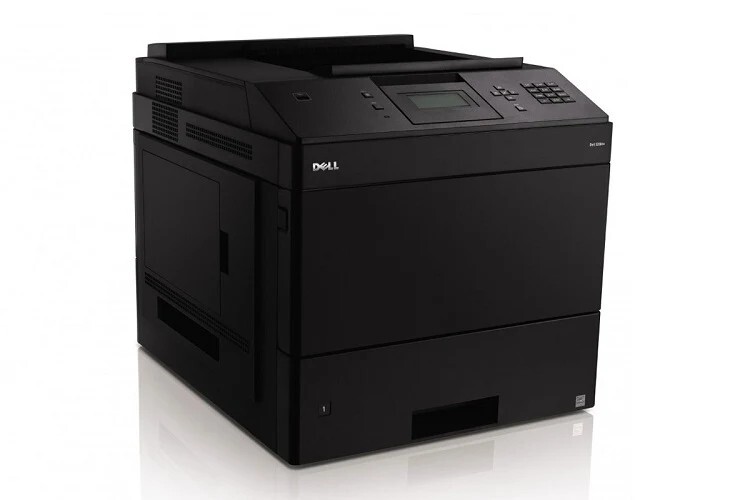
Speed is the headline here: the Dell 5350DN leads its workgroup family at up to 65 pages per minute, with automatic duplexing built in, aimed at departments and print rooms that run long monochrome jobs all day — reports, invoices, records — where a slower desktop unit would become a bottleneck. Feeding a machine this fast takes a cartridge sized for the climb, the high-yield 330-6968 black toner, stocked on this page from a single cartridge to a 10 pack.
Multiple paper trays and expansion options let the 5350DN feed those long jobs without constant refills, which shifts the real management task to supplies. At 65 pages a minute, a print room can move from comfortable stock to empty shelf inside a single heavy week. The offices that run this model well treat toner like a production input: counted, staged beside the machine, and reordered on a rhythm rather than in a panic.
Toner Cartridges for Laser 5350DN
| Cartridge | Color | Page Yield |
|---|---|---|
| 330-6968 Black Toner Cartridge — Single | Black | See product page |
| 330-6968 Black Toner Cartridges — 2 Pack | Black | See product page |
| 330-6968 Black Toner Cartridges — 3 Pack | Black | See product page |
| 330-6968 Black Toner Cartridges — 5 Pack | Black | See product page |
| 330-6968 Black Toner Cartridges — 10 Pack | Black | See product page |
Which cartridge should you buy?
Compatible high-yield cartridges for this printer deliver the same crisp output as the genuine Dell originals, so the practical question is purely how much stock your throughput demands. A print room running daily long jobs should anchor on the 5 or 10 pack: the reserve absorbs a surge week without an emergency order, and the per-page economics of the high-yield cartridge do the rest. Smaller departments backing a single 5350DN can work from the 2 or 3 pack, while the single suits a first evaluation — though at this machine's pace, evaluation periods are measured in days, not months.
Chip, toner and everyday use
The cartridge chip reports remaining toner to the printer, and on a machine this fast that warning deserves respect: the gap between low toner and empty can be one long records run. Stage the replacement next to the printer before the warning appears. Keep spares sealed in their packaging, stored flat at room temperature; a cartridge pulled early for a faded patch can be rocked gently to level the toner and reinstalled to finish its remaining pages later.
Frequently Asked Questions
What toner does the 5350DN take?
The high-yield 330-6968 black cartridge — the same supply as the rest of the 5230/5350 family. All five listings above are that cartridge in different quantities.
Does a compatible cartridge slow the printer down?
No. Print speed is set by the engine, not the supply. A compatible cartridge feeds toner to the same mechanism, so the 5350DN runs at its rated pace; what the cartridge determines is output quality and how long it lasts.
Does duplex printing on this model use more toner?
It uses toner on both sides of the sheet because both sides carry print — the saving from duplexing is paper, not powder. Budget cartridge stock by printed sides and the numbers will track reality.
How should a print room handle the low-toner warning?
Swap before the next long job rather than after the current one fades. On this model the warning is best treated as a same-day task, with the emptied cartridge set aside only if a gentle rock test shows it still has pages left for short work.
More printers that use the same cartridges
Every model below runs on the same high-yield black cartridge, letting a print room serve the whole family from one shelf: Color Laser Laser 5230DN, Color Laser Laser 5230N, Color Laser Laser 5350, Color Laser Laser 5230, Dell 330-6968, Laser 5230, Laser 5230DN, Laser 5230N, Laser 5350, Laser 5350DN.