




Laser 5230
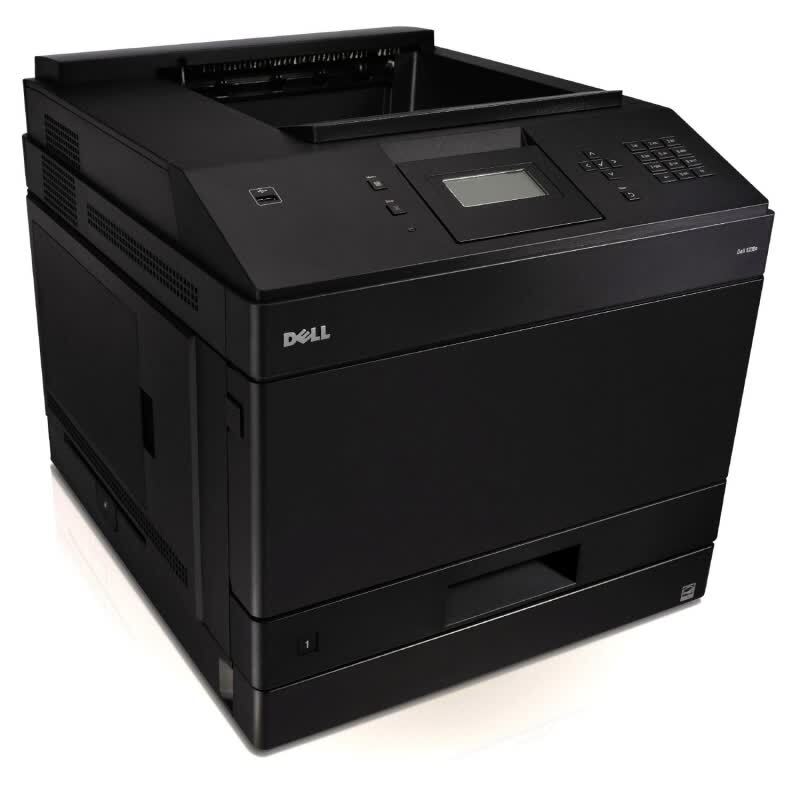
The Dell 5230 is a departmental monochrome laser built for environments where printing never really stops: fast output, large paper capacity options and a duty cycle sized for serious volume. At that scale, toner is the dominant cost of owning the printer, and the cartridge this page stocks is the high-yield black 330-6968 — sold as a code-named single, under the 5230 model name, and in five- and eight-pack formats for floors that go through cartridges by the case.
Departmental duty changes what a good cartridge has to be. It is not enough to print well; it has to print well on page four thousand of a month that shows no sign of slowing down, and it has to be on the shelf before it is needed, because a departmental printer standing idle holds up a whole team. Compatible cartridges cut the cost per page sharply against the original brand, and fast shipping keeps the supply chain as short as the workload demands.
Toner Cartridges for Laser 5230
| Cartridge | Color | Page Yield |
|---|---|---|
| 330-6968 — High yield black toner cartridge | Black | See product page |
| Dell 5230 — High yield black toner cartridge | Black | See product page |
| Dell 5230 — High yield black, 5 Pack | Black | See product page |
| 330-6968 — High yield black, 8 Pack | Black | See product page |
| 330-6968 Premium Quality — High yield black, 5 Pack | Black | See product page |
Which cartridge should you buy?
Everything on this page is high yield, so the decision is about stocking depth. A single cartridge suits a 5230 that backs up a department rather than serving as its hub. The five-pack fits a busy floor's monthly rhythm, and the eight-pack is for genuinely heavy installations where the per-cartridge price matters more than the shelf space. The Premium Quality five-pack is the step-up grade of the same cartridge.
Whatever the pack size, the rule for departmental machines is to reorder when the spare goes in — not when the printer stops. A high-yield cartridge already minimizes changeovers; pairing it with one-deep spare stock means the 5230's output is limited by paper and people, never by toner. Compatible cartridges here carry a 1-year warranty with 1-year returns.
Chip, toner and everyday use
Most 5230 jams have nothing to do with the cartridge: overfilled trays, curled paper and worn pickup rollers cause the majority. Fan the paper, load below the tray's maximum line, and use fresh, dry stock. If jams persist right at the cartridge area, pull the cartridge out and reseat it firmly — a slightly unseated unit can disturb the paper path as well as the print.
Seat every replacement until it locks so the chip registers on the first power-up, and give the printer a moment to recognize the new cartridge before sending the next department-sized job. Store spare cartridges flat in their sealed bags, away from heat: at departmental volumes, stock rotates quickly, but the oldest box should still be the next one installed.
Frequently Asked Questions
Which cartridge does the Dell 5230 use from this page?
The high-yield black 330-6968, in single, five-pack and eight-pack formats. Dell's family for this platform carries several part numbers, so match the number printed on the cartridge you removed — the listings here are the 330-6968 line.
Standard or high-capacity for a departmental 5230?
High capacity, almost every time. Heavy users come out ahead on cost per page and swap cartridges far less often; a standard-capacity cartridge only makes sense on a 5230 that sees genuinely light, occasional use.
My 5230 jams every time I load the tray — where do I start?
Start with the paper, not the printer: fan the stack, load below the maximum line, and avoid curled or damp sheets. Worn pickup rollers are next on the list. If jams cluster at the cartridge area itself, reseating the cartridge is the quick test.
How many spare cartridges should a department keep?
At least one, always. Departmental volume turns an empty cartridge into a team-wide delay, so the working pattern is a spare on the shelf and a reorder placed the day that spare is installed.
More printers that use the same cartridges
These Dell models share the same high-yield cartridge platform: Color Laser Laser 5230DN, Color Laser Laser 5230N, Color Laser Laser 5350, Color Laser Laser 5350DN, Color Laser Laser 5230, Dell 330-6968, Laser 5230DN, Laser 5230N, Laser 5350, Laser 5350DN.