




Color Laser 1320C
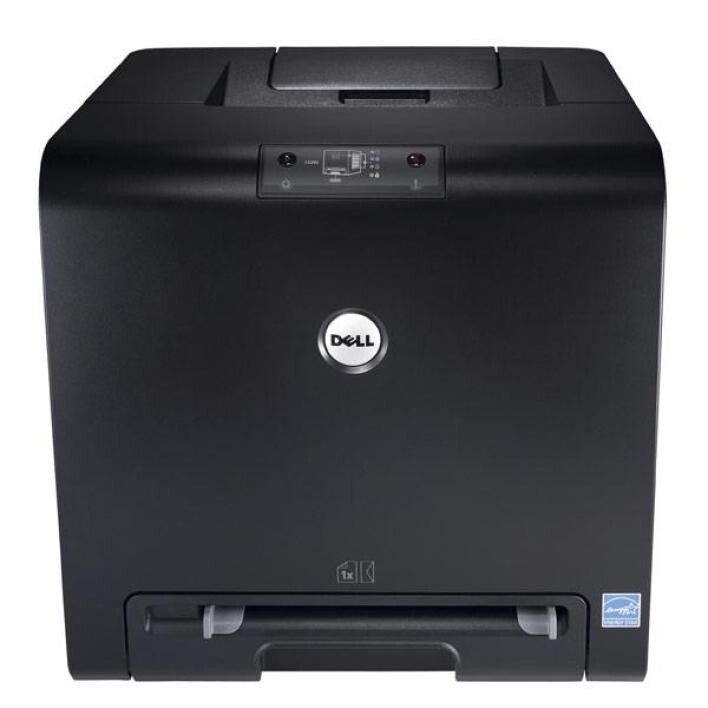
The Dell 1320C squeezes full color laser printing into one of the smallest chassis Dell ever shipped, a natural fit for a home office where the desk is already spoken for and inkjet running costs have stopped making sense. Output comes off the tray sharp and completely dry, ready to pick up and use. Four separate cartridges do the work: black is the 310-9058, joined by the 310-9060 cyan, the 310-9064 magenta and the 310-9062 yellow. Because every color sits in its own cartridge, a black that runs dry never drags three healthy colors into the trash with it.
This is the printer for a household that has outgrown inkjet economics: school projects, home-business paperwork and the occasional color report all come out looking deliberate instead of apologetic. It asks for very little in return — a corner of a desk and a modest stock of toner. Text-heavy home offices will lean on the black cartridge far harder than the colors, which is exactly why the supply strategy below treats black and the color trio as two separate buying decisions.
Toner Cartridges for Dell 1320C
Which cartridge should you buy?
Start from how the printer actually gets used. In most homes the black cartridge empties two or three times before any color does, so the black 2-pack, 3-pack and 5-pack listings exist for exactly that pattern: a lower cost per cartridge and no emergency order the night before a deadline. Colors are the opposite story — buy them one at a time, only the one the printer flags, because a spare cyan can sit for a year in a light-use household. When several cartridges run low together, the 4 Color Set replaces everything in one order, and the Premium Quality set is the step-up version of the same four. Every compatible cartridge here is covered by a 1-year warranty with 1-year returns, so stocking a spare black is a safe habit rather than a gamble.
Chip, toner and everyday use
Each cartridge carries a chip the 1320C reads to estimate the toner left, so treat the first low warning as notice, not a verdict — there is usually a useful amount of printing left after it appears. When a new cartridge goes in, seat it firmly until it clicks; a unit that stops a fraction short may not be recognized at all. If pages start coming out faint before the warning arrives, lift the cartridge out and rock it gently from side to side to redistribute the powder inside, then run a few more pages. Keep spares sealed in their bags, stored upright in a cool drawer away from sunlight, and remember that any stated yield assumes roughly 5% page coverage — dense color pages use toner far faster than plain text.
Frequently Asked Questions
Which cartridges does the Dell 1320C use?
Four: black 310-9058, cyan 310-9060, magenta 310-9064 and yellow 310-9062. If you are ever unsure which slot needs attention, open the front cover and copy the code straight off the cartridge you are replacing before you order.
Why are my 1320C prints coming out with a pink or green tint?
A color cast almost always means one toner is running low or sitting unevenly in its slot. Reseat the color cartridges, then run a color calibration from the printer menu. If the tint survives both steps, the low cartridge itself is the problem and should be replaced.
Can I replace just one color on the 1320C?
Yes — that is the point of the four-cartridge design. The printer tracks each slot separately, so you swap only the color that is actually empty and leave the rest in place until their turn comes.
How long does a 1320C cartridge last?
There is no fixed calendar answer: a cartridge lasts for the pages you print, not the months it spends installed. Light users routinely get a year or more from one set, while a busy home office may work through several blacks in the same period.
More printers that use the same cartridges
The same four cartridges also serve the other models in this compact color family: Color Laser 1320, Color Laser 1320CN, Dell (310-9058, 310-9060, 310-9064, 310-9062).