




Color Laser 1320
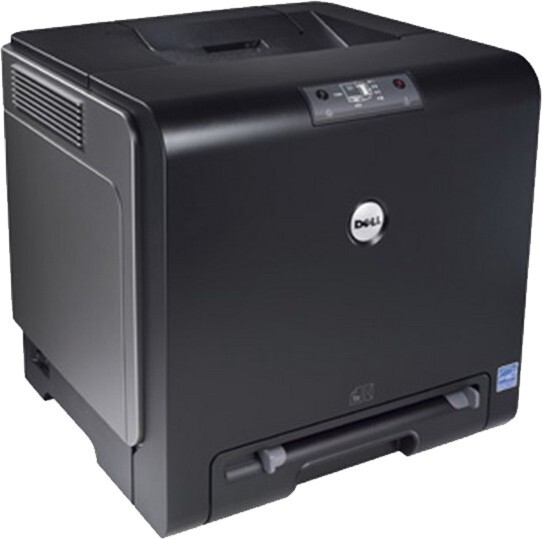
The Dell 1320 is a compact color laser for desks and small offices — full CMYK color in a footprint not much bigger than a mono printer. Its four-cartridge set installs color by color, so you replace only what you use: black 310-9058, cyan 310-9060, magenta 310-9064 and yellow 310-9062. Beyond the black, the three color cartridges are each rated around 2,000 pages in this printer. Compatible Dell 1320 toner cartridges give the same bright color and sharp text as OEM at a friendlier price, with fast shipping to keep a small office running.
This is the color laser for teams that need occasional color — charts, flyers and presentations — without giving up desk space to a big machine. Home offices and small teams are its natural habitat: text stays crisp for everyday documents, and when a color job lands, the machine handles it without a trip to a print shop. Because each color lives in its own cartridge, a month of plain correspondence costs almost nothing in color toner.
Toner Cartridges for Dell 1320
| Cartridge | Color | Page Yield |
|---|---|---|
| Black single (310-9058) | Black | See product page |
| Cyan single (310-9060) | Cyan | ≈2,000 pages |
| Yellow single (310-9062) | Yellow | ≈2,000 pages |
| Magenta single (310-9064) | Magenta | ≈2,000 pages |
| Color set (4 cartridges) set (Dell 1320) | Color set (4 cartridges) | See product page |
| Color set (4 cartridges) set (Dell 1320), premium line | Color set (4 cartridges) | See product page |
| Color set (4 cartridges) set (310-9058, 310-9060, 310-9064, 310-9062) | Color set (4 cartridges) | See product page |
Which cartridge should you buy?
The choice on this page is simple: singles or the set. Buy singles when one color fades ahead of the others — the usual pattern, since most small offices print far more black text than color. The 4-color sets make sense when the printer is new, when several cartridges are aging together, or when you want one order to close the subject for a while; the set comes in a regular compatible line, a premium compatible line, and a version labeled by the four cartridge codes. There is no separate high-yield tier to puzzle over here — the color cartridges are rated around 2,000 pages each, and compatible versions are covered by a 1-year warranty and 1-year returns.
Chip, toner and everyday use
Treat page ratings as estimates: the roughly 2,000-page figure for the color cartridges assumes the standard 5% page coverage, and a flyer with a full-bleed background spends toner many times faster than a letter. When one color starts fading, that cartridge is nearly empty — rocking it gently from side to side can redistribute what remains for a few more usable pages. Seat each new cartridge until it clicks so the printer recognizes it, and keep any spare sealed and flat; a small printer in a small office rewards the owner who keeps one cartridge ahead.
Frequently Asked Questions
Which replacement toner should I buy for my Dell 1320?
Cartridges built for this exact model: 310-9058 black, 310-9060 cyan, 310-9064 magenta and 310-9062 yellow. Stick with cartridges made for the 1320 — a wrong cartridge may fit physically, but the printer can refuse to recognize it.
My Dell 1320 prints faded colors — is a cartridge dying?
Often, yes: a fading color points to the matching cartridge running low. Check the toner levels, and if one color is nearly empty, replace that cartridge. The others may still have plenty of life, since each color is tracked and replaced separately.
How often will I need to replace a cartridge in the 1320?
It depends on how much you print. A 1320 in a home office can run for months on one set, while the same cartridges in a busy office may last only weeks. Coverage matters too — graphics-heavy pages empty cartridges far faster than plain text, well beyond what the page ratings suggest.
Can I replace all four cartridges at once?
You can, and the 4-color sets on this page exist for that moment — a new printer, or a full refresh. Day to day, though, one-at-a-time replacement is cheaper: each cartridge empties on its own schedule, and there is no benefit to retiring a color that still has toner in it.
More printers that use the same cartridges
The 1320's cartridge set is shared with its closest Dell relatives: Color Laser 1320C, Color Laser 1320CN, Dell (310-9058, 310-9060, 310-9064, 310-9062).