




Color Laser 1320CN
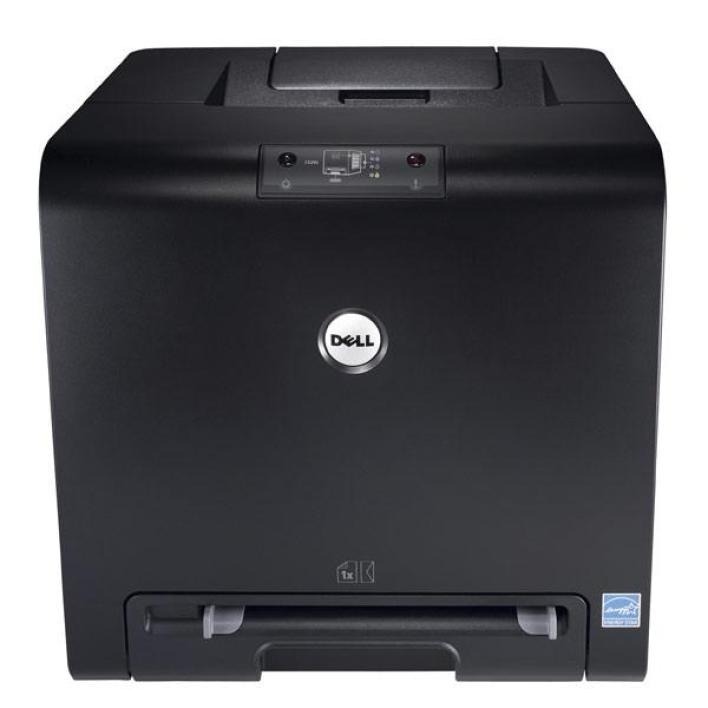
The Dell 1320cn is the networked member of Dell's compact color laser line: one small machine on the office network, shared by everyone, instead of a personal printer on every desk. It feeds from four separate cartridges — black 310-9058, cyan 310-9060, magenta 310-9064 and yellow 310-9062 — so a workgroup only ever replaces the single color that has actually run dry.
That sharing shapes how this printer should be stocked. When six people depend on one machine, an empty cartridge is everybody's problem, and the fastest fix is the spare already sitting in the supply cabinet. Ordering stays simple because the part number is printed on the cartridge you pull out: match the code, pick the color, and the replacement drops into the same slot. The listings below cover the four singles, a standard four-color set, the premium-grade set and the code-matched set, all built for this printer.
Toner Cartridges for Color Laser 1320CN
| Cartridge | Color | Page Yield |
|---|---|---|
| 310-9058 — Black toner cartridge | Black | See product page |
| 310-9060 — Cyan toner cartridge | Cyan | See product page |
| 310-9064 — Magenta toner cartridge | Magenta | See product page |
| 310-9062 — Yellow toner cartridge | Yellow | See product page |
| Dell 1320cn — 4 Color Set | All four colors | See product page |
| Dell 1320cn Premium Quality — 4 Color Set | All four colors | See product page |
| 310-9058 / 310-9060 / 310-9064 / 310-9062 — 4 Color Set | All four colors | See product page |
Which cartridge should you buy?
Start from how the printer is used. A 1320cn in a shared corner burns through colors at uneven rates — the person printing board packs drains cyan and magenta, while everyday letters mostly consume black. Replacing singles as they empty is the cheapest pattern for that kind of mixed use, because you never throw away a half-full cartridge just because its neighbor quit.
A four-color set earns its place as the shelf spare. When the machine stops mid-morning with a queue of jobs behind it, swapping in the one empty color from a set you already own beats waiting on a delivery. The Premium Quality set is the step-up line for offices that hand clients color output all day; the standard set covers internal work at the lowest cost per page. Either way, one set in reserve plus singles for routine swaps is the combination most small workgroups settle on.
Chip, toner and everyday use
Each cartridge carries a chip the printer reads on installation, so seat the new cartridge firmly until it clicks and let the machine finish its calibration cycle before judging the first page. If a color starts printing light before the printer reports it empty, pull that cartridge out and rock it gently side to side a few times — toner settles in storage, and redistributing it often restores even coverage for the pages that remain.
Treat every printed yield figure as an estimate built on roughly 5% page coverage; a page of dense charts uses far more toner than a page of memos. Store spare cartridges flat, in their bags, away from windows and heat, and rotate stock so the oldest box is used first. A spare that lives in a hot supply closet for a year will still work, but its first pages may need the same gentle rock to even out.
Frequently Asked Questions
What toner cartridges fit the Dell 1320cn?
Four cartridges: black 310-9058, cyan 310-9060, magenta 310-9064 and yellow 310-9062. Buy by the code printed on the cartridge you removed rather than by the printer name alone — that habit avoids nearly every wrong-cartridge mix-up.
Can the whole office really print to one 1320cn?
Yes. The 1320cn connects to your network, so any computer on that network can send it jobs from any room. That shared access is exactly why keeping one spare color on the shelf matters more with this model than with a single-desk printer.
Only one color ran out — do I have to change all four?
No. The four cartridges are fully independent, and the printer keeps working with a fresh single alongside three older ones. Replace the spent color, leave the rest alone, and let each cartridge deliver its full life.
Are refilled cartridges a good idea for the 1320cn?
Refills are a gamble: third-party refilled cartridges can leak, print unevenly or be rejected by the printer outright. A fresh compatible cartridge built for this model costs little more and removes that uncertainty, which is why most owners of shared machines stay with proper replacements.
More printers that use the same cartridges
The same four cartridges also fit these related Dell models: Color Laser 1320, Color Laser 1320C, Dell (310-9058, 310-9060, 310-9064, 310-9062).